Ivo Connect via Slack
Last updated: August 7, 2025
Ivo Connect is in early access. Please contact your Customer Success Manager if you would like to use this feature.
Setup
Click Add Ivo to Slack to start the process of installing Ivo Connect in your Slack workspace.
You will be prompted to to accept the requested permissions. Please review them and click Allow.
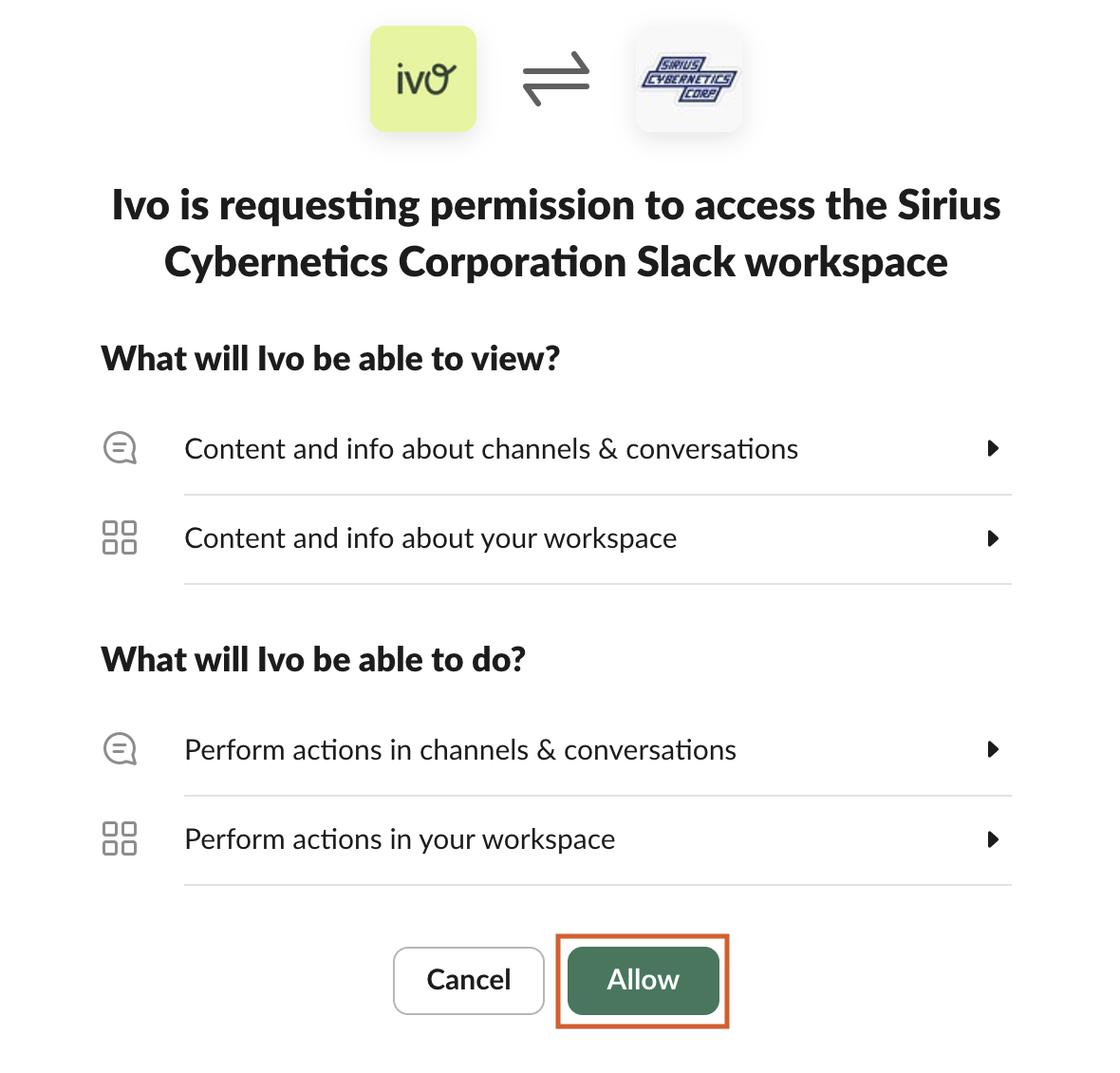
You're now ready to start using Ivo Connect in Slack!
Usage
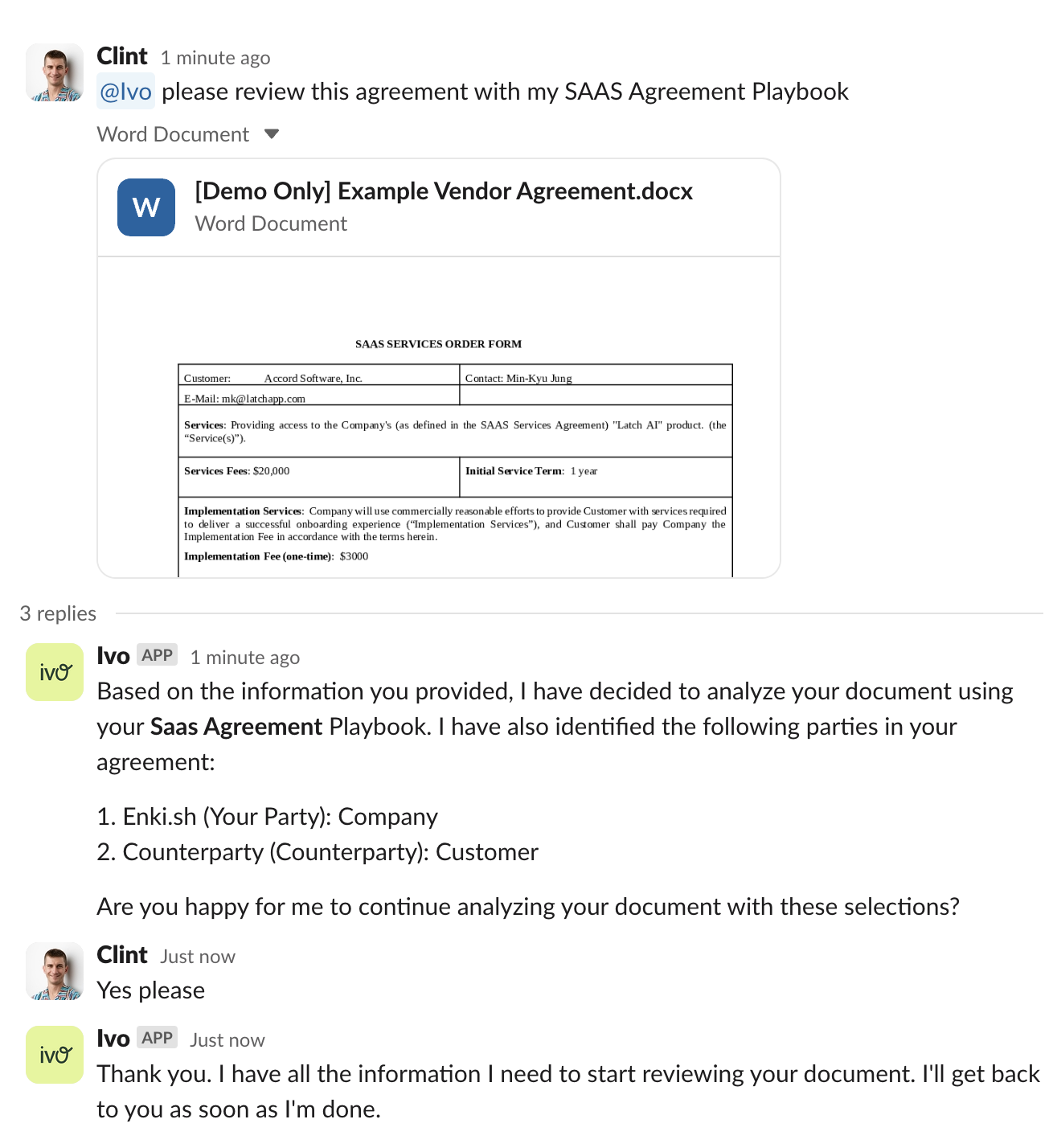
To start a conversation with Ivo Connect, send a message in a channel mentioning @Ivo (@Ivo needs to be added to the channel first) or message @Ivo directly.
Send a message with your document and Ivo Connect will prompt you for any information it needs.
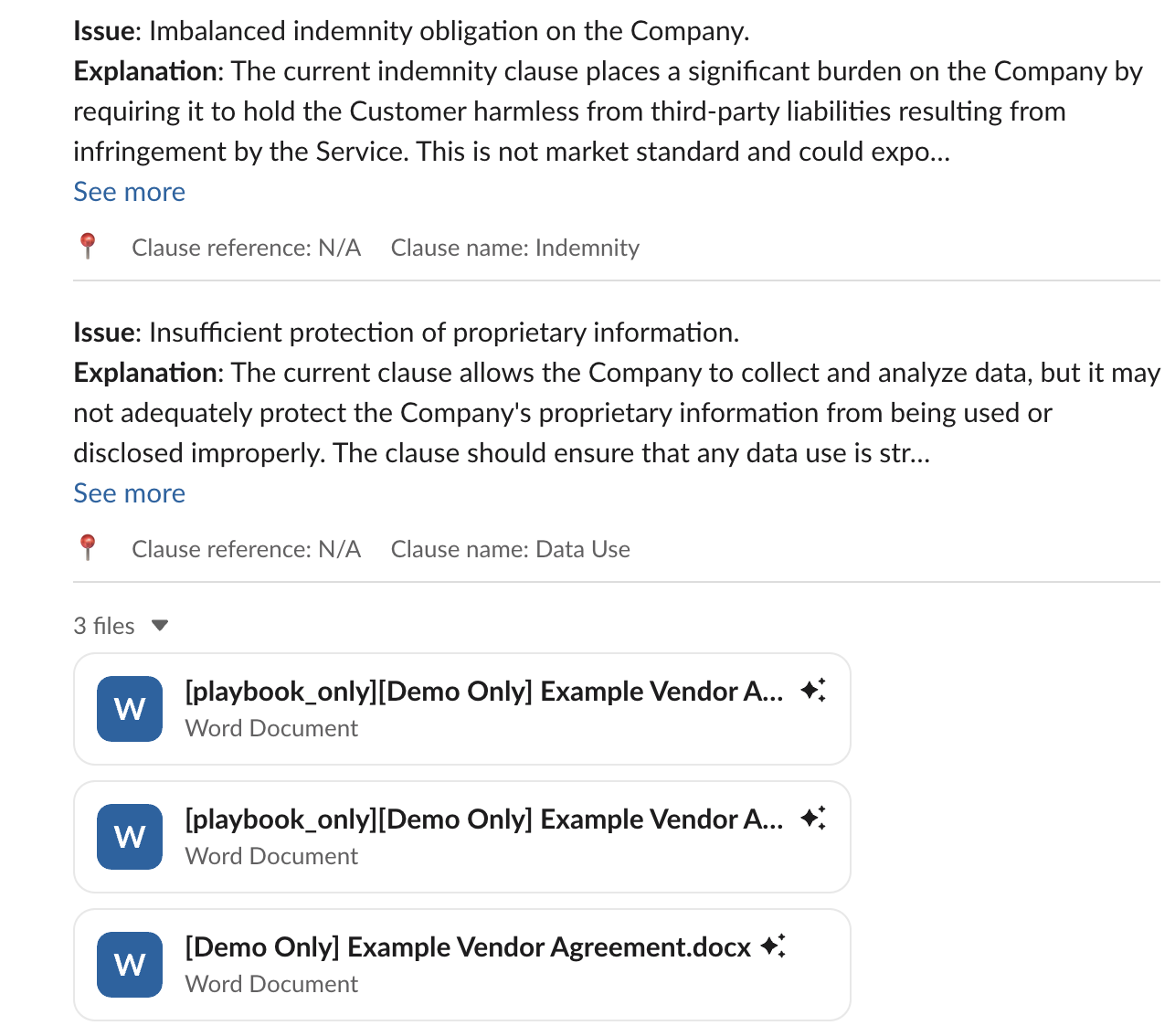
Once Ivo Connect is done reviewing your document it will send a summary of all the issues it detected along with the redlined document, Issues List document, and original document.
Approvals
Setup Rules in your Playbook (see Ivo Assistant Approvals for more information)
If Ivo Assistant detects a rule is triggered when reviewing your document, you will receive a message to request approval from the necessary parties.
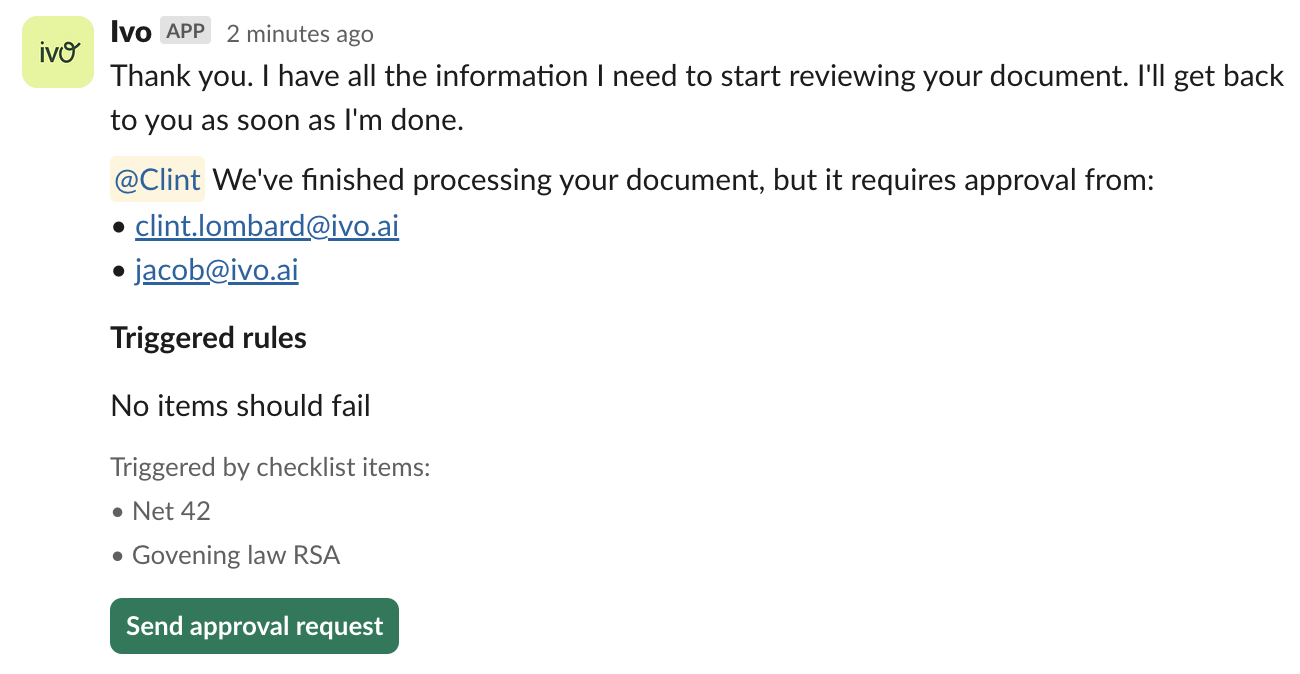
Once one of the parties approves your request, you will receive the review result.
