Risk Sensitivity
Last updated: July 27, 2026
Adjusting Risk Sensitivity
You can adjust the risk sensitivity settings for the Ivo Flags in the Review functionality. Increasing the risk means that Ivo will flag more items for you to review, as well as categorize more items as being high risk.
Open Ivo and click the three lines in the top left corner
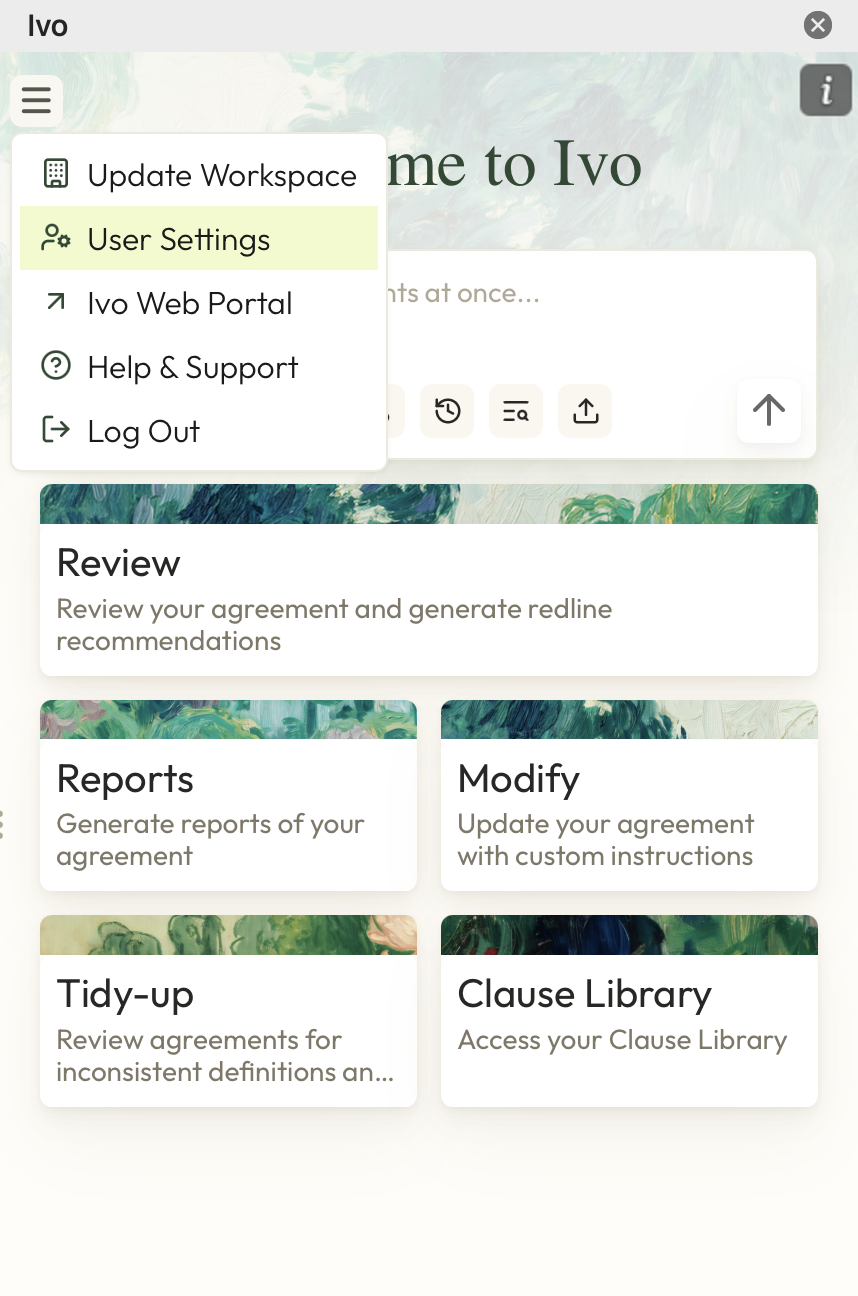
Click User Settings.
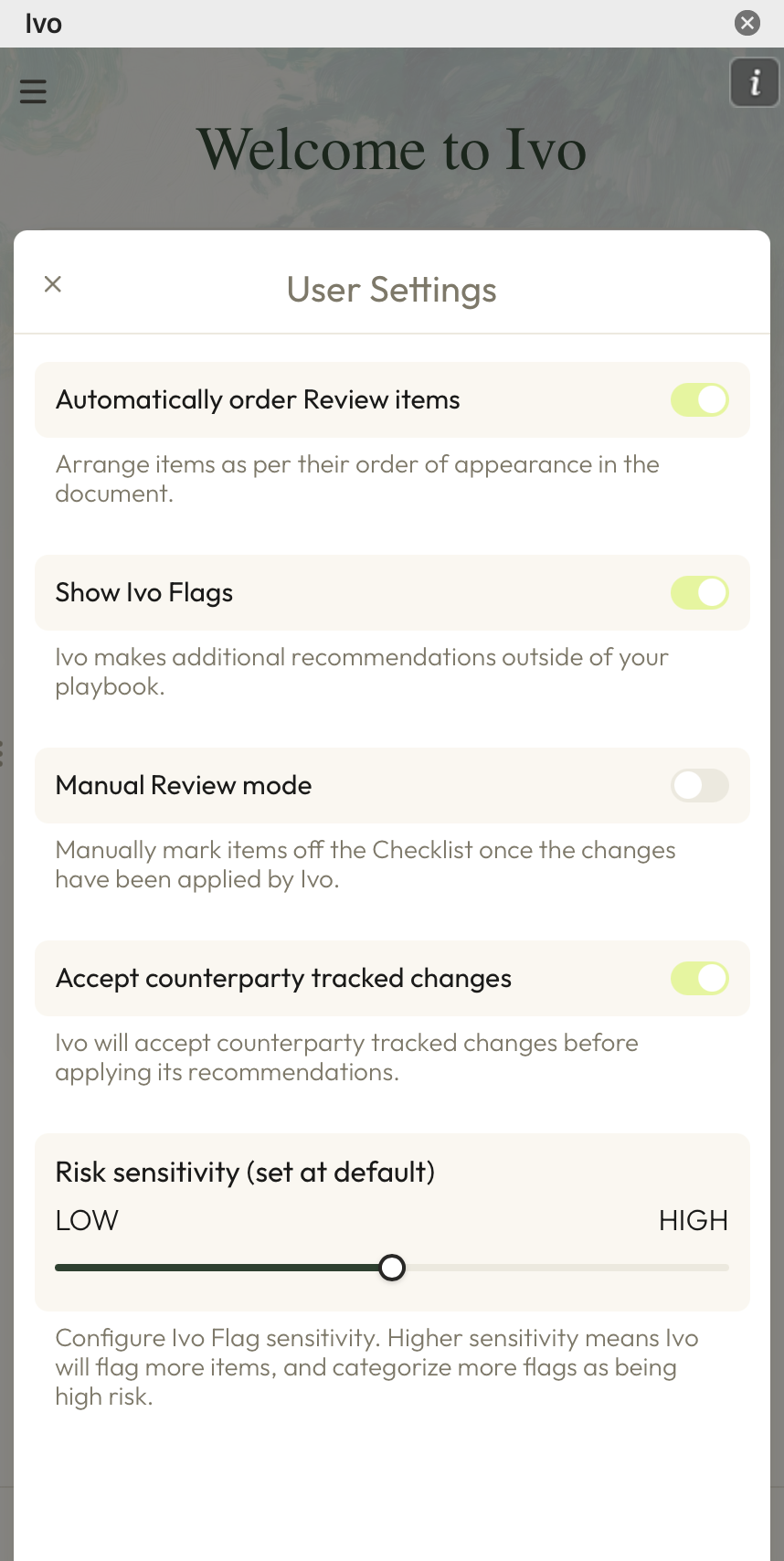
Use the slider under Risk Sensitivity to select the level of sensitivity for Ivo Flags