Reviewing Checklist Items in Order
Last updated: November 3, 2025
You can display your playbook checklist items in sequential order during a review. This means the checklist will appear in the same order as the items in your contracts, making it easier to follow the contract’s natural flow.
Please note that if one checklist item is related to multiple sections of the contract, you will see and can apply all of the redline suggestions throughout the entire document, the first time the checklist item appears in the contract.
To ensure this setting is enabled:
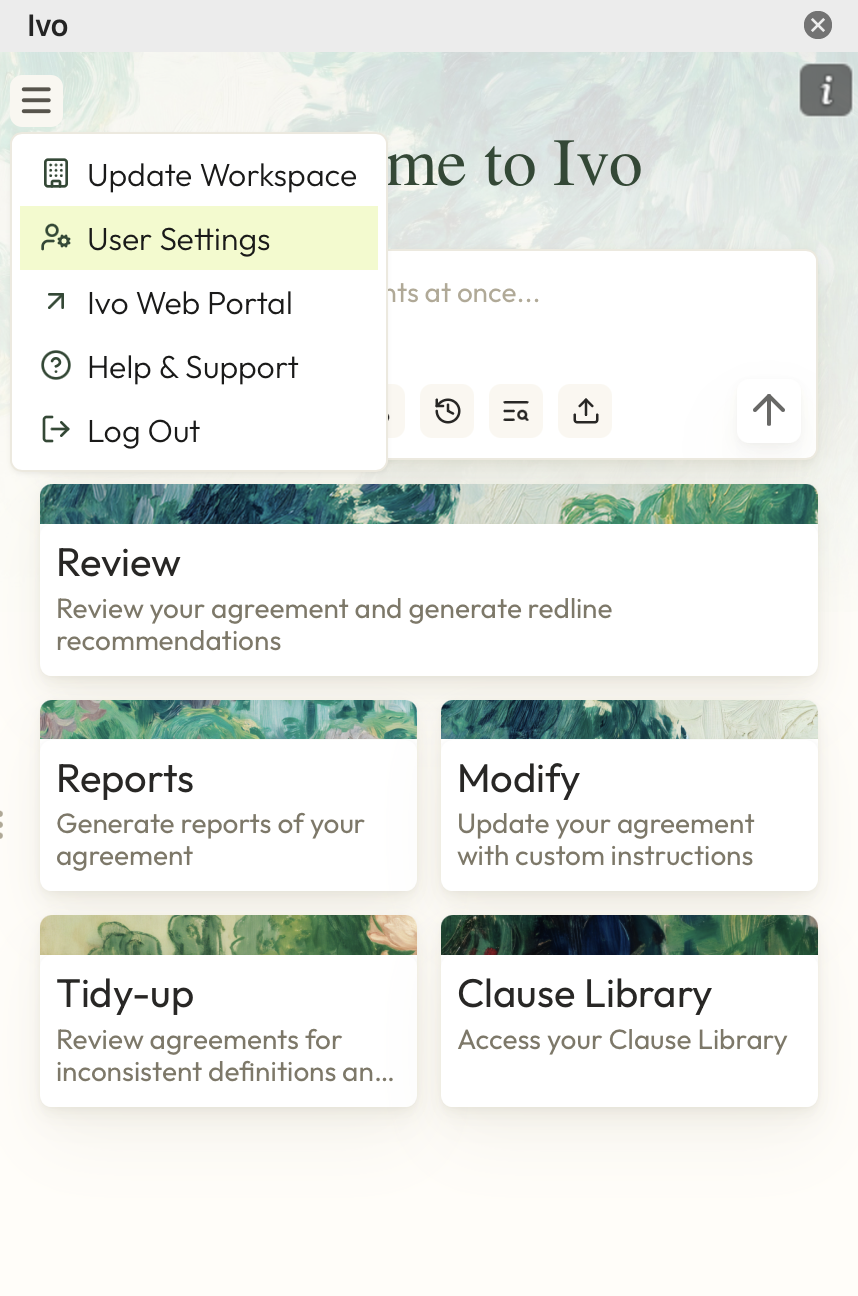
Click on the three line in the top left corner
Click User Settings
Toggle on Automatically order Review items
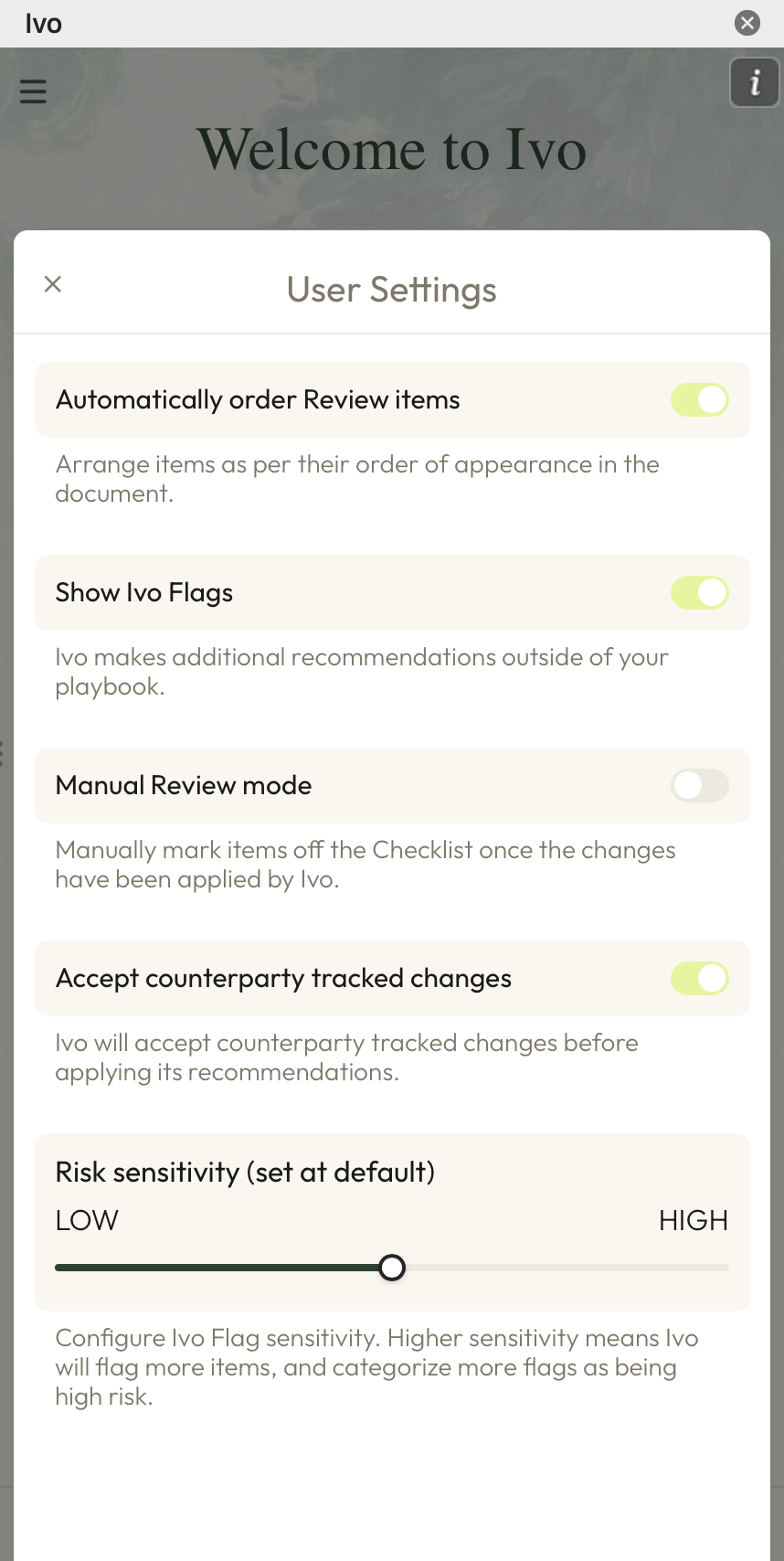
Troubleshooting tip: If this setting is enabled but your checklist items aren't in chronological order, please try toggling off, toggling on again and then re-running your Review.