Converting Playbooks for Review 2.0
Last updated: April 16, 2026
Review 2.0 uses positions instead of checklist items, so existing playbooks must be converted before they can be used with Review 2.0.
This is a simple process, but you must be a Workspace Owner, Workspace Admin, or Repository Admin to complete it.
How to convert a playbook
In app.ivo.ai, go to Playbooks.
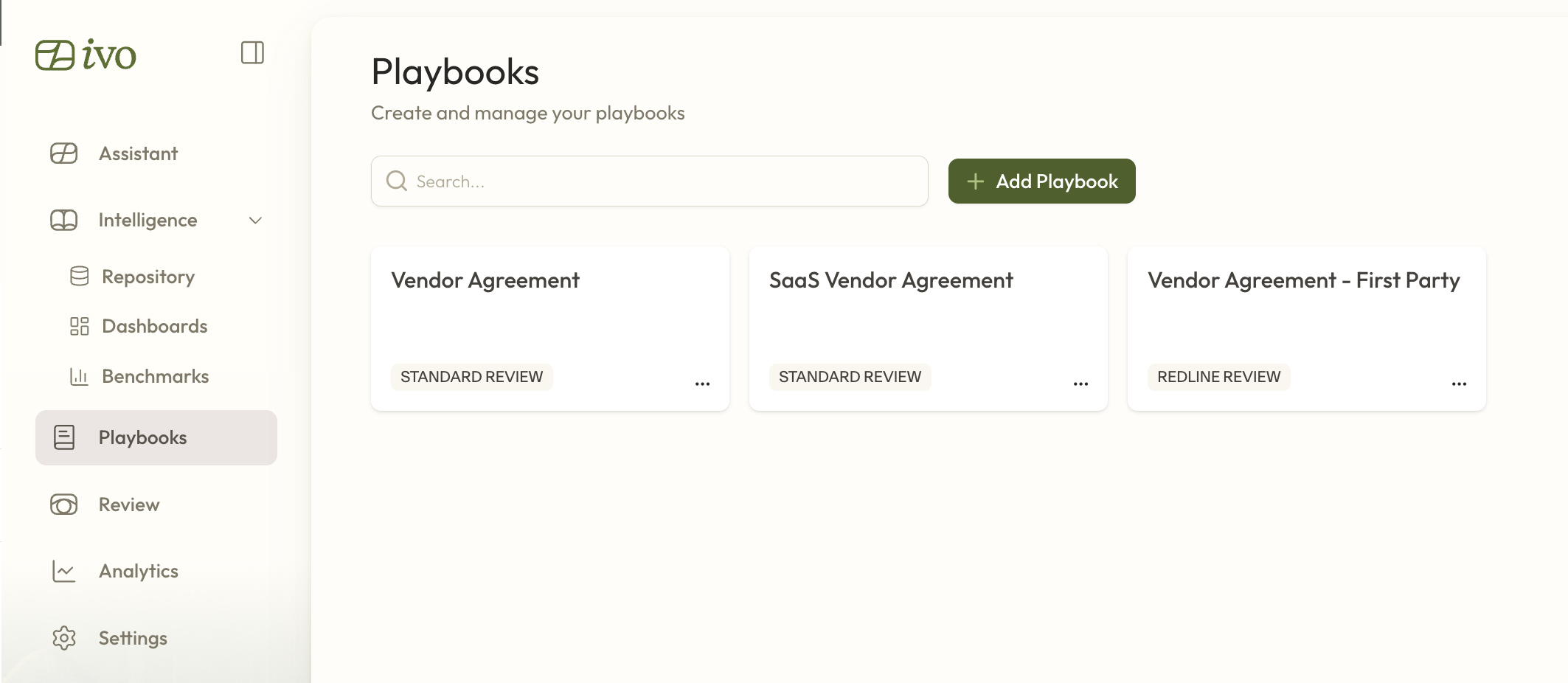
Click and open the playbook you want to convert.
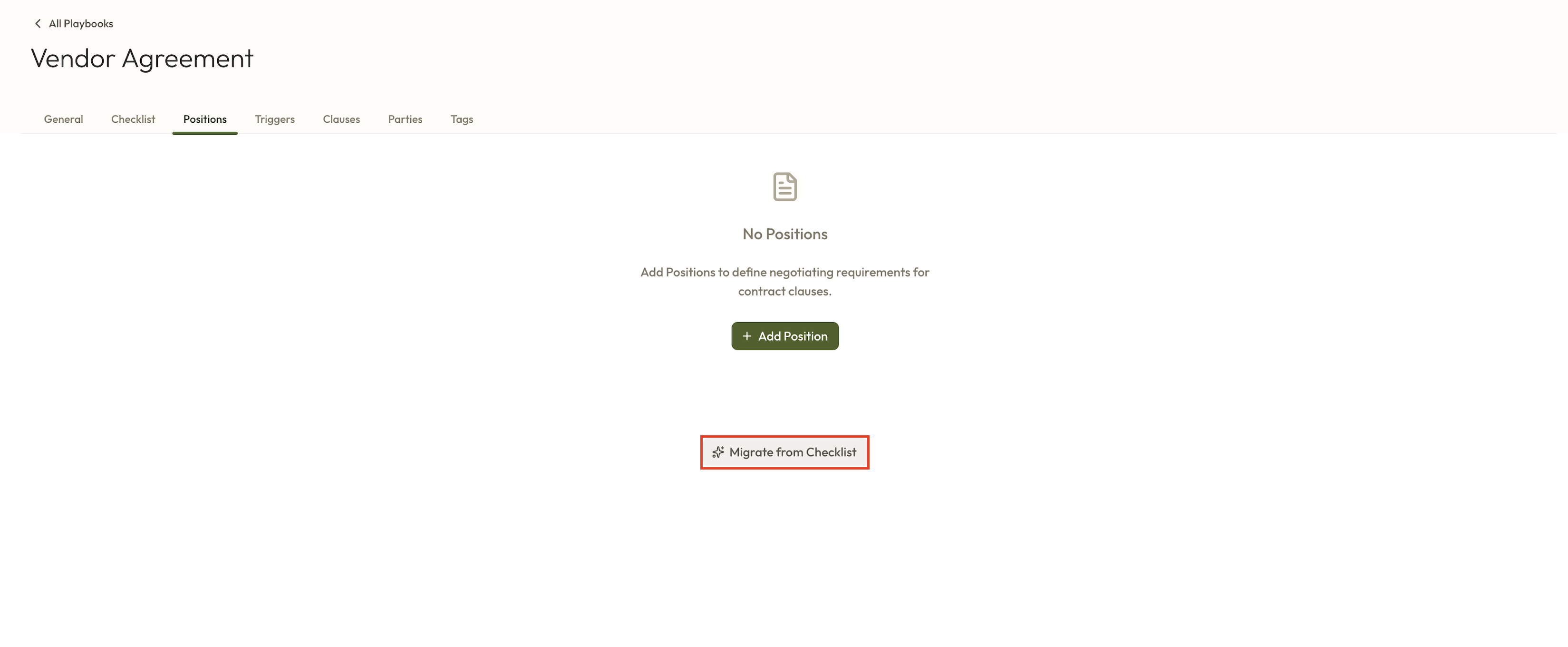
Select Positions.
Click Migrate from checklist. This will generate positions based on your existing checklist items.
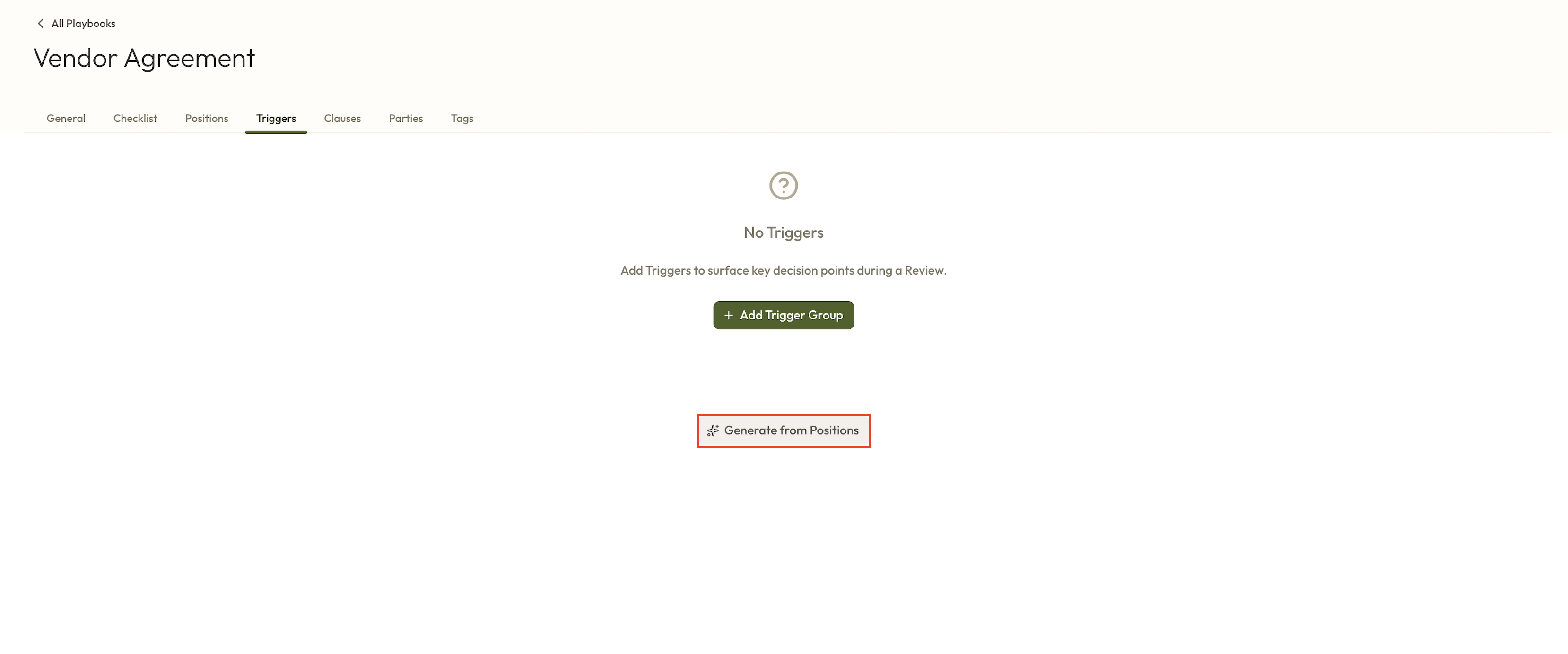
Optional: Select Triggers.
Click Generate Triggers. This will create contextual questions based on the position items.
Once Positions and, optionally, Triggers have been generated, your playbook is ready to use in Review 2.0.
Notes
The migration process converts checklist items into positions for use in Review 2.0.
Generating triggers is optional, but recommended if you want contextual questions created automatically.