Starting a Review without a Playbook
Last updated: September 5, 2025
When using the Review feature, you'll have the option to have Ivo review your agreement without using a Playbook. In this case, Ivo will flag and suggest redlines for items that are generally unfavorable for your party or non-market standard.
To use the Review feature without a Playbook:
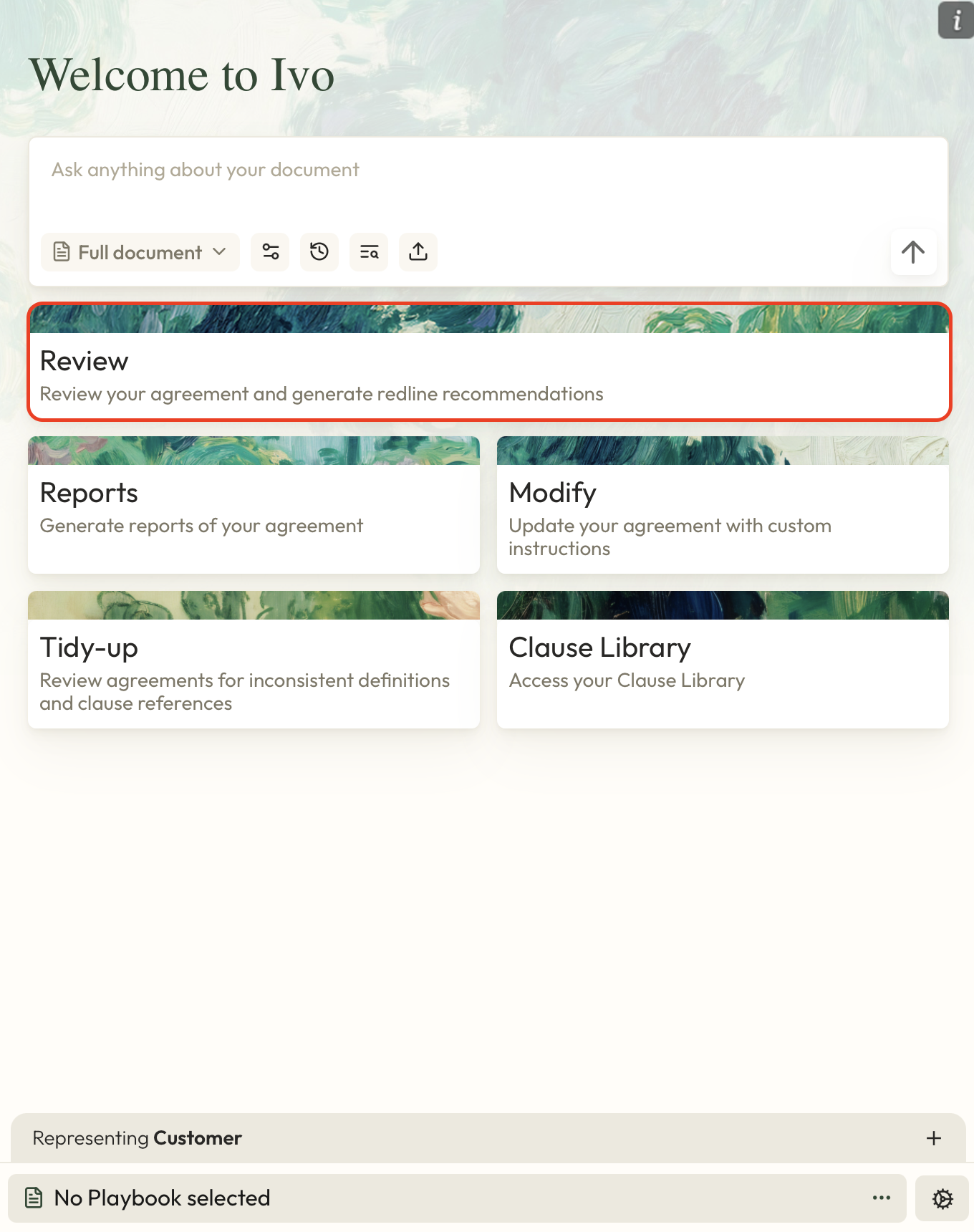
Click the Review option in the Home Page.
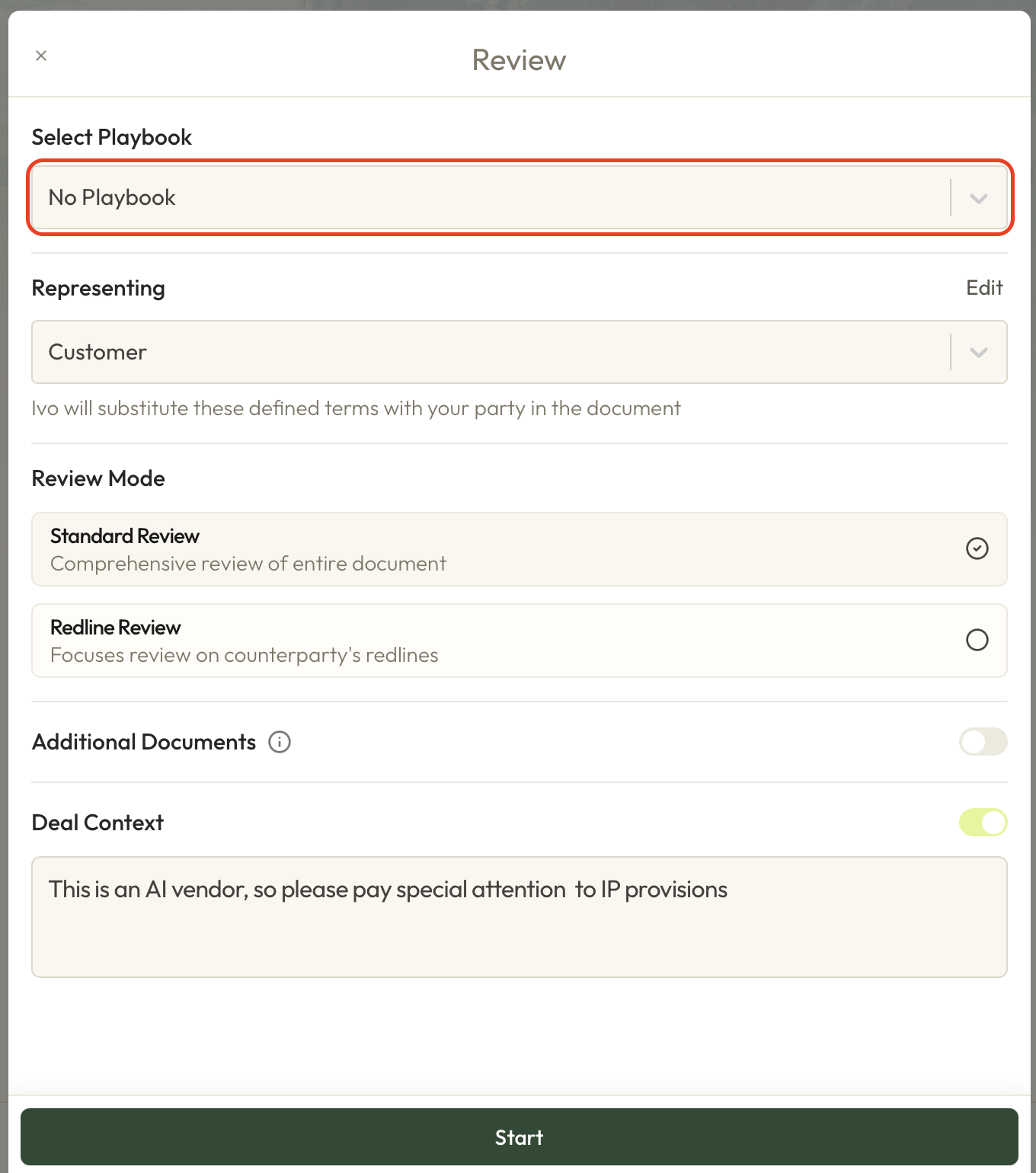
Ensure that No Playbook is selected from the first dropdown menu.
Check that Ivo has detected the correct party to represent.
Decide whether you'd like to do a Standard Review (reviewing the entire document) or Redline Review (reviewing the counterparty's redlines only).
Optional: You can add additional documents for Ivo to take into context during the Review (e.g. Original contracts, addendums, related agreements).
Optional: You can include additional Deal Context to assist Ivo with its review.
Click the Start button.
Take a look at our Review article for details about viewing and applying Ivo's redline suggestions.