Document Audit Ledger
Last updated: October 27, 2026
The Document Audit Ledger gives you a full history of where your documents came from and where they went. You can use it to verify that uploads completed successfully, understand why a document was skipped, and track when documents were removed from rooms.
How to access it
Navigate to Settings → Repository → Ledger.
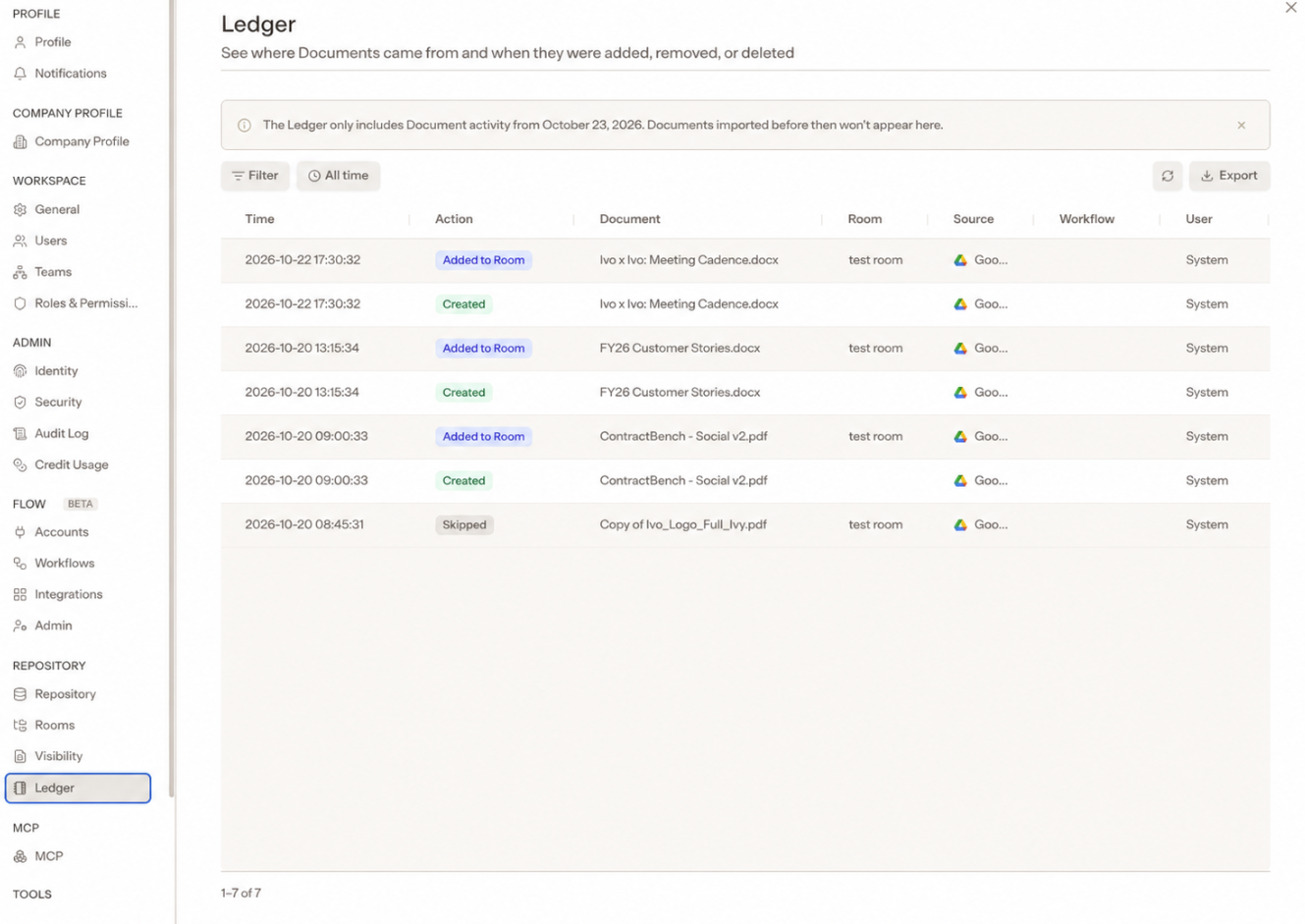
What the Ledger tracks
The Ledger records the following events for every document in your workspace:
Event | What it means |
|---|---|
Uploaded | A new file was added to Ivo and assigned to a room. |
Deleted | A document was deleted from Ivo. |
Added to Room | A document was added to a room. |
Removed from Room | A document was removed from a room. |
Skipped | The file was not added because it already exists in Ivo. |
Failed | The document could not be added due to a server error or because the workspace document limit was reached. |
Note: Unsupported file types and corrupt files do not appear in the Ledger.
What the Ledger covers
The Ledger tracks document events from all upload sources, including manual uploads, legacy integrations, the Ivo API, and Ivo Flow syncs.
Events are tracked from October 23, 2026 onward. Earlier events are not available.
Notes
The Ledger is read-only. It is a record of events and cannot be edited.
Skipped files are files that were already present in Ivo at the time of upload. They are not duplicates added to the workspace.
Failed events indicate either a server error or that the workspace document limit was reached. If you are seeing repeated failures, contact your Ivo contact or support team.