Benchmarks in Review 2.0
Last updated: April 16, 2026
Benchmarks is a feature in Review 2.0 that compares the contract currently under review against a customer’s historical contracts stored in Repository. It gives users visibility into how the agreement’s terms compare to positions they have accepted, rejected, or negotiated in the past, providing valuable context directly within the review workflow. By drawing on the customer’s own deal history, Benchmarks helps teams review contracts more consistently, identify precedent more quickly, and make better-informed decisions during negotiation.
To use Benchmarks, the customer must have Intelligence, since the feature relies on historical contract data stored there.
How to use Benchmarks
Open Review 2.0.
In the review method step, select Benchmarks.
Choose the repository room you want to compare against.
Continue through the review process.
Recommendations
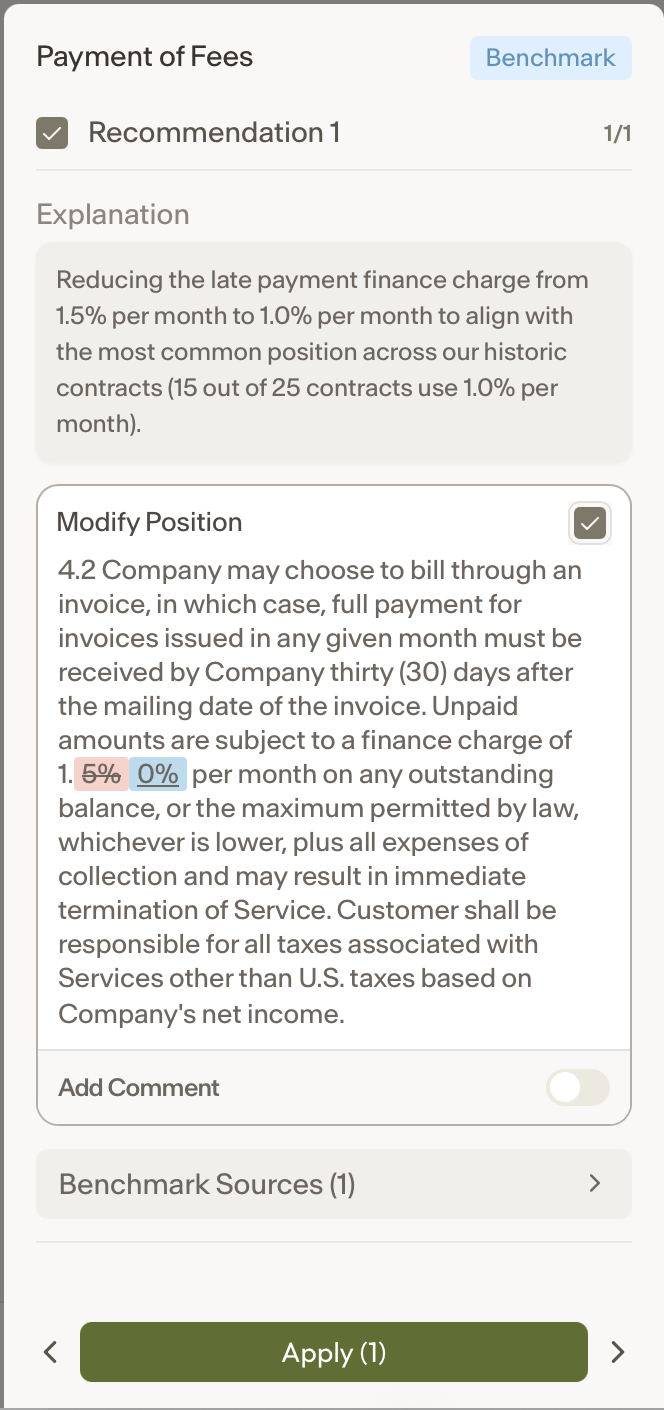
After the review is complete, you can click into any benchmarked item to see:
an explanation of the recommendation
the recommended Modification Position
the source used to support that recommendation
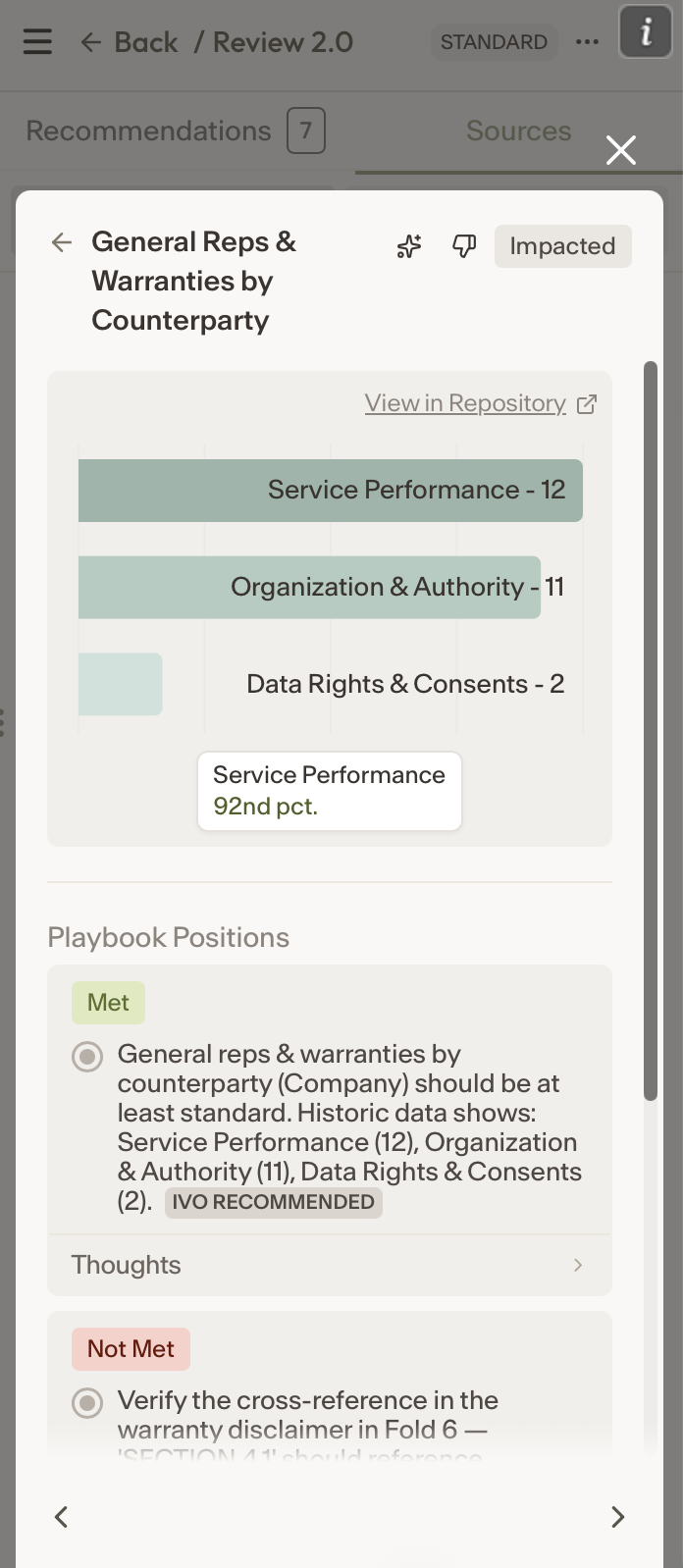
When you click into a source, you can view it as a position and see a chart showing how often that position appears across your contract library. You can also select View in Repository to open the contracts in Repository that are relevant to that specific position.
Sources
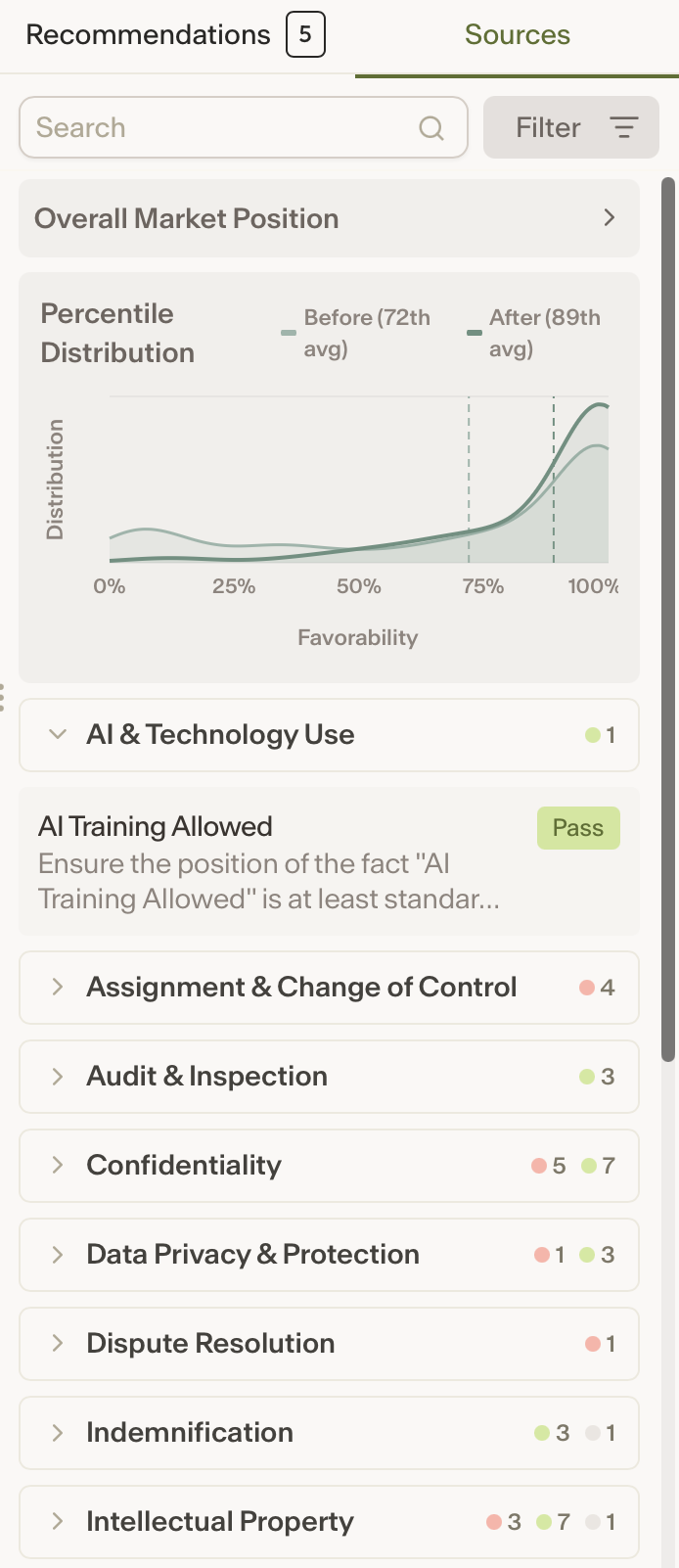
Overall Market Position summarizes the set of contracts in your repository room that Ivo used for comparison, along with key information about the current document.
Percentile Distribution shows where the contract under review falls relative to your past deals, helping you understand whether its terms are more or less favorable than what you have historically accepted. The first percentile reflects the agreement’s position before applying Ivo’s recommendations, while the second shows its position after those recommendations are incorporated. A higher percentile means the agreement is closer to your standard position, while a lower percentile suggests it departs more meaningfully from your usual negotiated outcomes.
Below the chart, Ivo displays the positions it identified from similar contracts in your repository. These positions are organized by topic to help you quickly see which clauses and negotiation patterns are most relevant to the agreement being reviewed.