How to clear your cache
Last updated: August 21, 2026
If you're having trouble logging into or loading Ivo, you may need to try clearing your cache.
To do this in:
Word (mac only)
Click the dark gray rectangle “i” button in the top right of the Word add-in
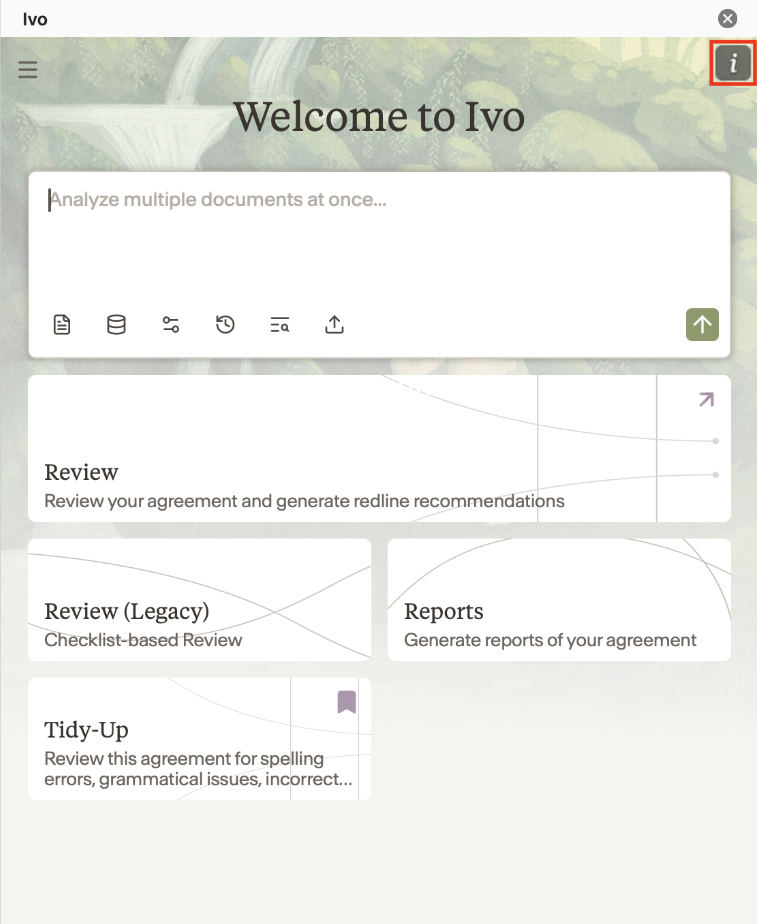
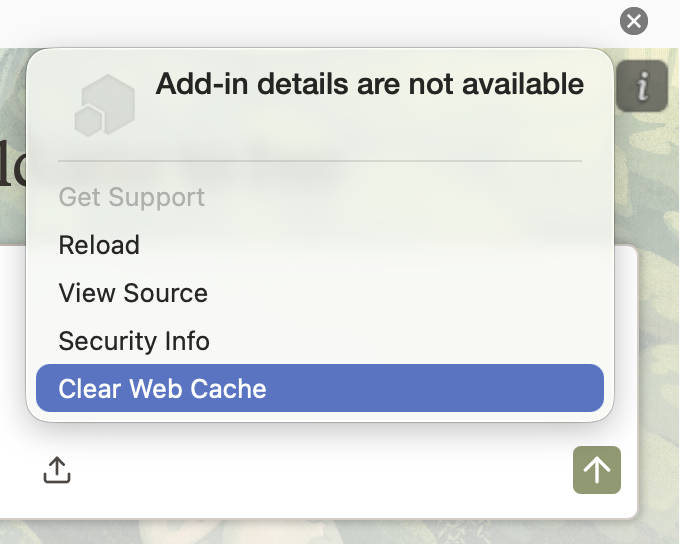
Press Clear Web Cache
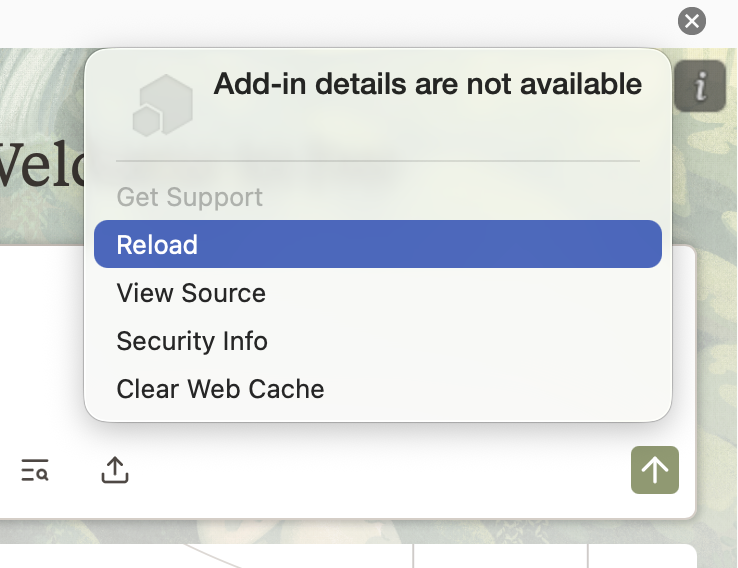
Click the "i" button again
Press reload
Log back in
Web
Google Chrome
Open Ivo in a Chrome tab.
Click the icon (or "Tune" / "View site information" icon) to the left of the URL in the address bar.

Select Site settings.
On the settings page that opens, click Delete data (or Clear data) next to "Usage".
Confirm by clicking Delete.
Close and reopen the tab, then reload Ivo.
Microsoft Edge
Open Ivo in an Edge tab.
Click the padlock icon to the left of the URL in the address bar.
Select Cookies and site data (or Permissions for this site).
Click Manage cookies and site data, then locate
ivo.ai.Click the trash icon next to the entry to delete it.
Close and reopen the tab, then reload Ivo.
Mozilla Firefox
Open Ivo in a Firefox tab.
Click the padlock icon to the left of the URL in the address bar.
Click Clear cookies and site data....
In the dialog that appears, confirm by clicking Remove.
Reload the page.
Alternative method:
Open Firefox settings and go to Privacy & Security.
Scroll to Cookies and Site Data, then click Manage Data....
Search for
ivo.ai, select it, and click Remove Selected.Click Save Changes.
Safari (Mac)
Open Safari and go to Safari menu → Settings (or Preferences on older versions).
Click the Privacy tab.
Click Manage Website Data....
In the search field, type
ivo.ai.Select the entry and click Remove (or Remove All if multiple entries appear).
Click Done, then close and reopen Safari and reload Ivo.
To also clear cached resources:
Enable the Develop menu: Safari → Settings → Advanced → Show Develop menu in menu bar.
From the Develop menu, choose Empty Caches.
Reload the page.
After clearing the cache
Fully close and reopen the browser tab (or restart the browser).
Navigate back to Ivo and sign in again.
If you continue to have trouble loading Ivo after clearing the cache, contact Ivo Support