Submitting a Bug Report
Last updated: October 21, 2026
You can now submit bug reports directly from within app.ivo.ai. This makes it easy to flag issues as soon as you encounter them, without needing to reach out to support separately.
Submitting a Bug Report in Web
Click your name icon in the bottom left
Click Report a Bug
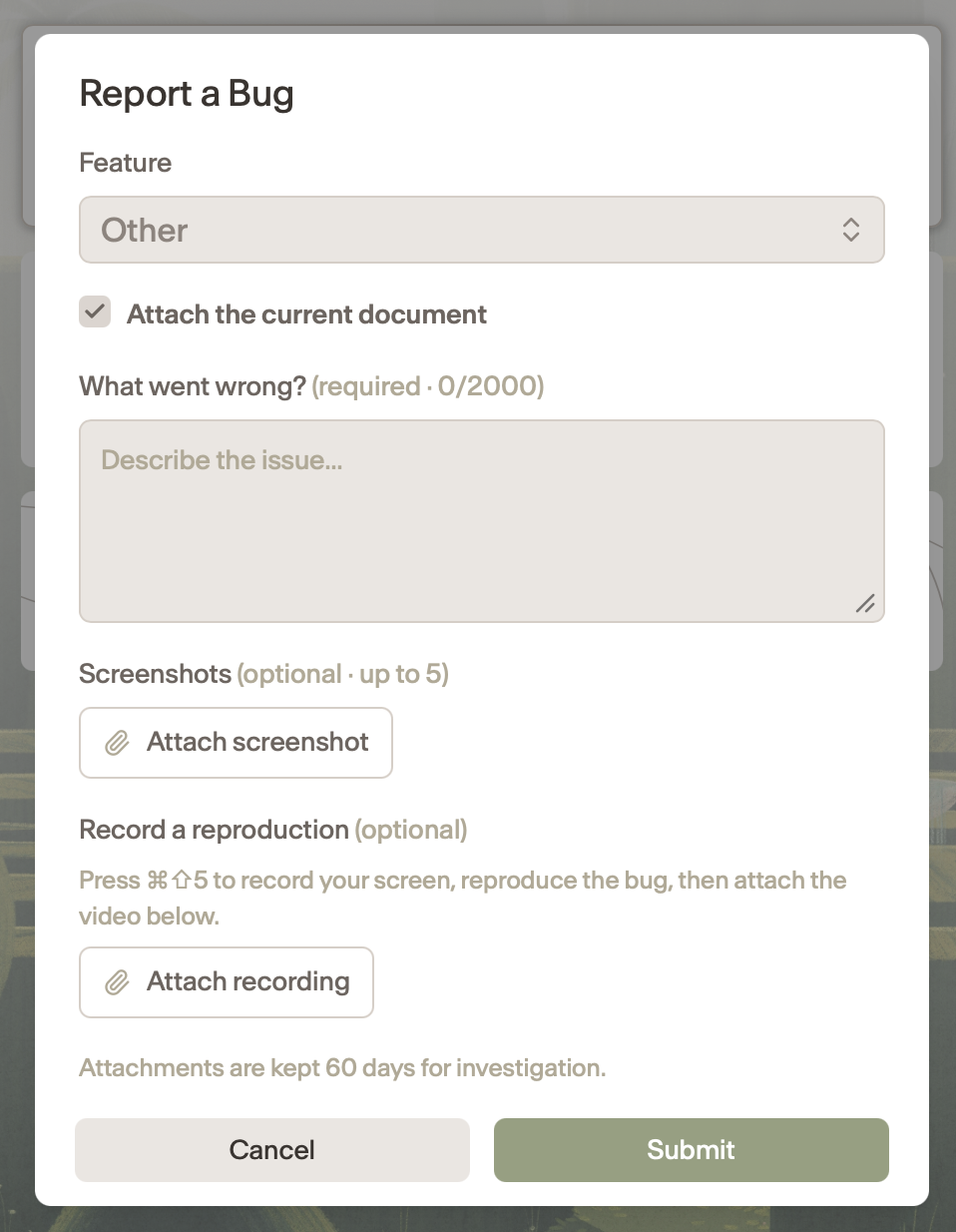
Enter the information below
Feature where its happening
Description of the Issue
Optionally attach screenshots
Optionally record the issue
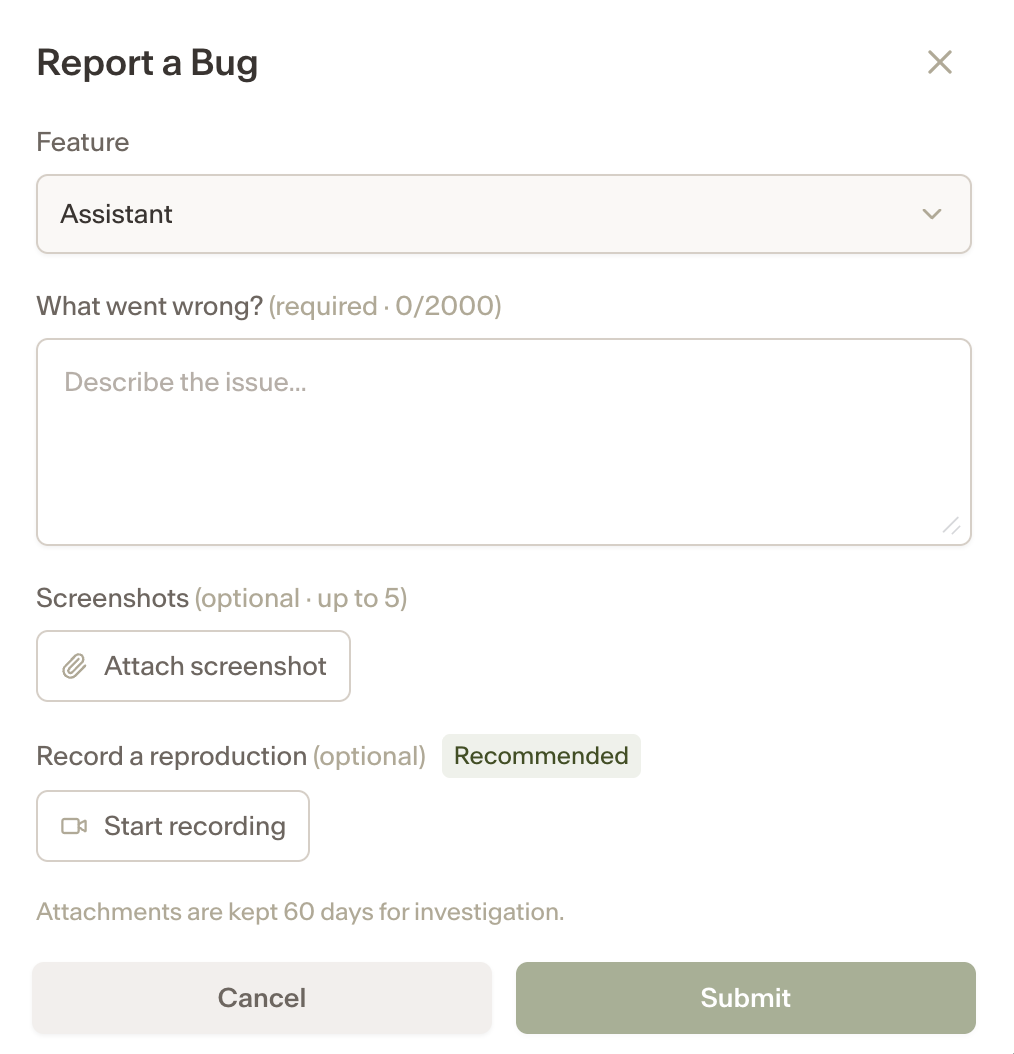
Submit the report.
Your report is sent directly to the Ivo team for review.
Submitting a Bug Report in Assistant
Open Assistant in the Ivo web app.
After Assistant generates a response, click the bug icon below the message.
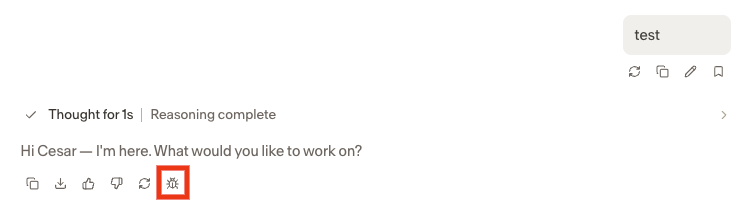
Describe what went wrong in the field provided.
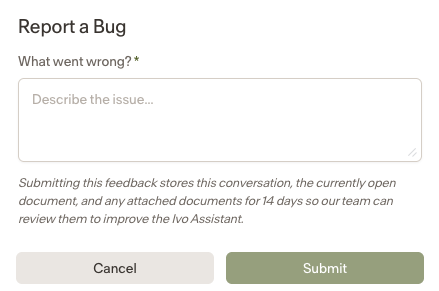
Submit the report. It will be sent directly to the Ivo support team for review.
Submitting a Bug Report in Word
Click the menu in the top left then select Report a Bug
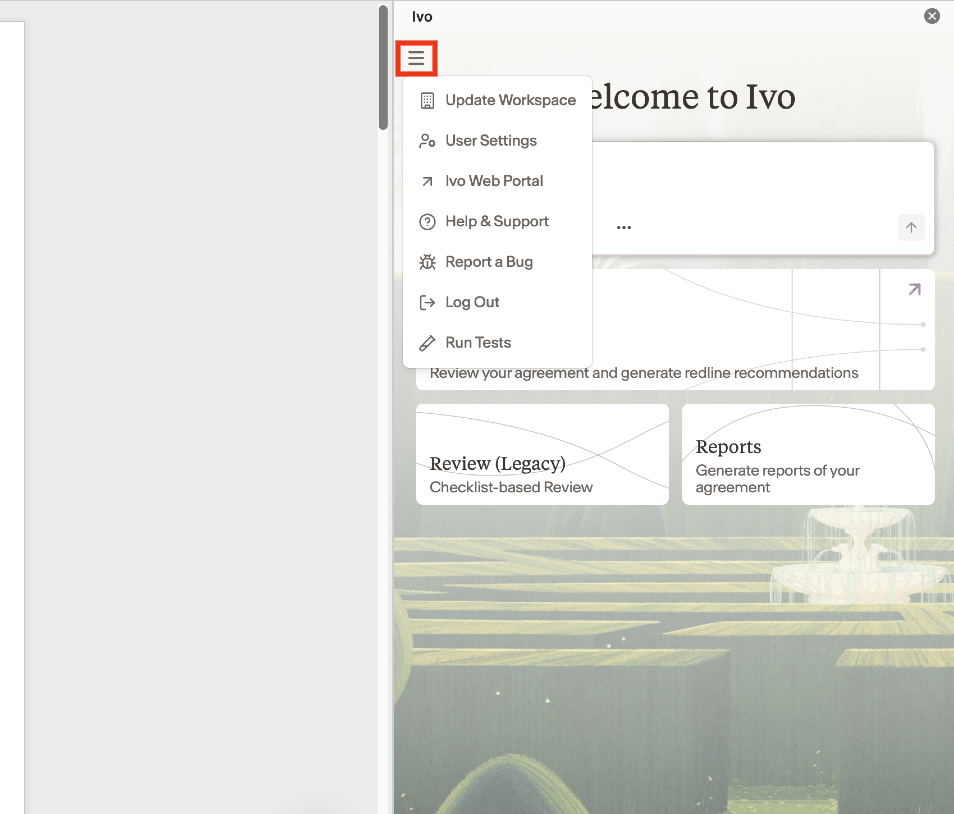
Enter the information below
Feature where its happening
Description of the Issue
Optionally attach screenshots
Optionally record the issue
Submit the report.
Your report is sent directly to the Ivo team for review.
Notes
This feature is currently available in the Ivo web app and Word only.
The more detail you include about what you were doing when the issue occurred, the faster the team can investigate.