Filtering in Repository
Last updated: June 17, 2026
Filtering in Ivo’s Repository allows you to quickly narrow down large sets of contracts to focus on the exact subset relevant to your task. Whether you're reviewing upcoming renewals, isolating vendor agreements, or focusing on contracts with specific terms, filters help you stay focused and efficient. Once you set up these filters, you can then save them in a View so you can easily reference them again in the future.
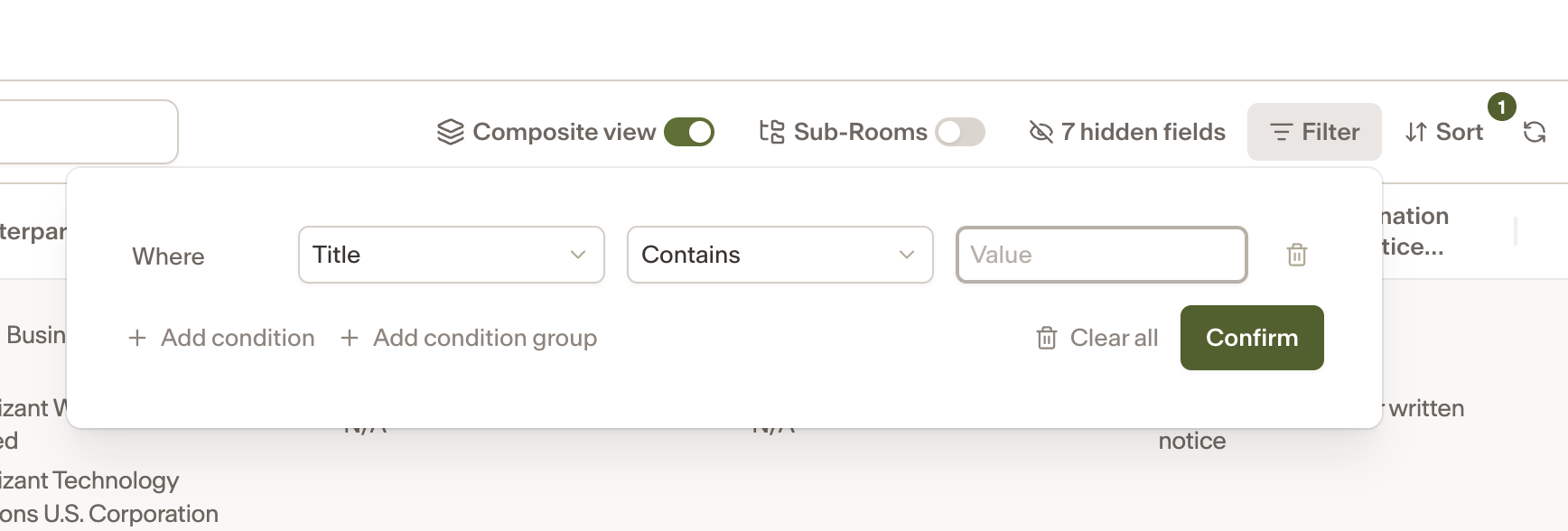
Since filtering is applied at the view level, begin with the View that makes sense for your workflow.
Click the Filter button or at the top of the view menu.
With the drop-down, you can describe what you want to see with conditional logic. First, choose a field from the list (can be standard or AI-powered). Examples include contract type, status, jurisdiction, and more.
Then set the Filter Condition (e.g. contains, is greater than, equals, etc.) that you want to be true for that specific field.
Once you apply the filter, the view will immediately update to display only documents that match your criteria.
You can create Filters with multiple conditions and even create condition groups using and/or.