Contacting Ivo Support for Word Add-in Issues
Last updated: February 25, 2026
If your problem persists after troubleshooting, our support team can investigate further. Please provide the following details when contacting us at support@ivo.ai.
1. Your Operating System (OS) Version
Windows:
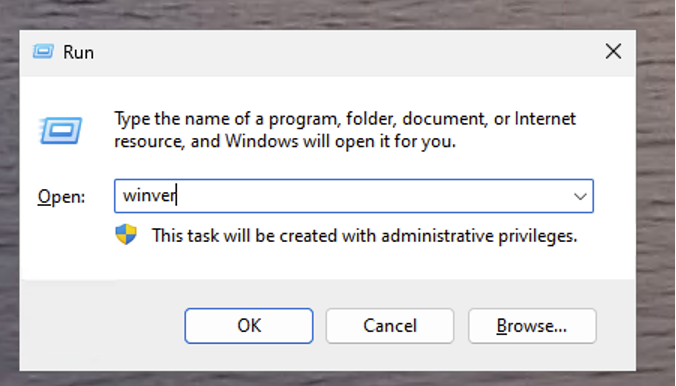
Press the Windows key + R on your keyboard to open the Run dialog box.
Type winver into the box and click OK or press Enter.
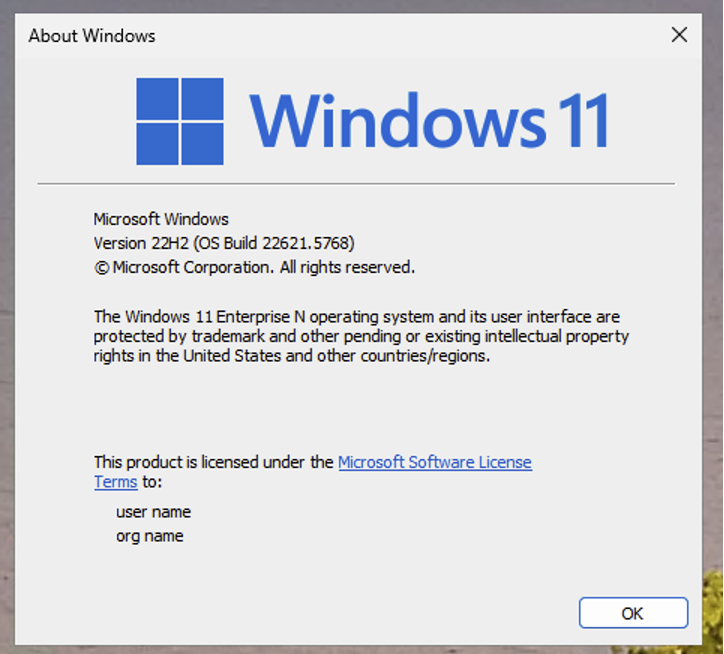
A window will appear showing your Windows edition, version (like 22H2), and OS build.
macOS:
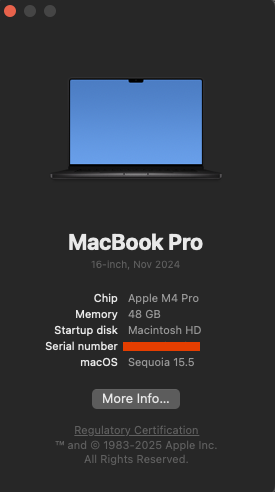
Click the Apple menu in the top-left corner.
Select About This Mac.
The window will display your macOS version (e.g., macOS Ventura 13.4). Include any additional details like the model year if available.
2. Your Microsoft Word Version
Windows:
Open Microsoft Word.
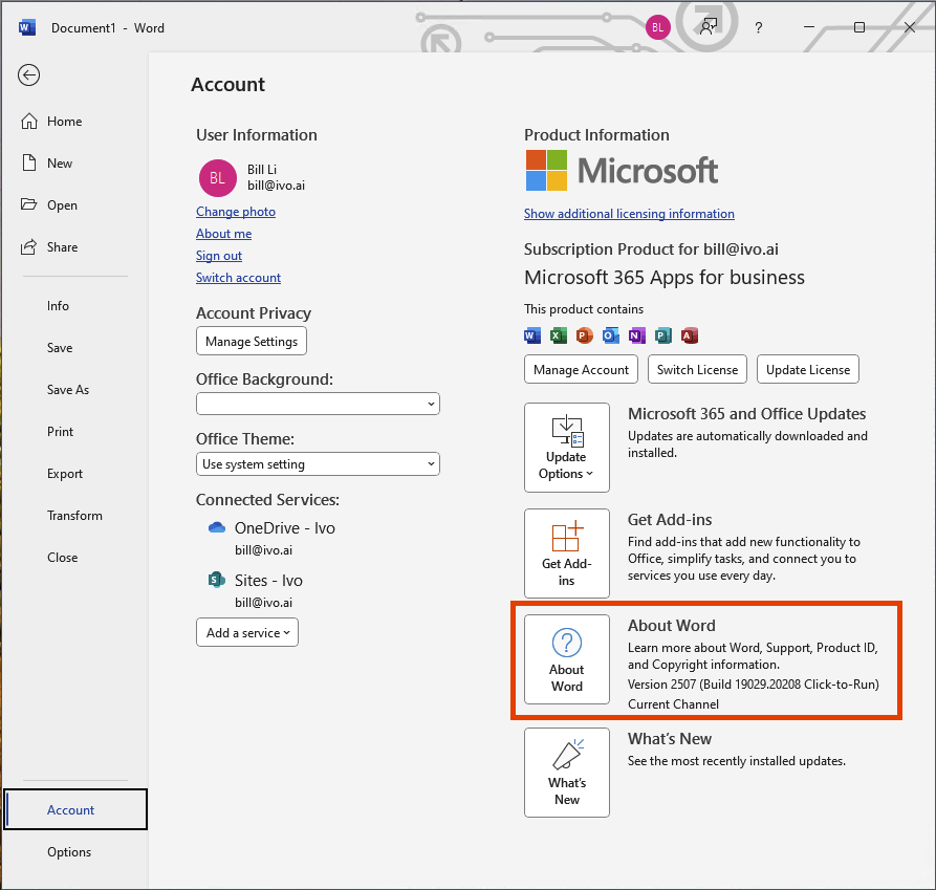
Go to File > Account.
Under Product Information, look for the version number (e.g., Version 2408, Build 16731.20234). Note if it's a Microsoft 365 subscription or a perpetual license.
macOS:
Open Microsoft Word.
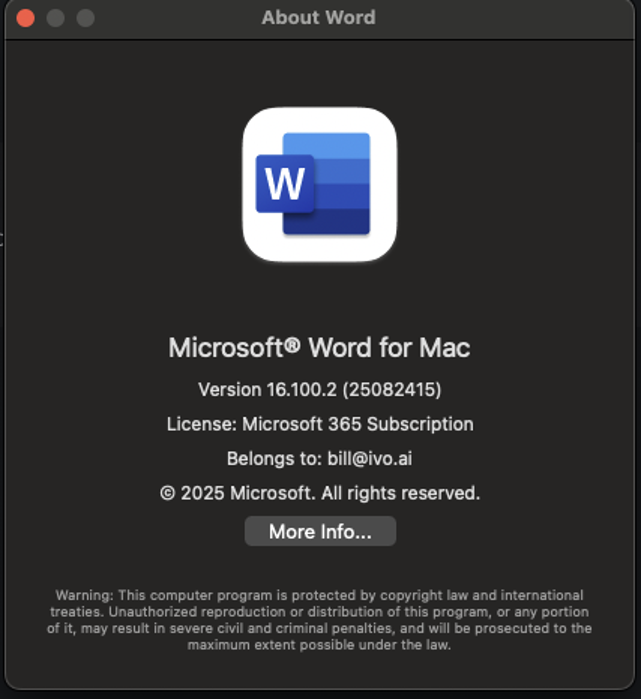
Click Word > About Word from the top menu.
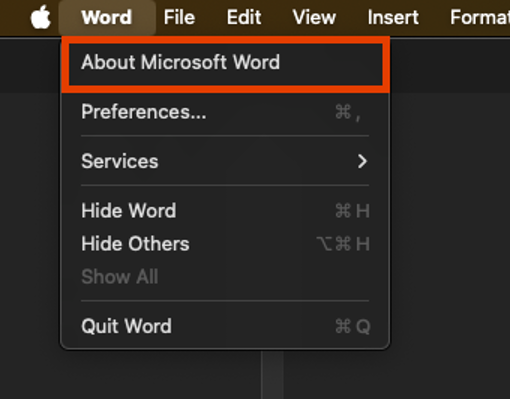
The dialog will show the version (e.g., Version 16.88) and whether it's a subscription or one-time purchase.
3. The Problematic Document
Important: Contracts often contain sensitive information. Before sharing, redact any confidential details (e.g., names, financials) using Word's built-in redaction tools or by manually editing. If possible, recreate the issue in a sample document without real data.