Connecting Ivo to Claude via MCP
Last updated: September 15, 2026
You can connect Ivo to Claude using a remote MCP connection. This allows Claude to access your Ivo data directly from the Claude interface.
How to connect Ivo to Claude
In Claude, navigate to Settings and select Connectors.
Click Add custom connector.
Enter a name for the connection, for example "Ivo".
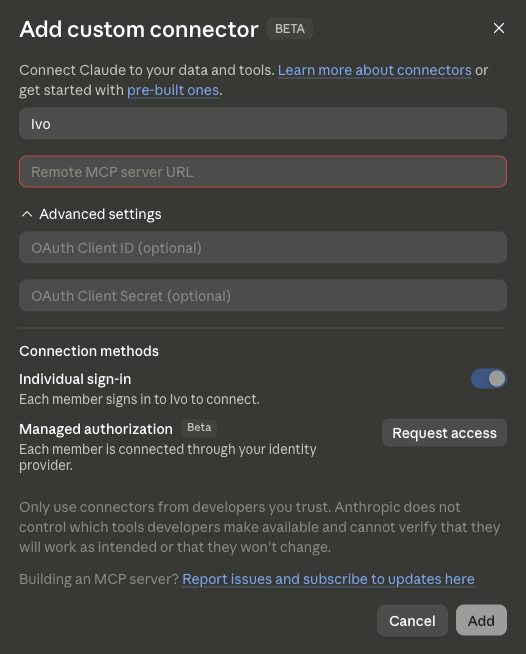
Enter your Ivo MCP server URL in the Remote MCP server URL field.
Click Add.
You will be prompted to authenticate your Ivo account. Sign in to complete the connection.