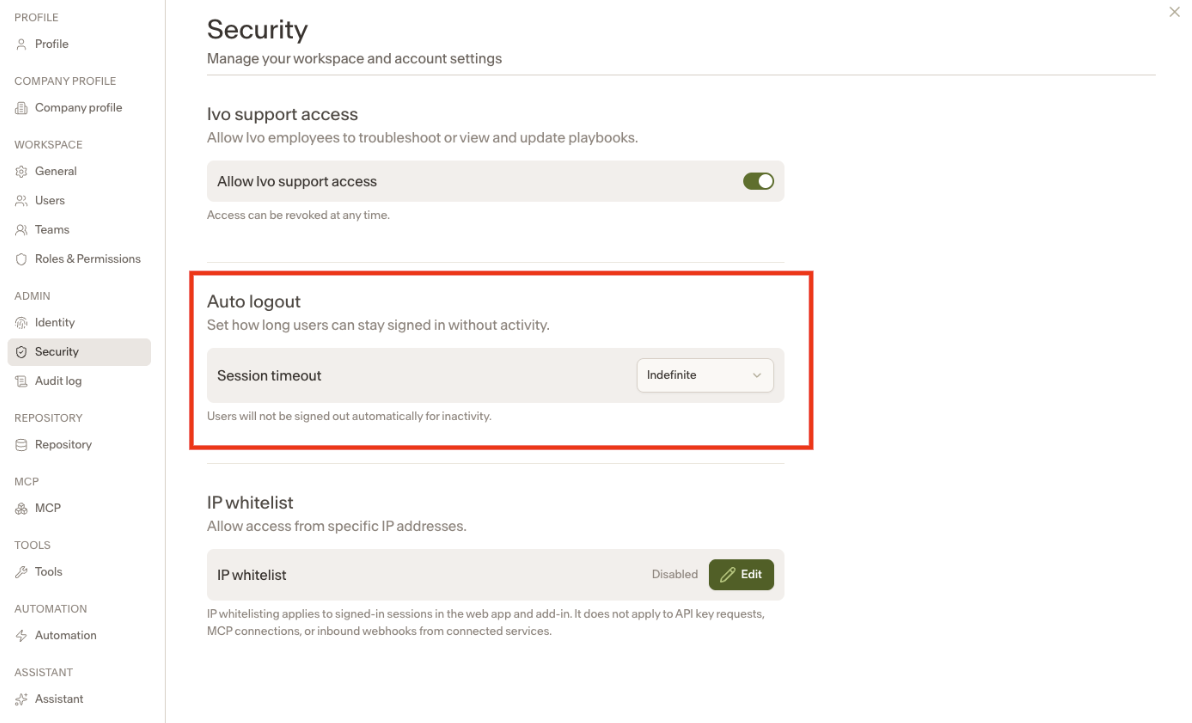
Auto Logout
Last updated: June 8, 2026
Workspace Owners and Admins now have the ability to configure an Auto Logout setting, giving organizations greater control over user session security.
How it works
By default, Auto Logout is set to indefinite, meaning existing workspace users will remain logged in until they choose to log out manually. For organizations that require sessions to expire after a set period of time, administrators can adjust the timeout duration in workspace settings.
Configuring Auto Logout
Navigate to your workspace settings
Under the Admin tab, click Security
Locate the Auto Logout option and select your preferred timeout duration