Playbook Version History
Last updated: November 10, 2026
Playbooks now track version history, so you can see every saved state of a playbook, compare versions, and restore a previous version if needed.
What is tracked
Version history is available for Review 2.0 playbooks and covers changes to:
Positions
Triggers
Parties
Checklist items and clauses can still be saved but are not tracked in version history.
Viewing version history
Open a playbook from the Playbooks page.
Click Version History.
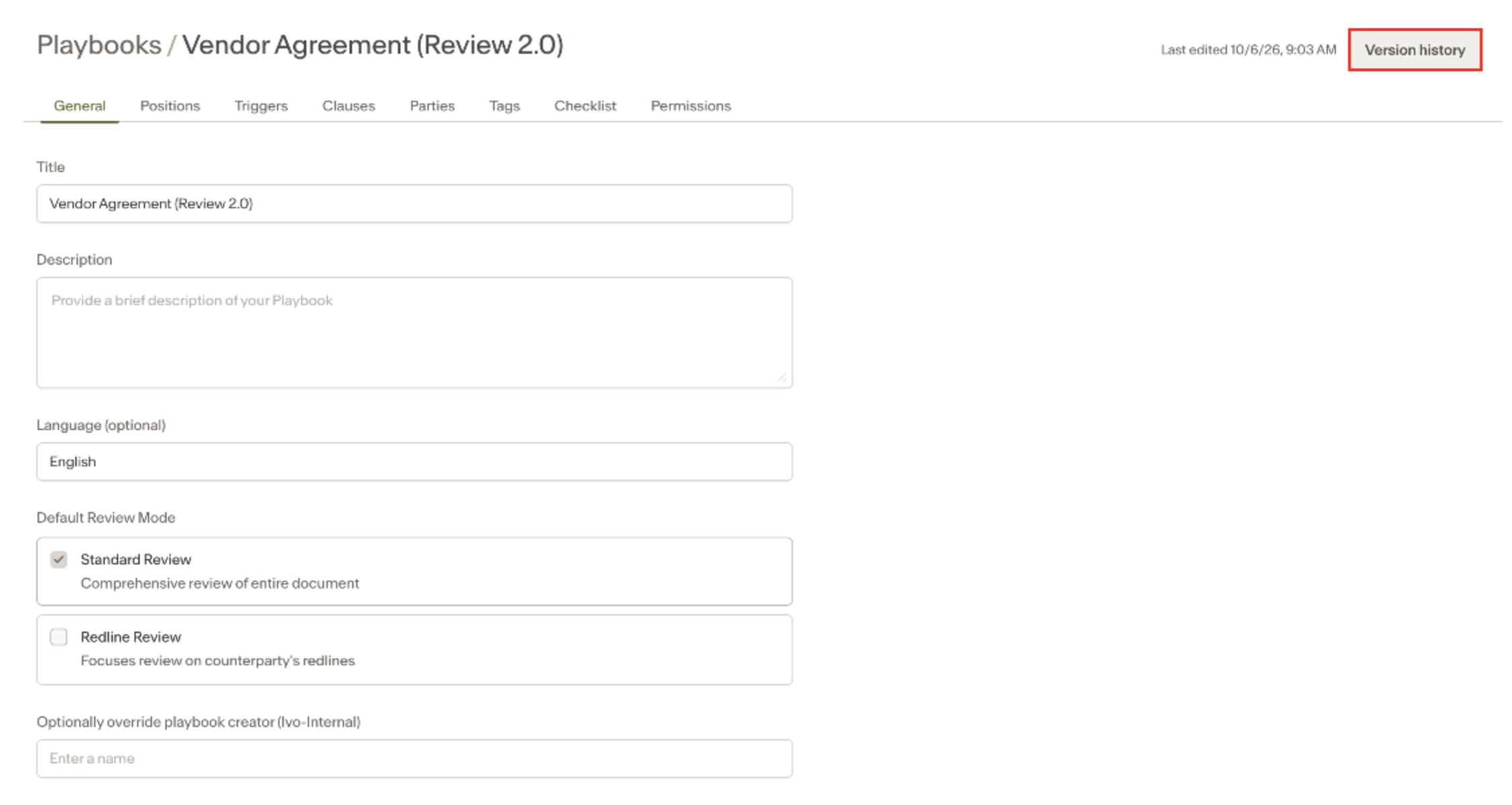
You will see a list of all saved versions, including:
The version number
When it was saved
Who saved it
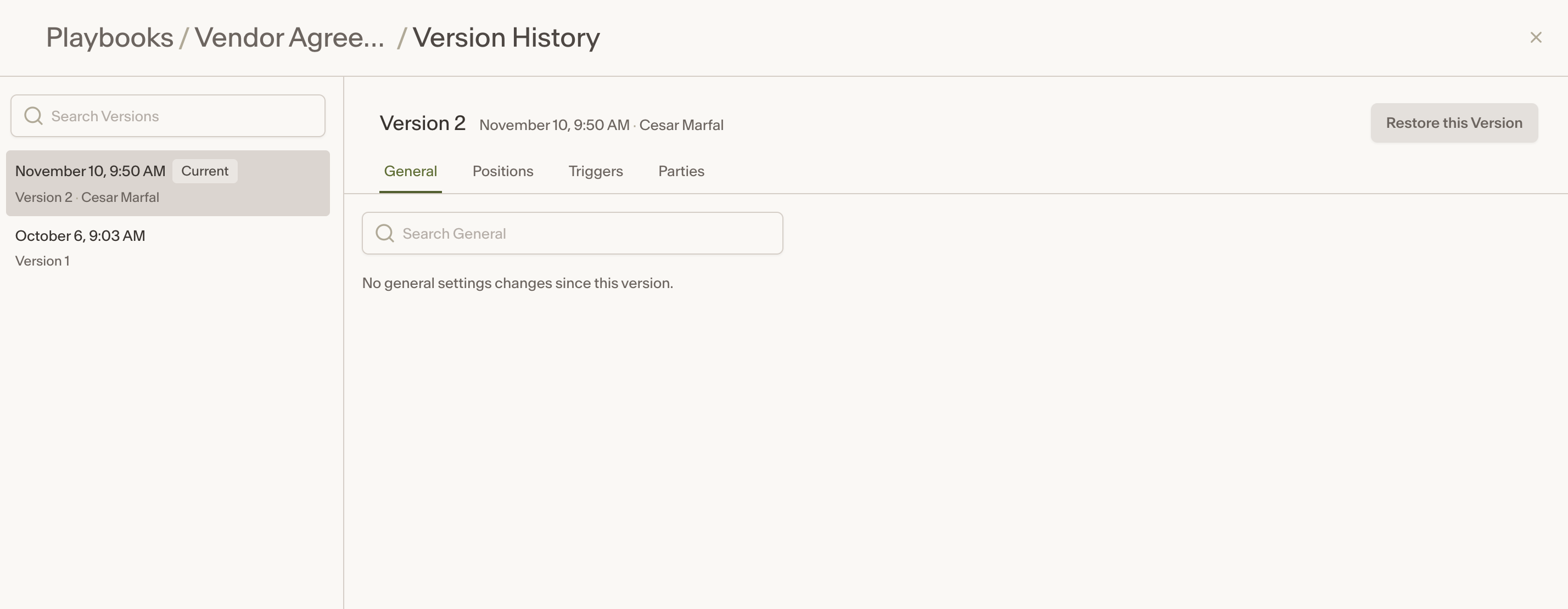
If a previous version was restored, this is also indicated in the version history list.
Comparing versions
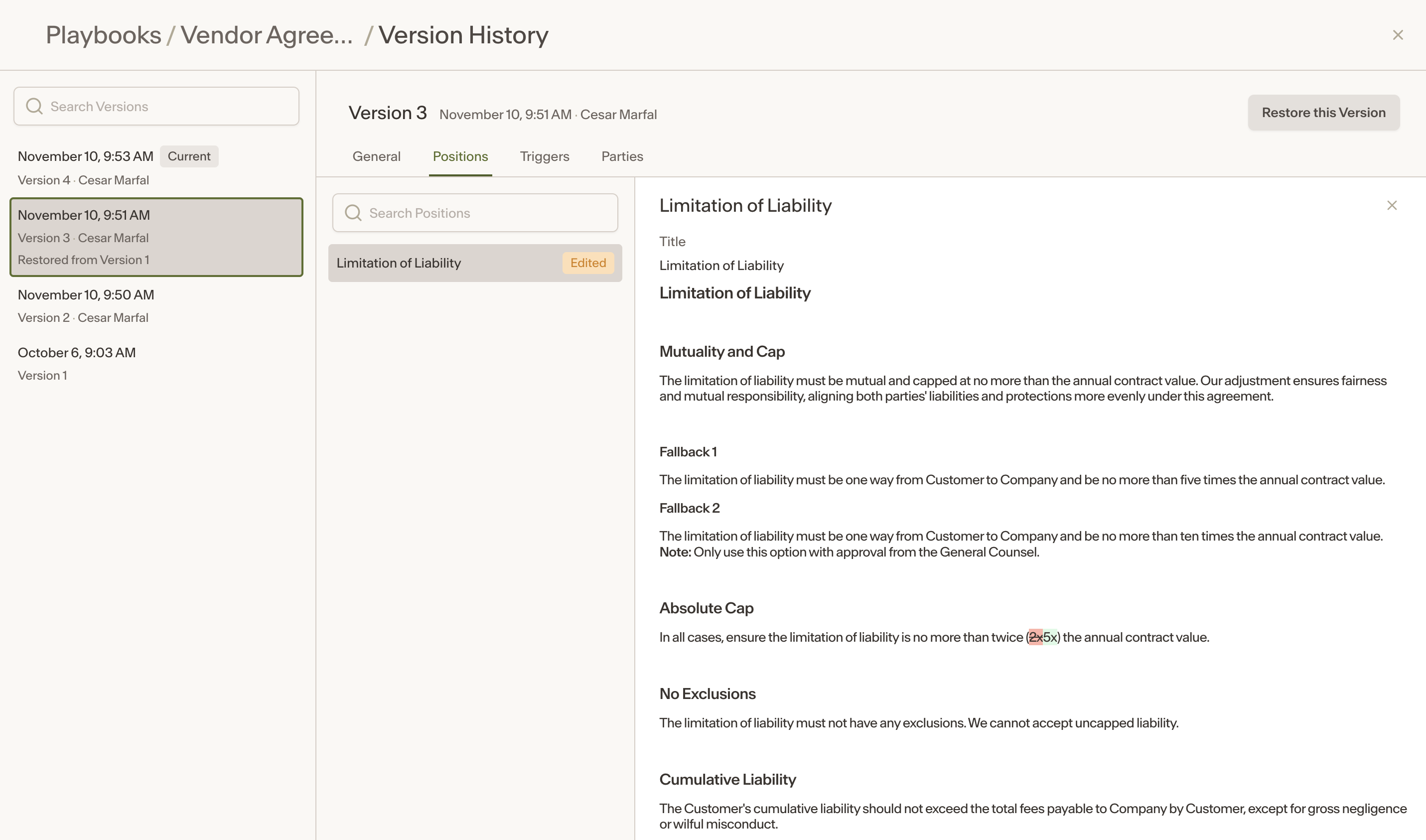
From the Version History panel, select any previous version to compare it against the current playbook. Changes between versions are highlighted so you can see exactly what was added, removed, or modified.
Restoring a previous version
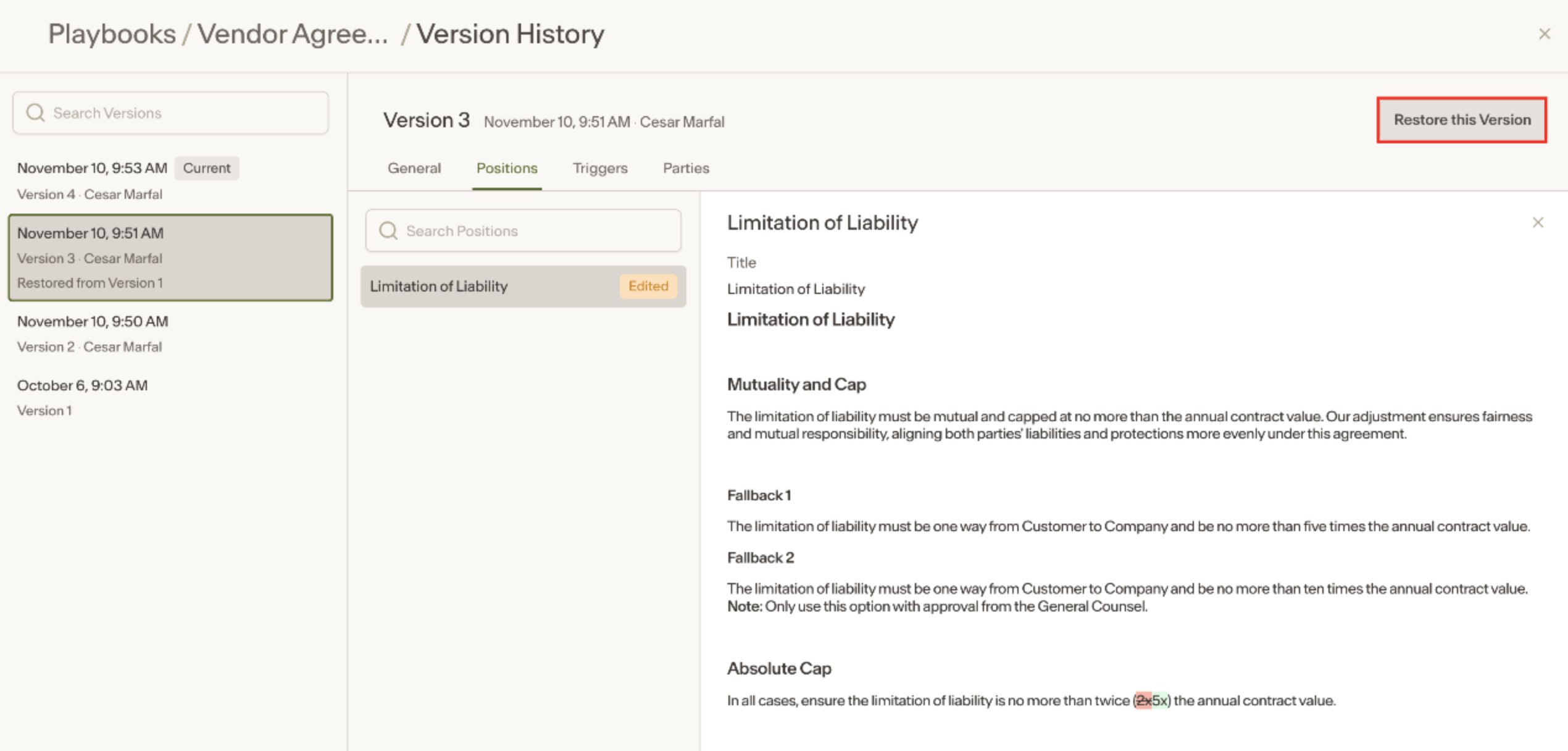
If you want to roll back to an earlier version, select the version you want to restore and confirm the restore. The restored version becomes the current playbook and is logged in the version history, including which version it was restored from.
Notes
Version history is only available for Review 2.0 playbooks. Legacy playbooks are not covered.
For playbooks created from November 3, 2026 onward, the creator is shown on the playbook. For older playbooks, Workspace Owners and Admins can manually set the creator.