Downloading Composite Documents
Last updated: June 8, 2026
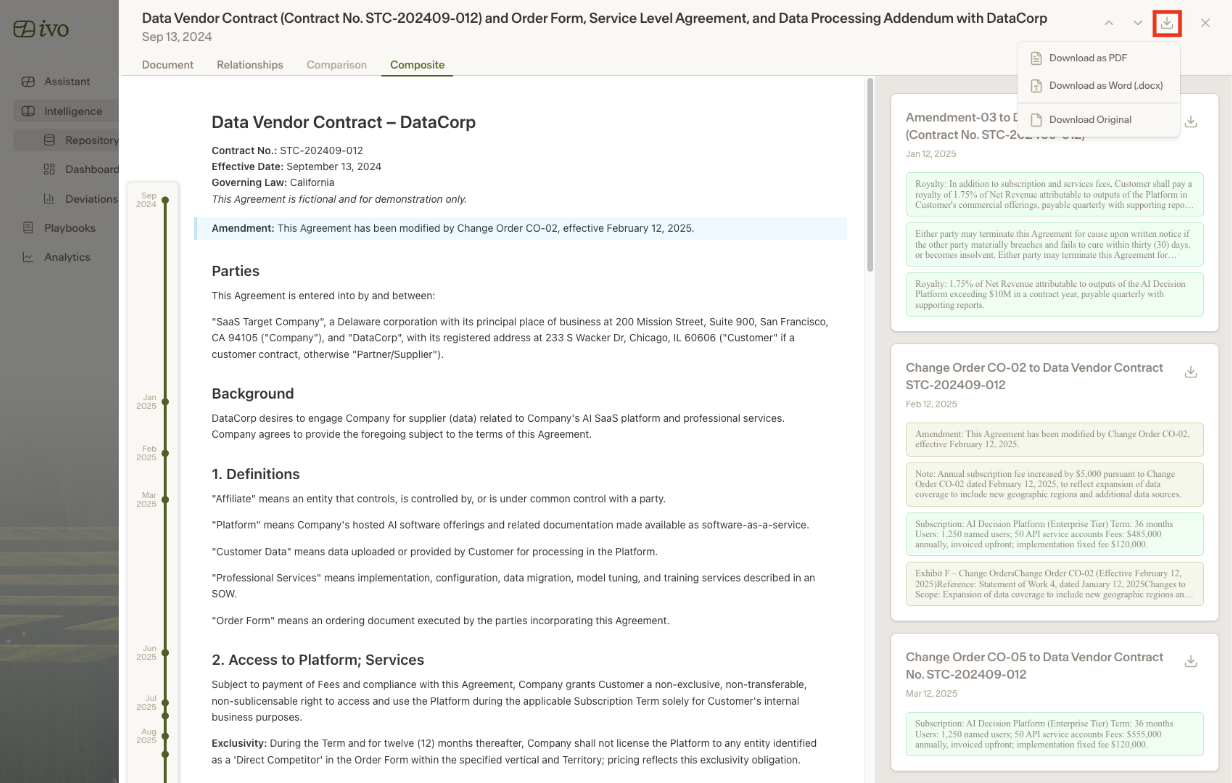
You can now download composite documents in multiple formats using the updated download button. It offers three options:
Original Document - download the file as it was originally uploaded
PDF - download a formatted PDF version
Word Doc - download an editable .docx version
Composite View Downloads
When amendments have been made to a document, downloading in composite view will include all of those amendments directly in the exported file, whether as a PDF or a Word doc.
Amendments are displayed as follows:
Additions -- shown in their default style
Updates -- highlighted in blue
Deletions -- shown with strikethrough formatting
Each amendment also includes its associated comments, giving you full context alongside every change.
Downloading Individual Amendment Files
If you need to download a specific amendment file rather than the full composite document, download buttons are available directly next to each amendment.
How to Download a Composite Document
Select your composite document
Select the download icon in the top right corner
Select your file format option