Generating PowerPoint and Excel Files with Assistant
Last updated: July 6, 2026
Assistant can now generate PowerPoint presentations and Excel spreadsheets directly from your conversations. You can describe what you want, and Assistant will create a fully formatted file ready to download.
Generating a PowerPoint presentation
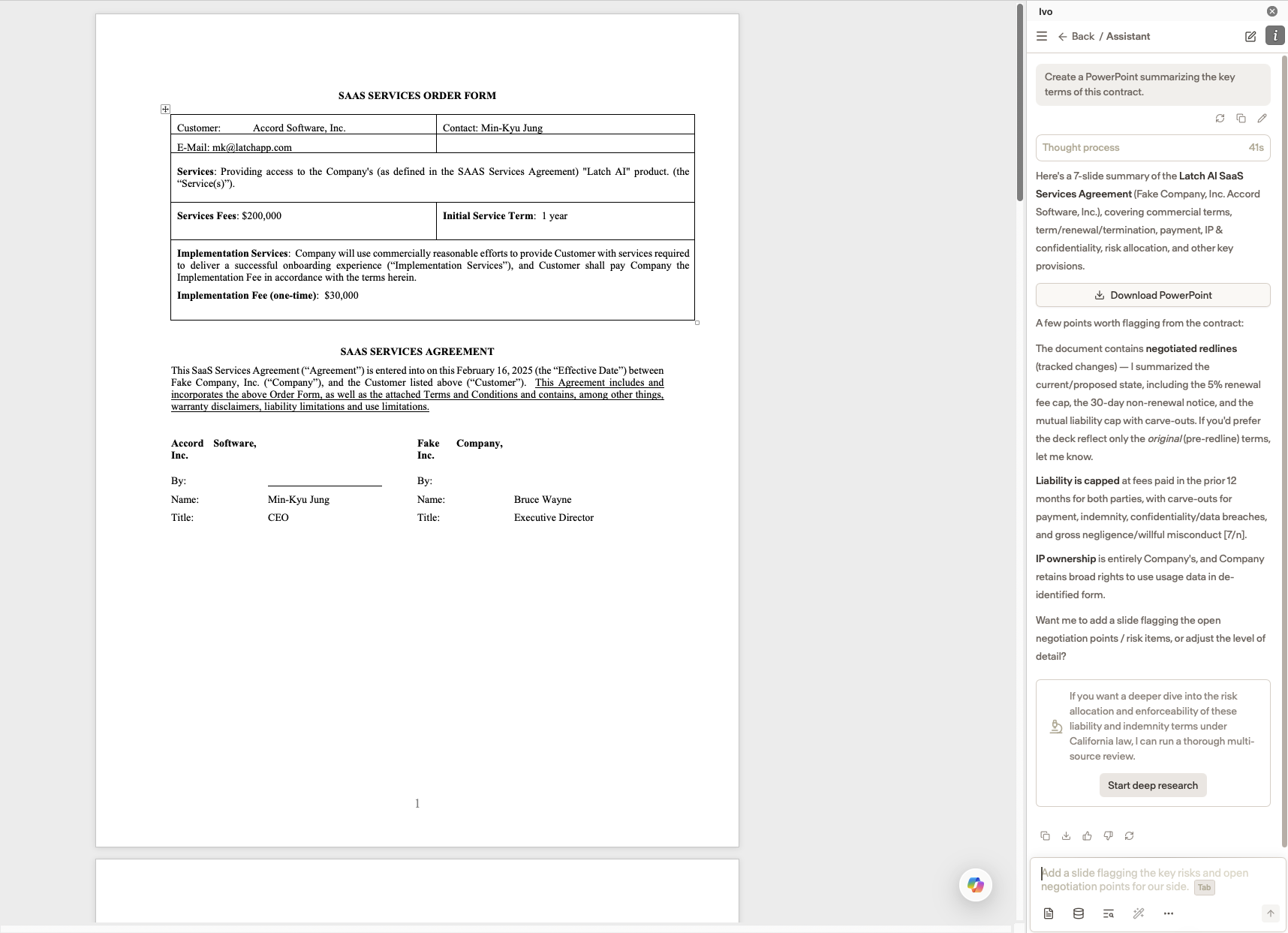
You can ask Assistant to create a PowerPoint presentation on any topic. For example:
"Create a PowerPoint summarizing the key terms of this contract."
"Generate a slide deck with an overview of our vendor agreements."
Assistant will produce a formatted presentation you can download and use directly.
Generating an Excel spreadsheet
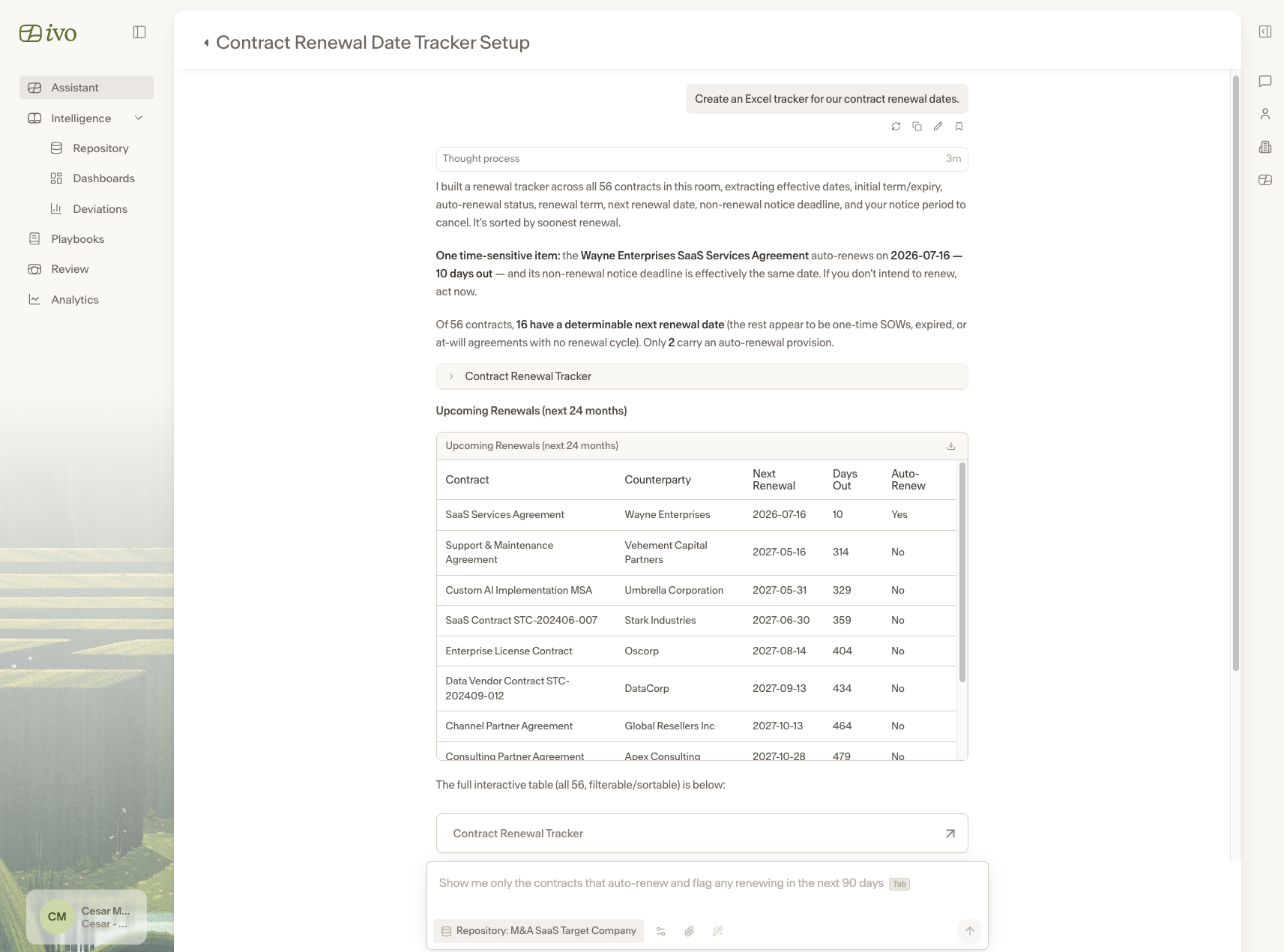
You can ask Assistant to create an Excel spreadsheet to organize or analyze data. For example:
"Create an Excel tracker for our contract renewal dates."
"Generate a spreadsheet comparing the liability caps across these agreements."
Excel files generated by Assistant support formulas, so you can ask for calculated fields and structured data that is ready to work with right away.
Downloading your file
Once Assistant generates a file, a download link will appear in the conversation. Click it to save the file to your device.
Notes
The more detail you provide in your request, the more tailored the output will be.
Generated files can be edited after downloading like any standard PowerPoint or Excel file.