Assistant Thinking Effort
Last updated: September 28, 2026
You can now adjust the thinking effort level for Assistant responses. Choosing a higher effort level gives you more thorough, in-depth answers, while a lower level gives you faster responses for simpler tasks.
Effort levels
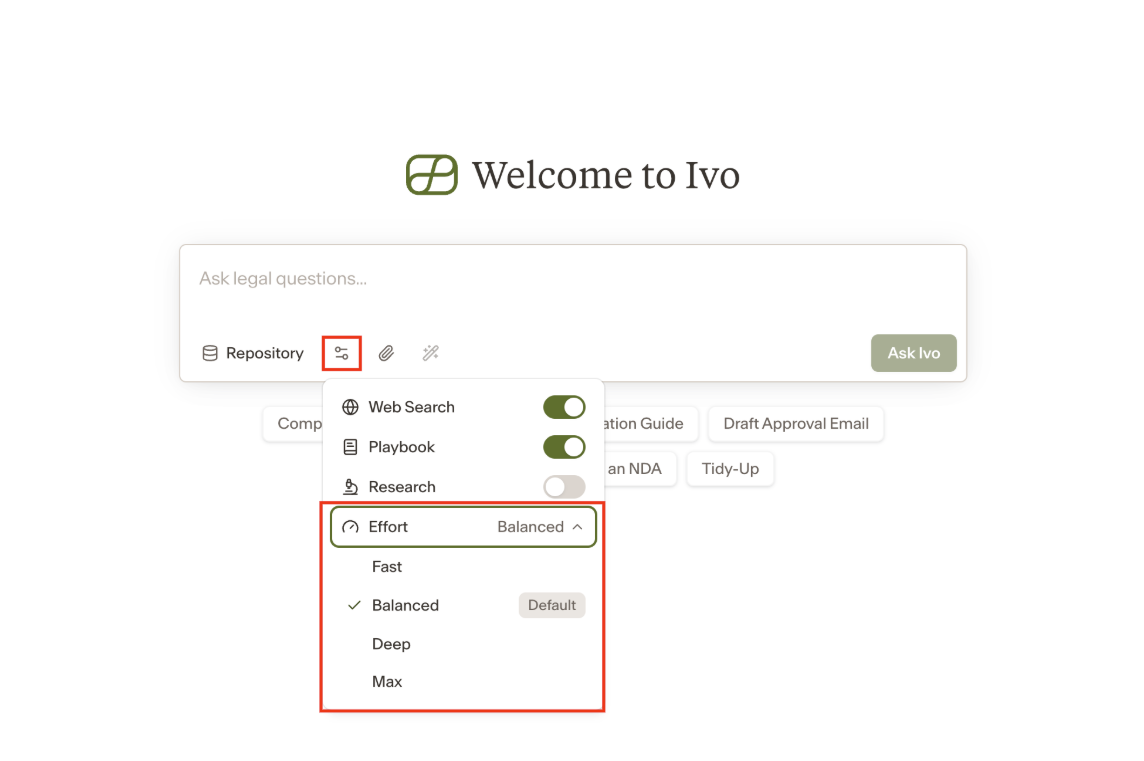
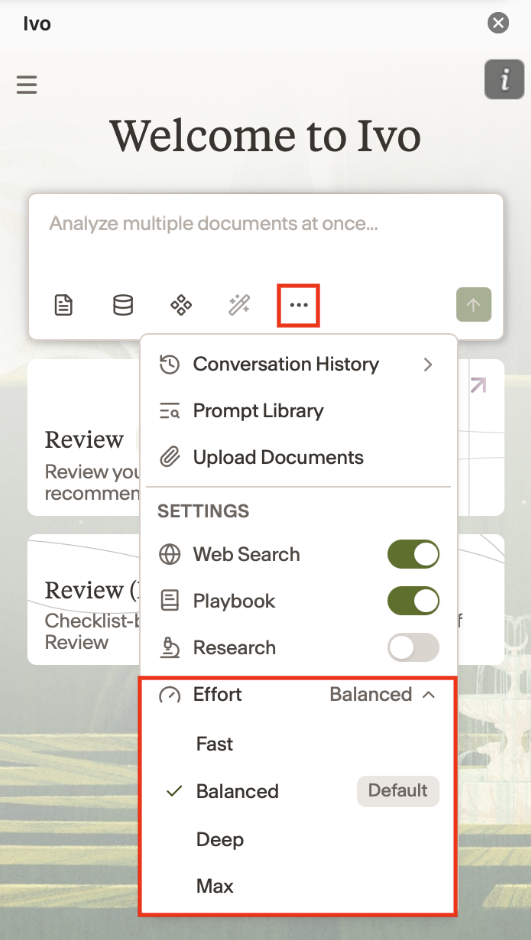
There are four levels to choose from:
Fast — quickest responses, best for simple or straightforward queries where speed matters more than depth.
Balanced — a middle ground between speed and thoroughness, suitable for most everyday tasks.
Deep — more thorough analysis, useful for complex legal questions, multi-step tasks, or anything that benefits from careful reasoning.
Max — the most comprehensive level of reasoning, best for tasks that require the highest level of accuracy and depth, such as high-stakes contract review or nuanced legal analysis.
How to change the effort level
The effort level can be adjusted within any Assistant conversation. Select the level that best fits the complexity of your request before submitting your prompt.
In Web:
In the Add-in:
Notes
Higher effort levels may take longer to generate a response.
If you are unsure which level to use, Balanced is a good default for most tasks.