How Many Licenses Do I Have Remaining?
Last updated: June 4, 2026
To check how many review licenses you have remaining, follow these steps:
Go to app.ivo.ai
Navigate to Settings → Workspace → Users
Your remaining review seat count will be displayed on this page
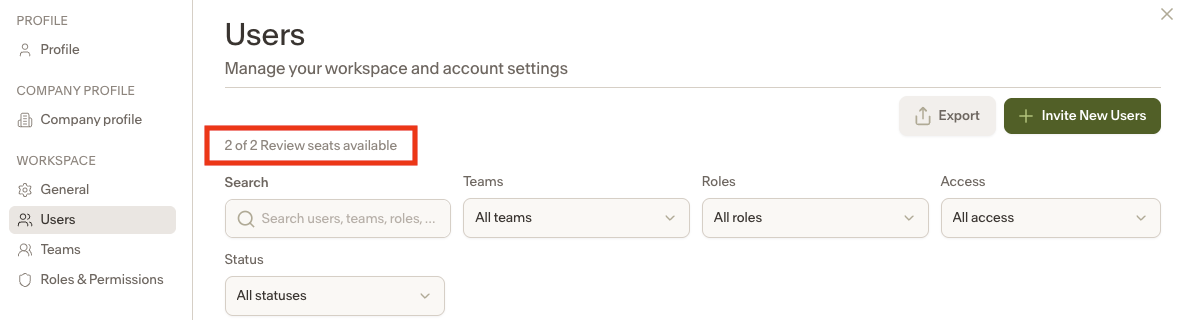
If your license count is not visible or you believe it is incorrect, please contact your Customer Success Manager or reach out to our support team at support@ivo.ai.