Locating Where AI Fields in a Contract
Last updated: June 22, 2026
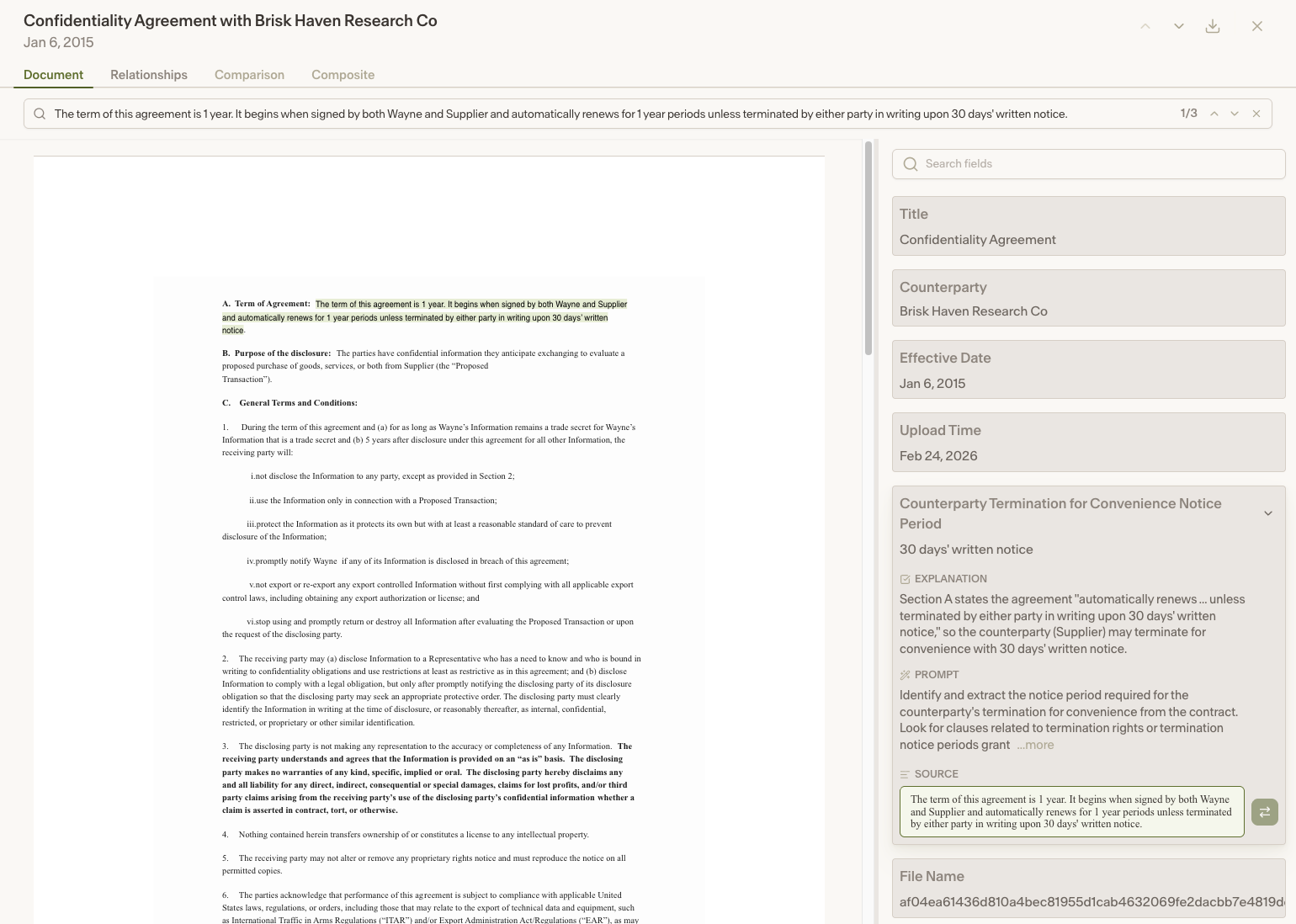
When viewing a document in Repository, you can now click on an AI field value to jump directly to where that value appears in the contract. This makes it easier to verify extracted data without having to manually search through the document.
Jumping to a field value in the contract
Navigate to Repository in the Ivo web app and open a document.
Find the AI field value you want to locate.
Click on the value.
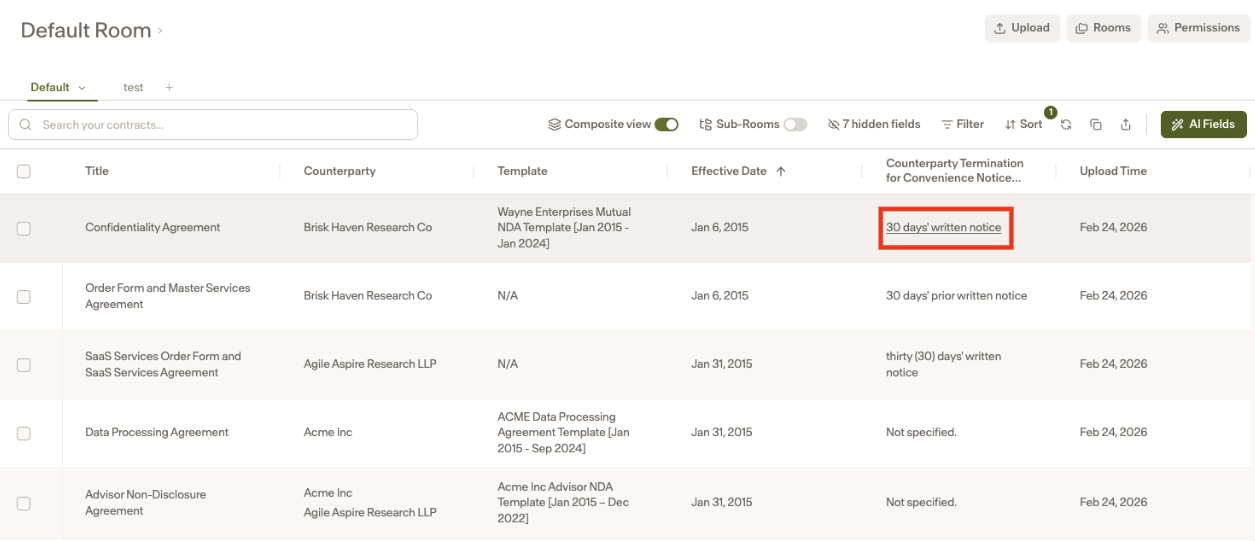
The contract viewer will scroll to and highlight the exact location in the document where that value appears.