How to Transfer or Reassign User Licenses
Last updated: June 4, 2026
If you need to transfer a license from one user to another (for example, when someone leaves your company or a new team member joins), you can make this change directly in app.ivo.ai if you have admin privileges.
To edit access, navigate to:
Settings → Workspace → Users
Removing access from first user
To remove a user’s access:
Select the checkbox next to the user’s name.
Click Remove at the bottom of the screen.
Confirm the removal.
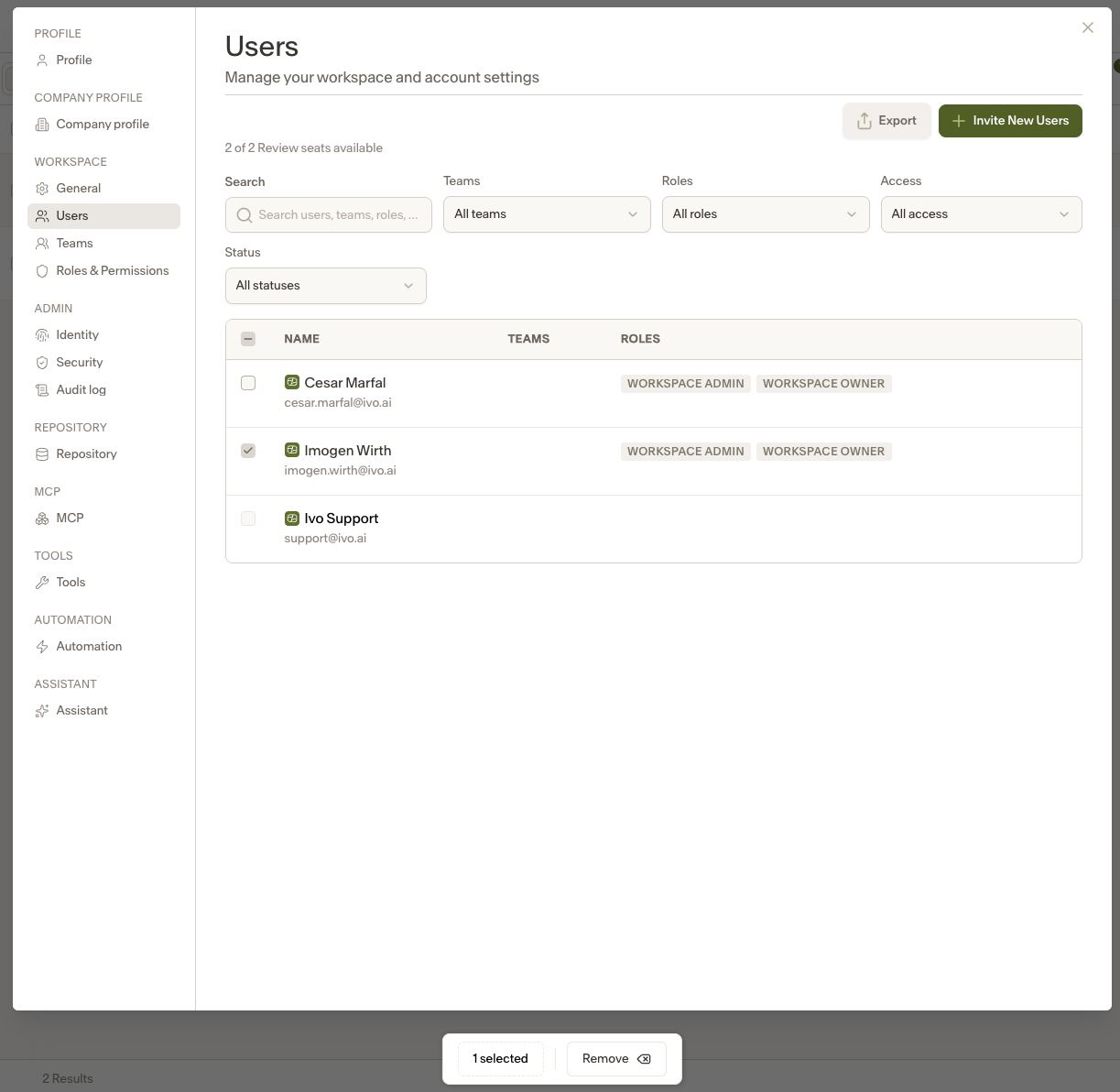
The user will immediately lose access and be removed from the workspace.
If needed, you can re-invite them at any time.
Provisioning Access for a New User
A new user account will need to be created, even if the individual previously had access, as their prior account has been removed from your workspace.
To create a new user:
Go to the Users page.
Click Invite New Users in the top-right corner.
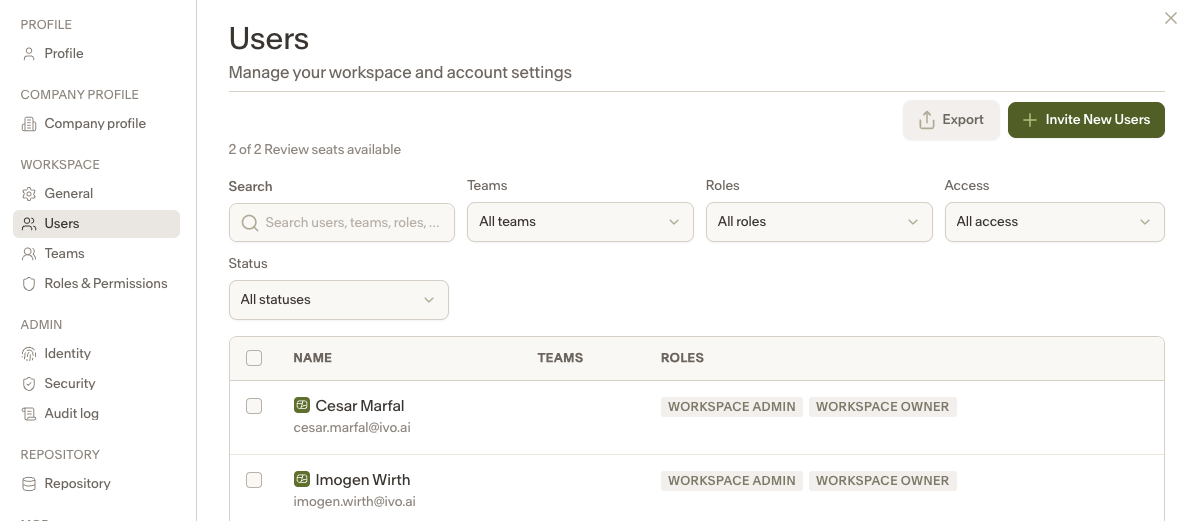
3.Enter the required information:
Full Name
Email Address
Teams (if applicable)
Roles
Review Access will auto populate based off role
Click Send Invites.
Once the invitation is sent, the user will appear in your workspace list, and the invited user will receive an email with instructions to join the workspace.