AI Fields Usage Visibility
Last updated: June 8, 2026
You can see exactly where an AI Field is being used across your workspace, making it easier to manage and track fields that appear in multiple rooms and views.
Overview
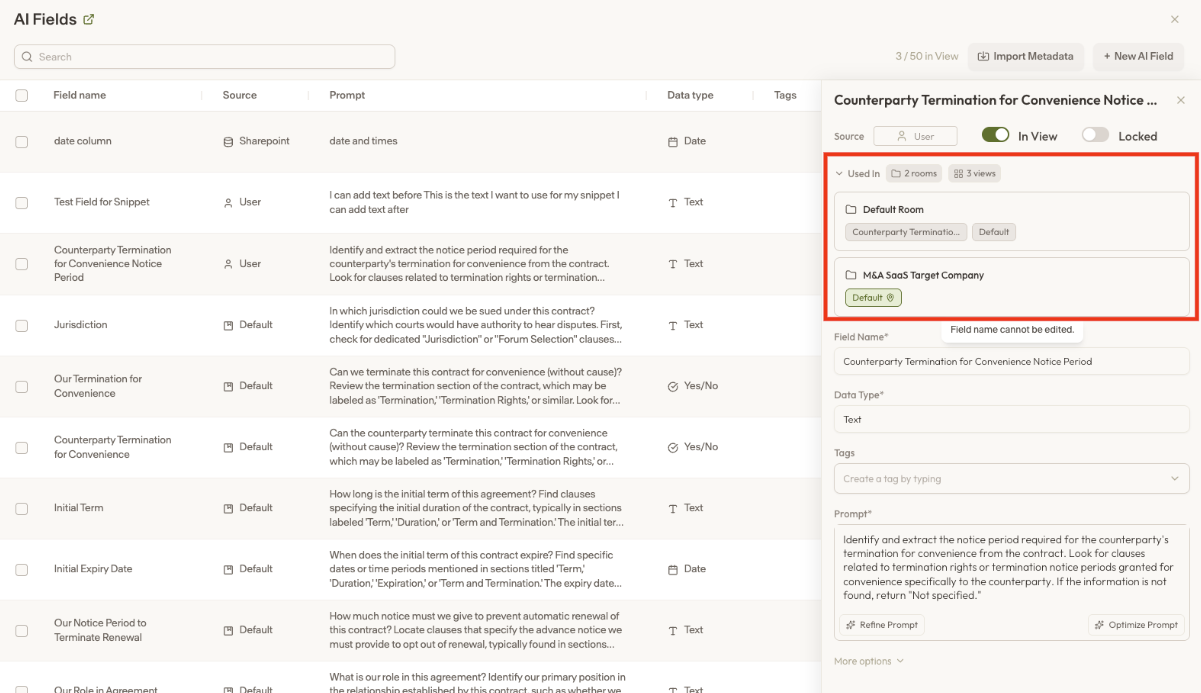
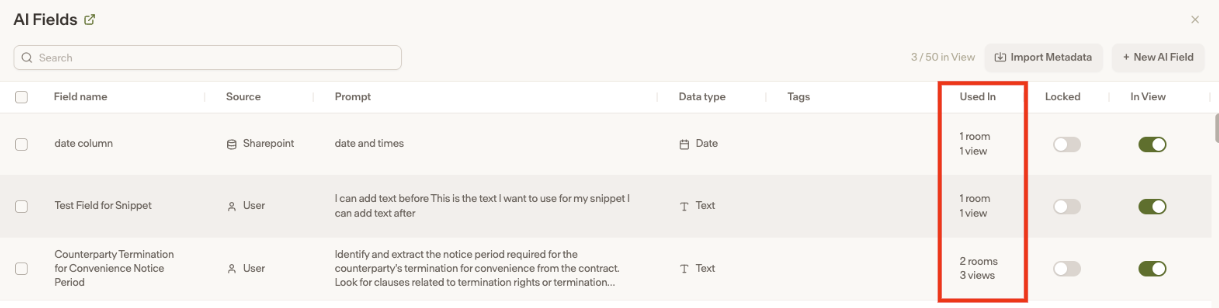
The AI Fields table includes a column showing the total number of rooms and views each AI Field is used in. Clicking into an AI Field (requires admin permissions in Intelligence) will show a detailed list of those exact rooms and views, and you can navigate directly to any of them by clicking on the listed item.
Edit warnings
When editing an AI Field, a warning modal will now appear to let you know which other rooms and views will be affected by the change and will trigger re-extractions as a result. This helps prevent unintended downstream impacts when updating a field.
How to access
Navigate to the AI Fields table in Intelligence
Review the usage column to see how many rooms and views each field appears in
Click into an AI Field to see the full list of rooms and views
Click any listed room or view to navigate directly to it