Playbook Insights
Last updated: October 20, 2026
Playbook Insights analyses your executed contracts against your playbooks to show you how well your positions are holding up in practice. Instead of guessing whether a playbook position is working, you can see data-backed suggestions for where positions might need to be strengthened, relaxed, or reworded.
Who can access it
Playbook Insights is available to users who are Review Admins and have at minimum Intelligence Viewer access. You can run insights for any playbook and any room or view you have access to.
How to use it
Navigate to Insights in the Ivo web app and select the Playbook Insights tab.
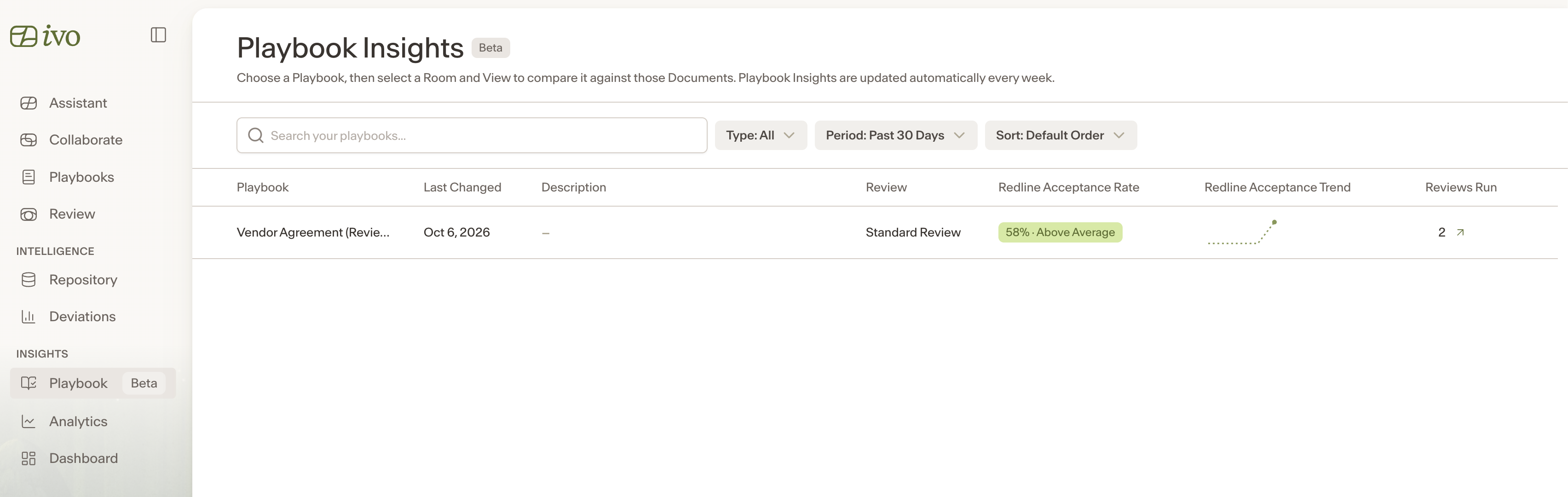
You will see a list of your playbooks, each with a playbook health score based on redline acceptance rates.
Select a playbook, then choose a room and a view filtered to the executed contracts you want to analyze. The view must contain a minimum number of contracts with enough extracted data to generate suggestions.
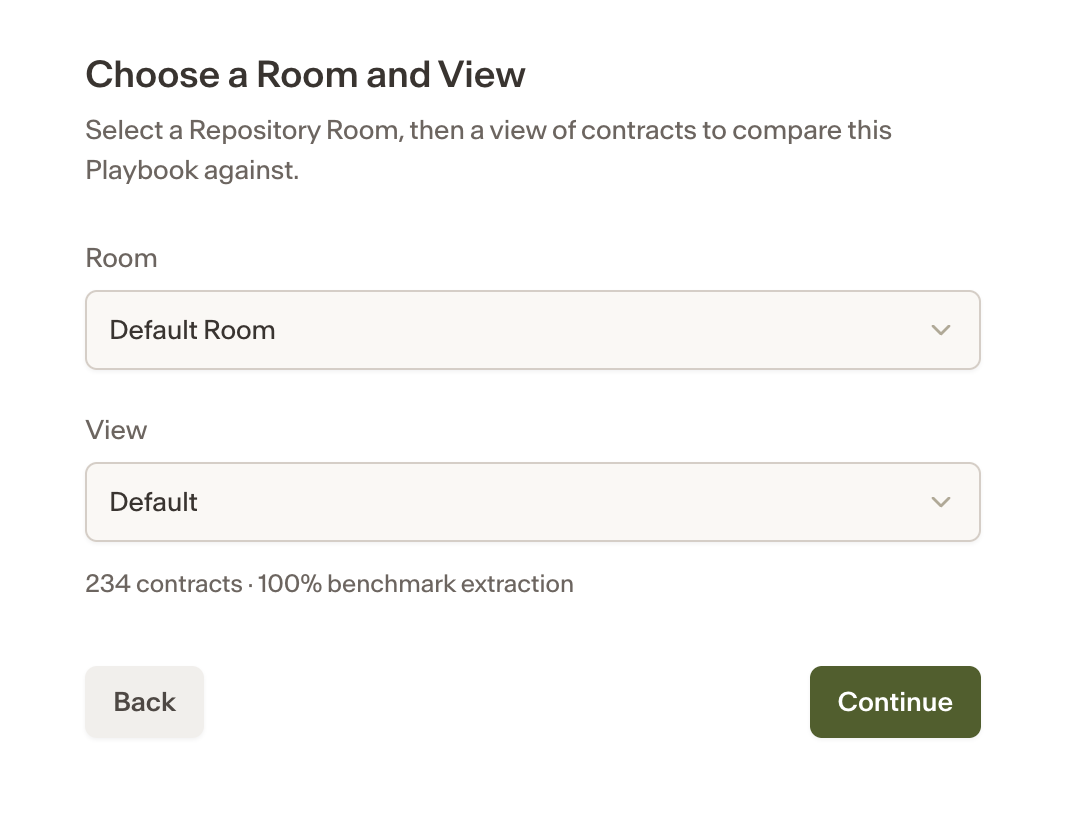
Click Continue. Ivo will begin processing. You can navigate away and come back later to see the results.
Reading the results
Once loaded, each playbook position will show a suggestion based on how that position has fared in your executed contracts. Positions with insufficient data may not have a suggestion.
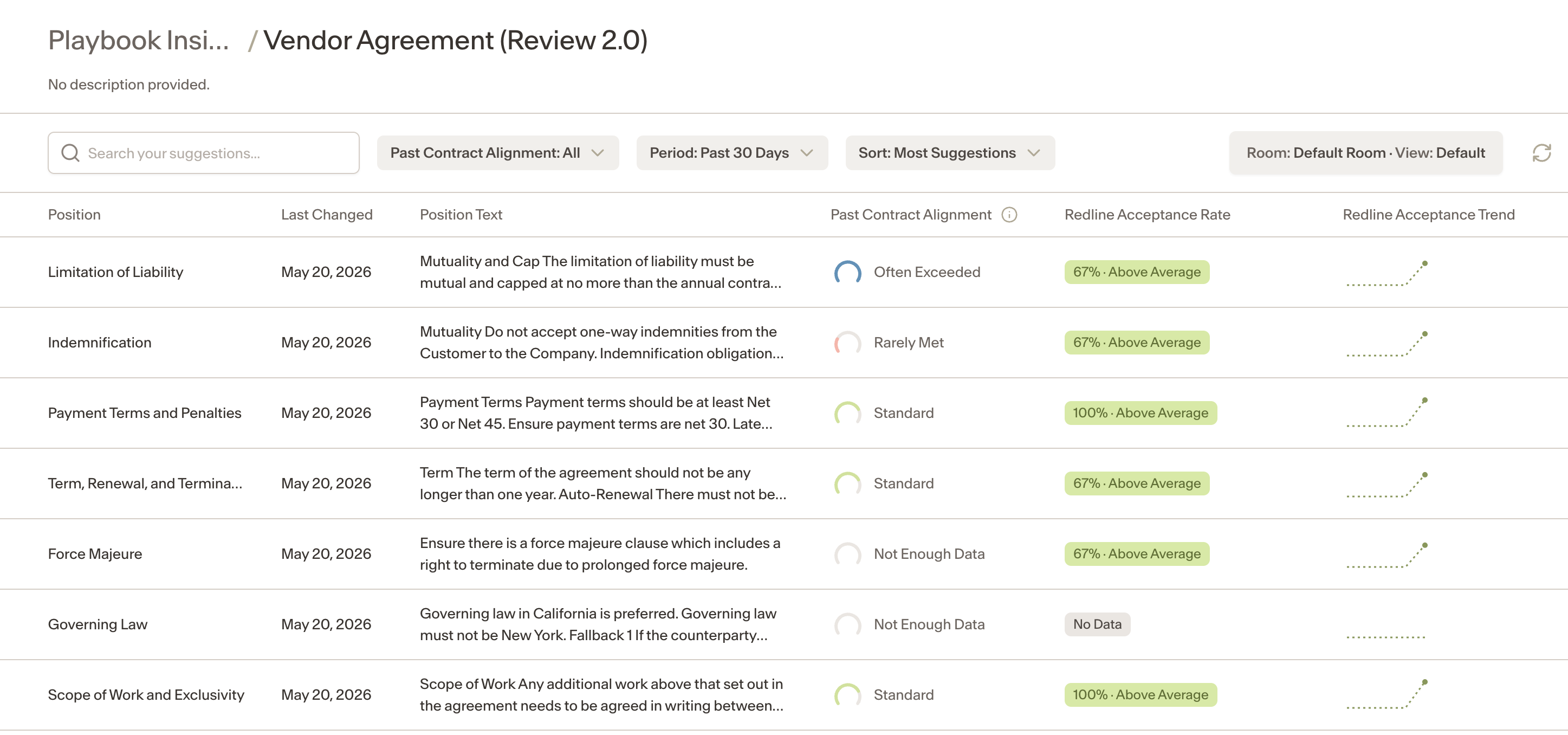
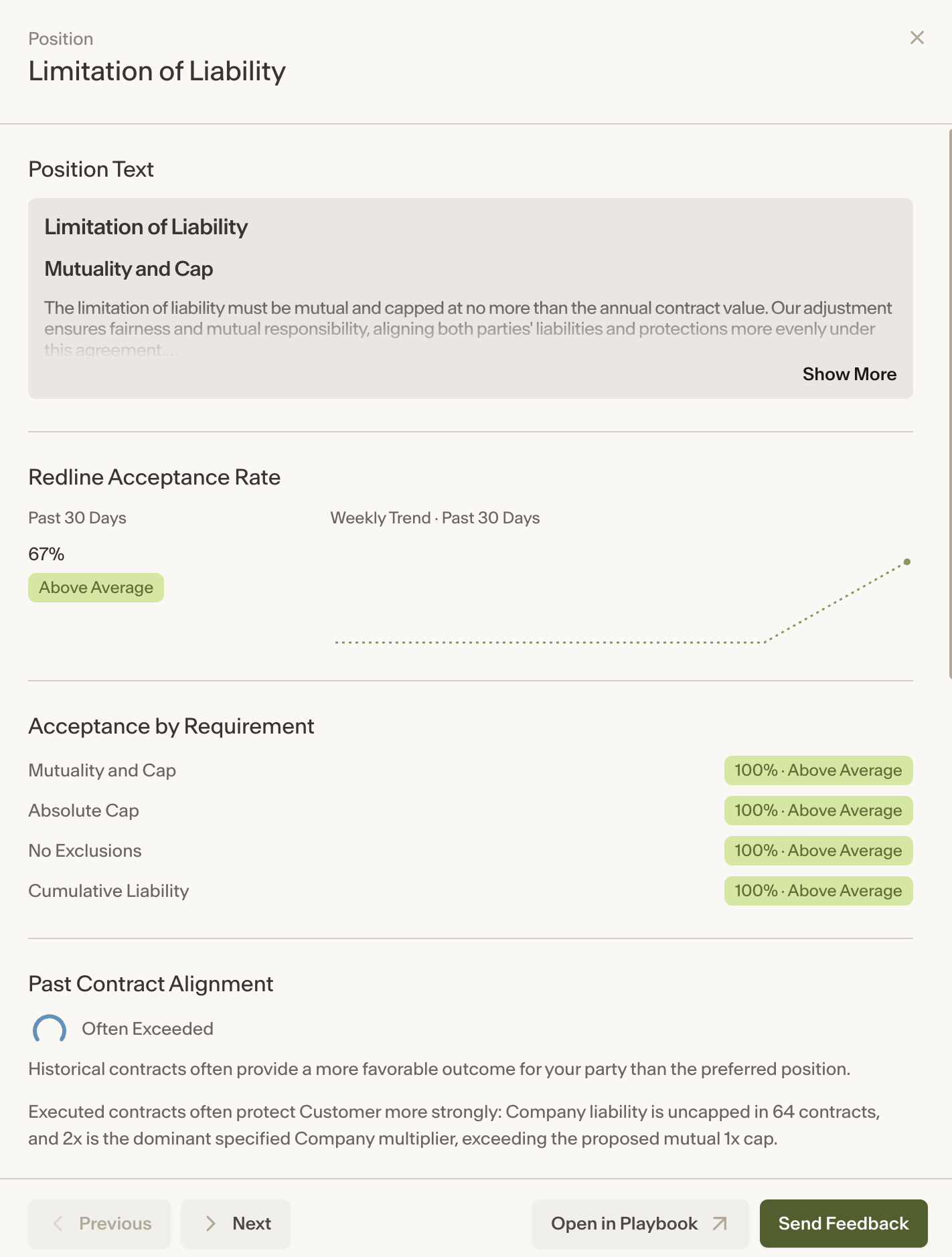
Click on any position to open a drawer showing:
The position text
A summary of the suggestion
The full suggestion and its reasoning
Submitting feedback
If you see a suggestion you agree with or want to flag, you can submit feedback directly from the position drawer. Your feedback, along with any comments you add, will be sent to your Feedback Tracker for review.
Notes
Suggestions are shared. If two users have access to the same playbook and view, they will see the same suggestions.
Suggestions are automatically re-extracted one week after they were last generated for the same playbook and view combination.