How to Access your Repository API Key
Last updated: June 4, 2026
Our APIs enable you to build integrations between Ivo and your other systems, allowing you to both send data into Ivo and extract intelligence from it. Using the Repository API, you can upload contracts, generate Views, and programmatically sort and filter results to fit your workflows.
How to Access Your Repository API Key
Go to app.ivo.ai
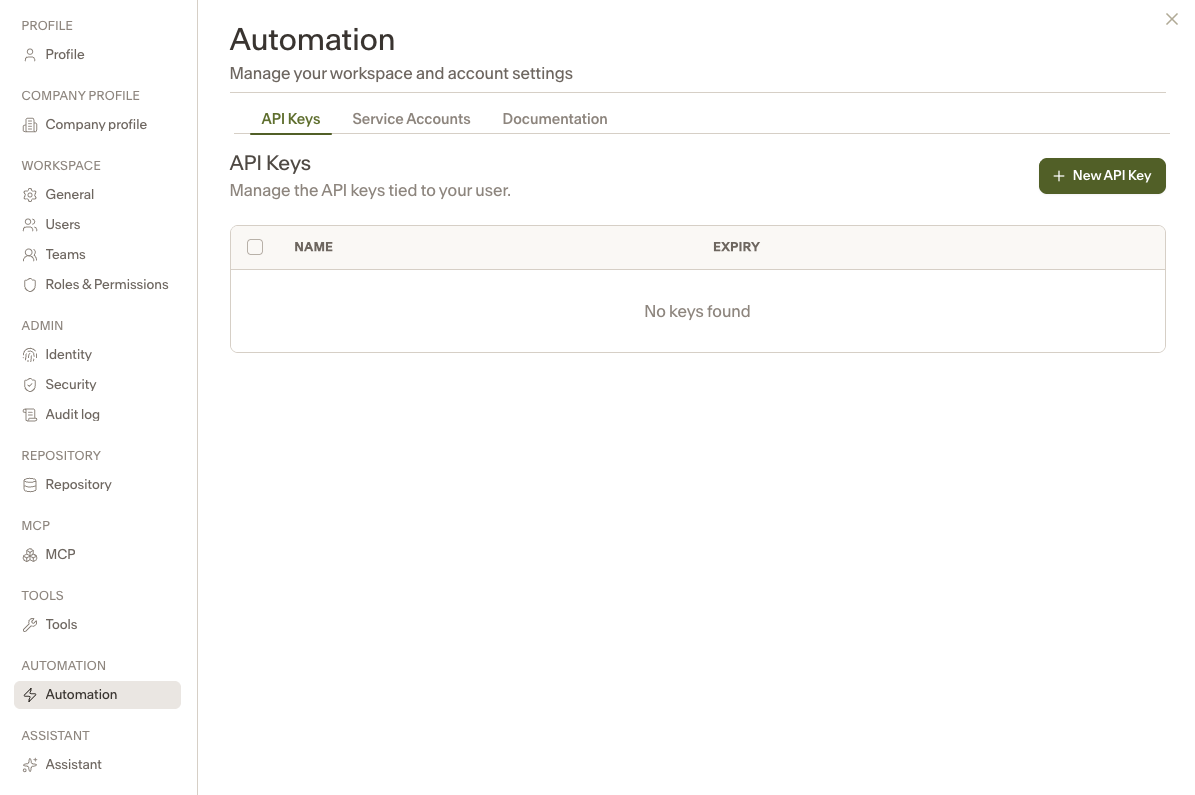
Navigate to Settings → Automations → API Keys
Click + New API Key on the right
Enter a name and expiration date
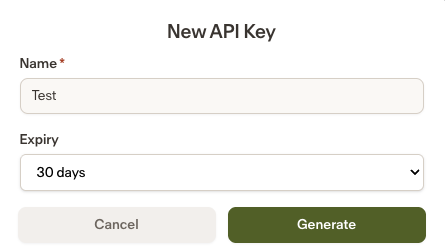
Click Generate
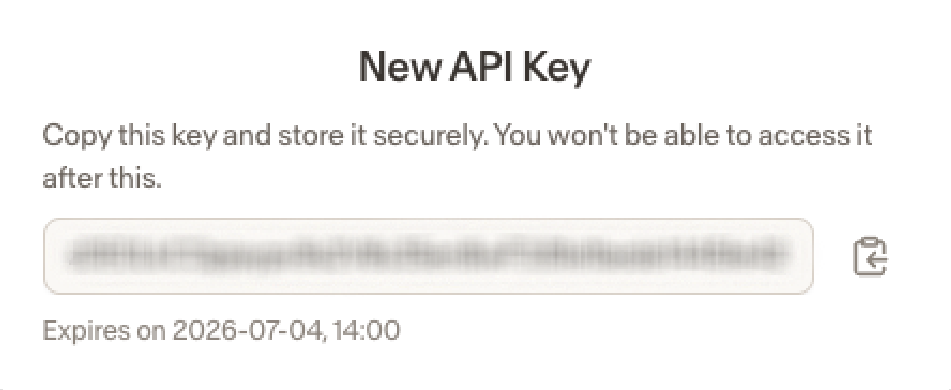
Your new API key will then be available to copy and use in your integrations.
Documentation
The Documentation tab provides the technical reference for Ivo's API and is intended for client-side engineers and integration teams.
To access it:
Settings → Automations → Documentation
It includes:
An overview of core API concepts (Rooms, Contracts, Facts, Views, Playbooks, etc.)
Authentication requirements and rate limits
A complete list of available endpoints and their functionality
Request and response schema definitions
An interactive interface for testing API endpoints directly
Repository API
The Repository API enables you to connect Ivo with the systems your teams already use. Instead of keeping contract data only within Ivo, you can programmatically extract structured contract intelligence, such as key dates, counterparties, renewal terms, and other AI-extracted fields, and send that information directly to your existing tools.
Common use cases include:
Syncing contract metadata to Salesforce so customer records always reflect the latest contractual terms
Sending renewal dates to billing or finance systems
Triggering operational workflows when specific clauses or conditions are identified
Integrating contract data into internal reporting, analytics, or business processes
The possibilities depend on your organization's systems and integration requirements.
Key benefits:
Reduce manual data entry
Eliminate information silos
Create a single source of truth across teams
Accelerate business processes
Improve data accuracy
Enable more informed decision-making across the organization