Accessing Assistant History
Last updated: April 6, 2026
You can use Assistant History to quickly return to previous conversations with the assistant.
There are two ways to access it:
In Word
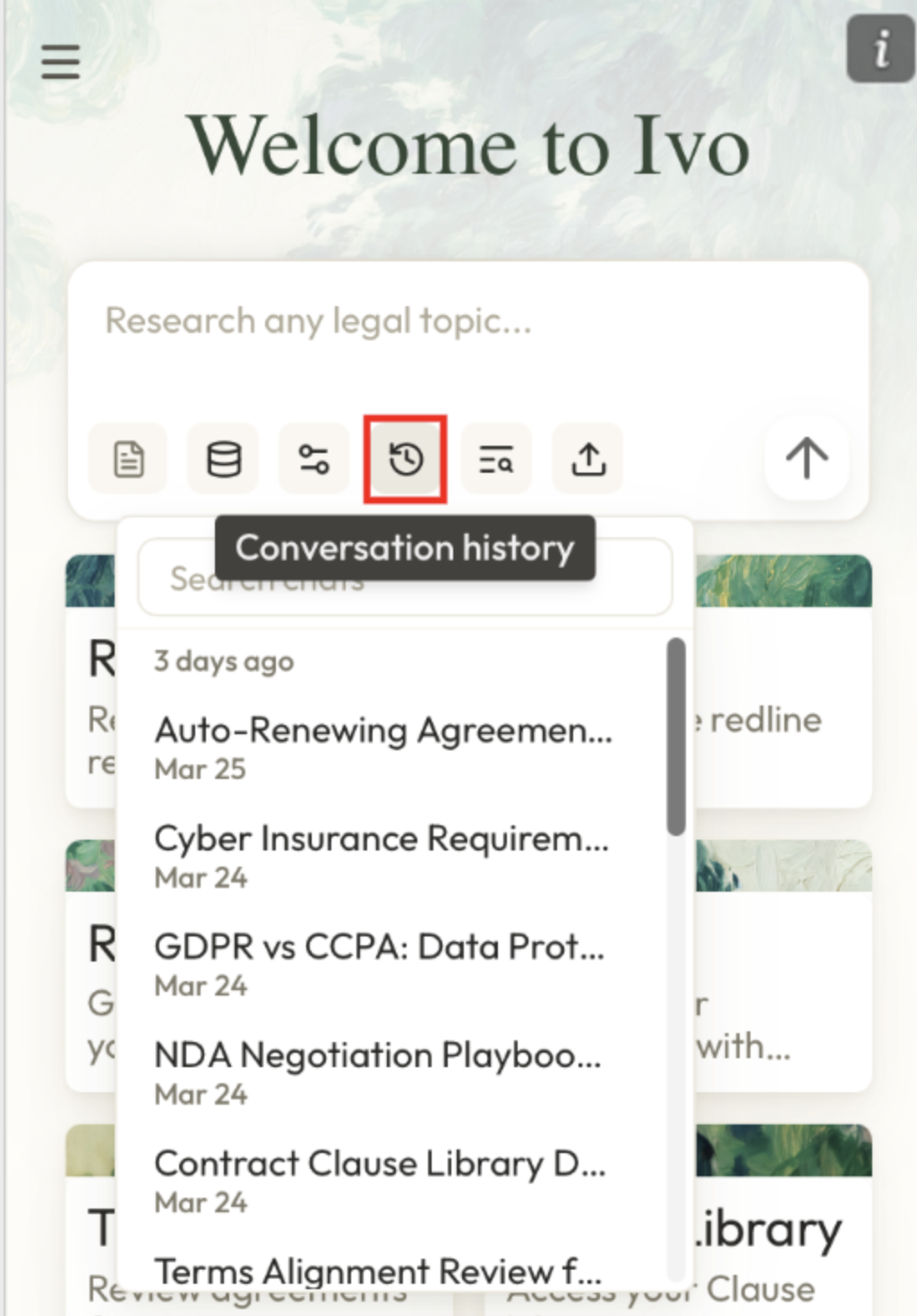
In the assistant panel, click the Conversation History button to view your recent conversations.
In the web app
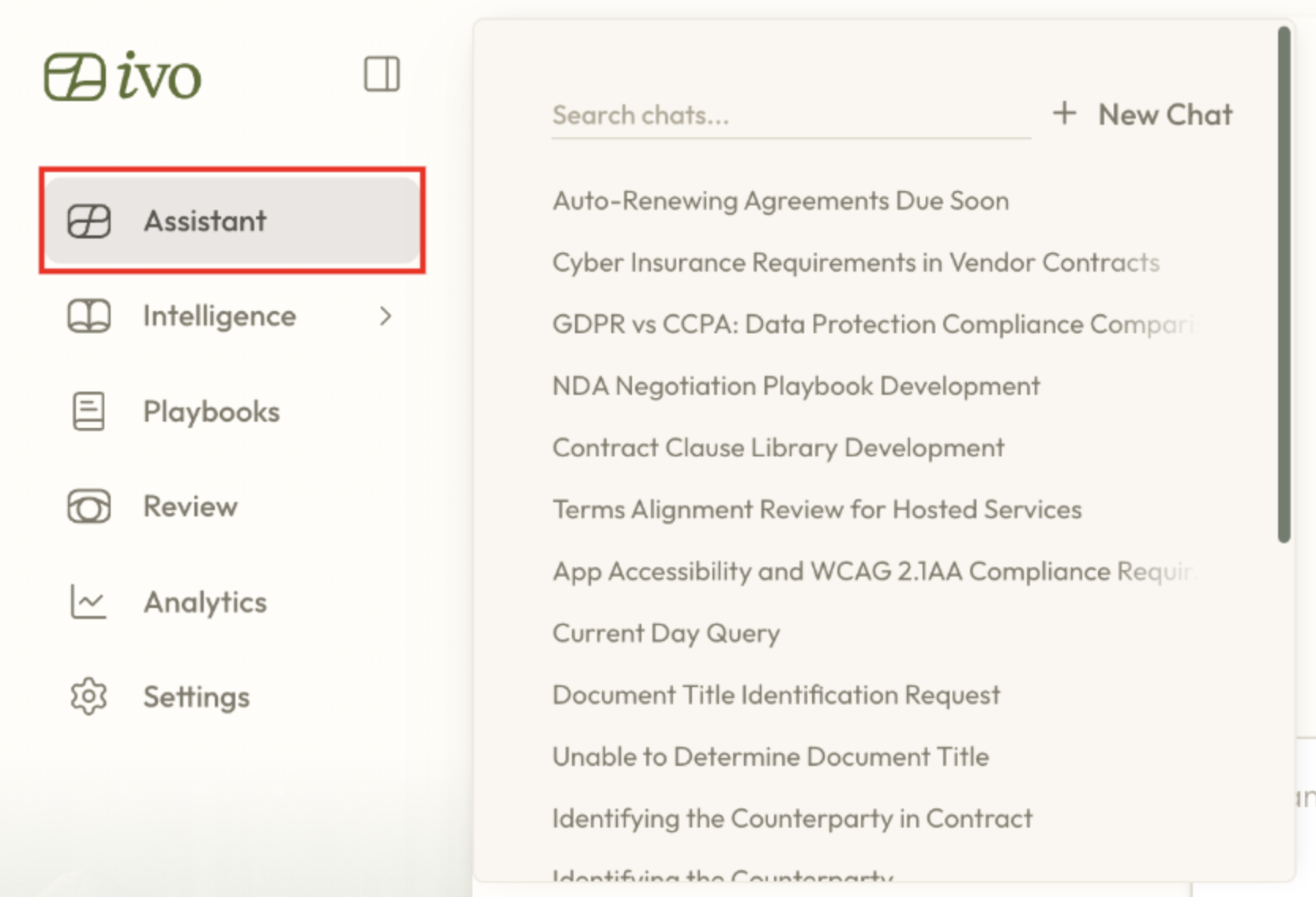
Hover over the Assistant button to open your recent conversation history.
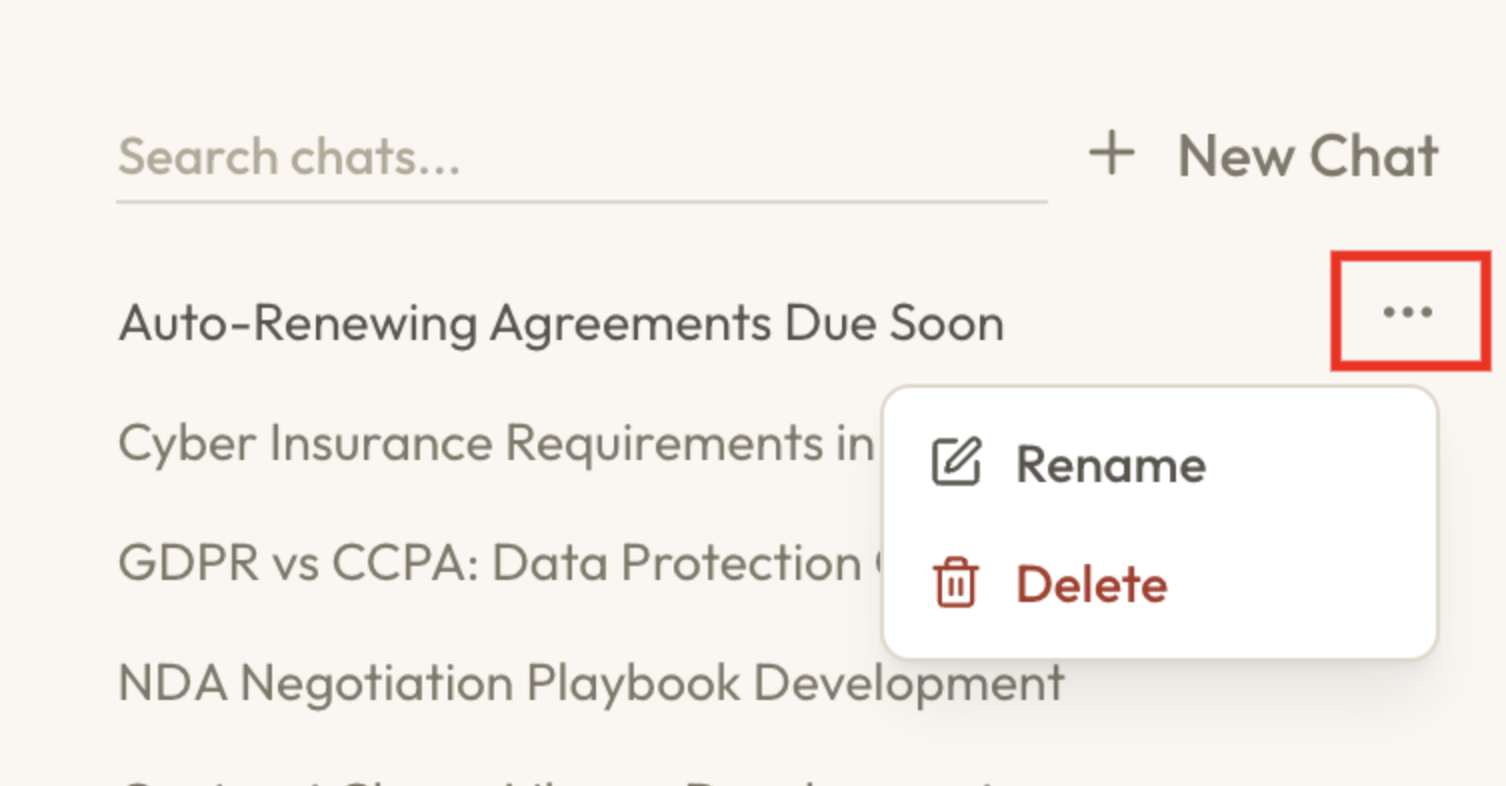
From there, you can also click the three dots next to any conversation to rename or delete it.
Need More Help?
If you have any additional questions, please contact support@ivo.