Managing User Access
Last updated: June 4, 2026
Managing User Access
Managing user access allows you to control who can access your workspace and what permissions they have.
Requirements
You must be a Workspace Admin to manage user access and assign roles.
How to Manage User Access
Go to app.ivo.ai and log in to your account.
Click Settings.
Select Workspace.
Click Users.
Select the user whose access you want to update.
Choose the appropriate Role for that user.
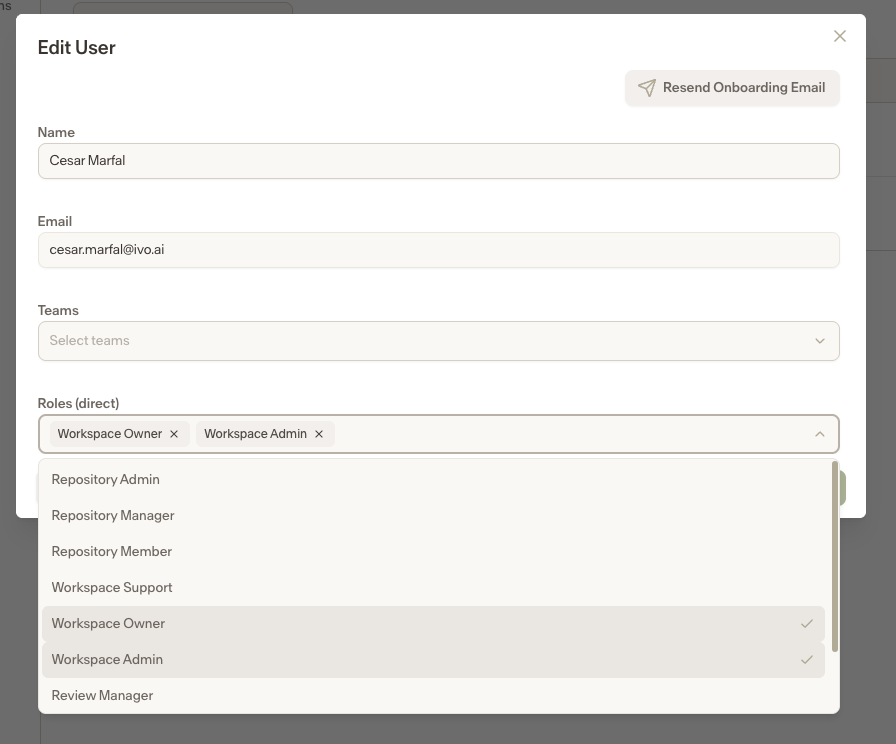
Select Save User
Once a role is assigned, the user will have the permissions associated with that role.
Questions about role definitions? View this article
Still having trouble? Please contact Ivo Support at support@ivo.ai