Collaborate Insights
Last updated: November 3, 2026
Collaborate Insights gives you visibility into how your contracts are performing across the negotiation table. By analyzing signed Collaborate contracts, it shows how each playbook position holds up in practice, where deals are getting stuck, and where your playbook may need updating.
Who can access it
You need to be a Workspace Owner, Workspace Admin, or Review Admin, and have Intelligence access.
How to access it
Navigate to Insights in the Ivo web app and select the Collaborate tab.
What you can see
Collaborate Insights is organized into four views:
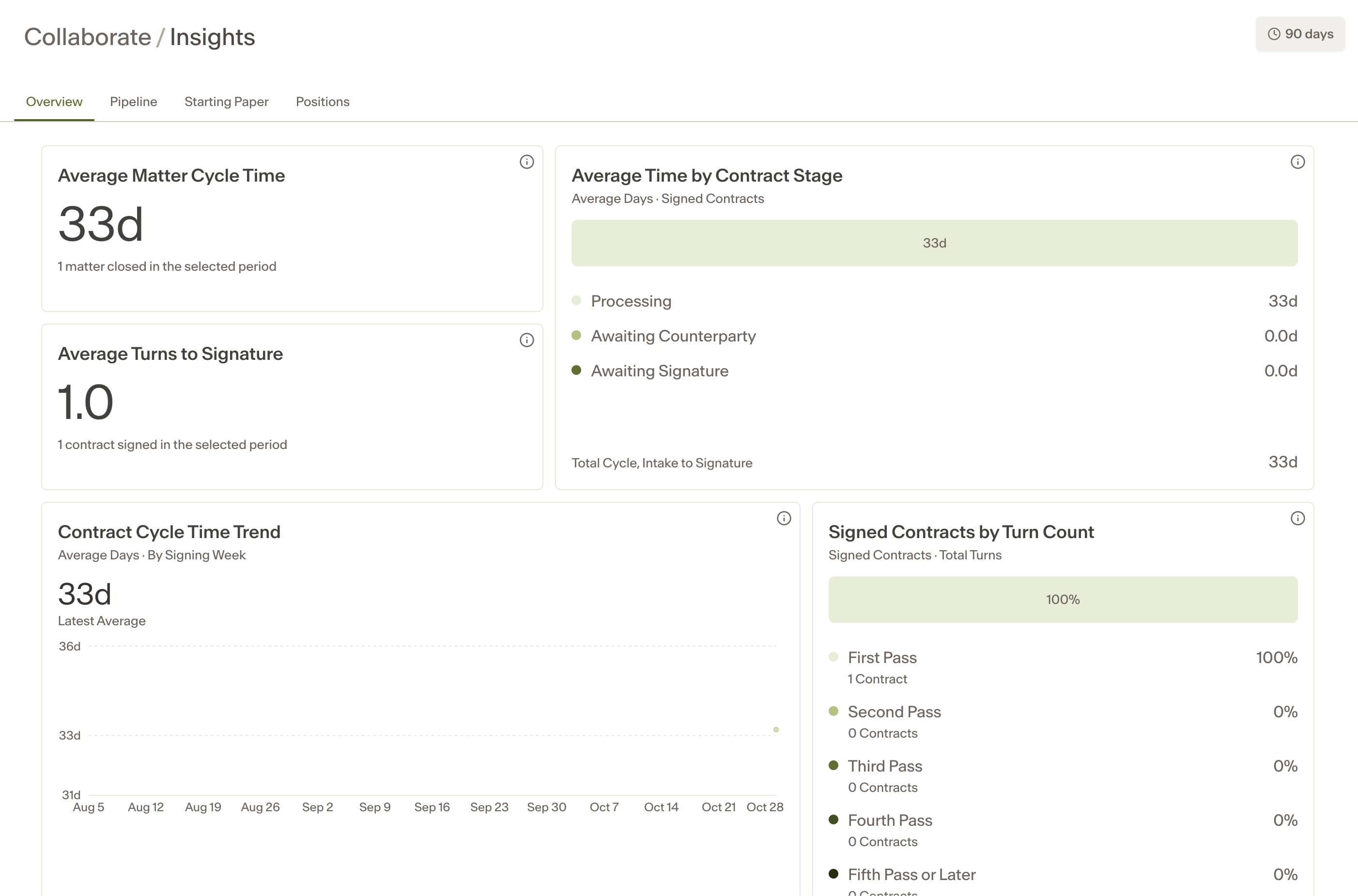
Overview — a high-level summary of negotiation activity across your signed contracts.
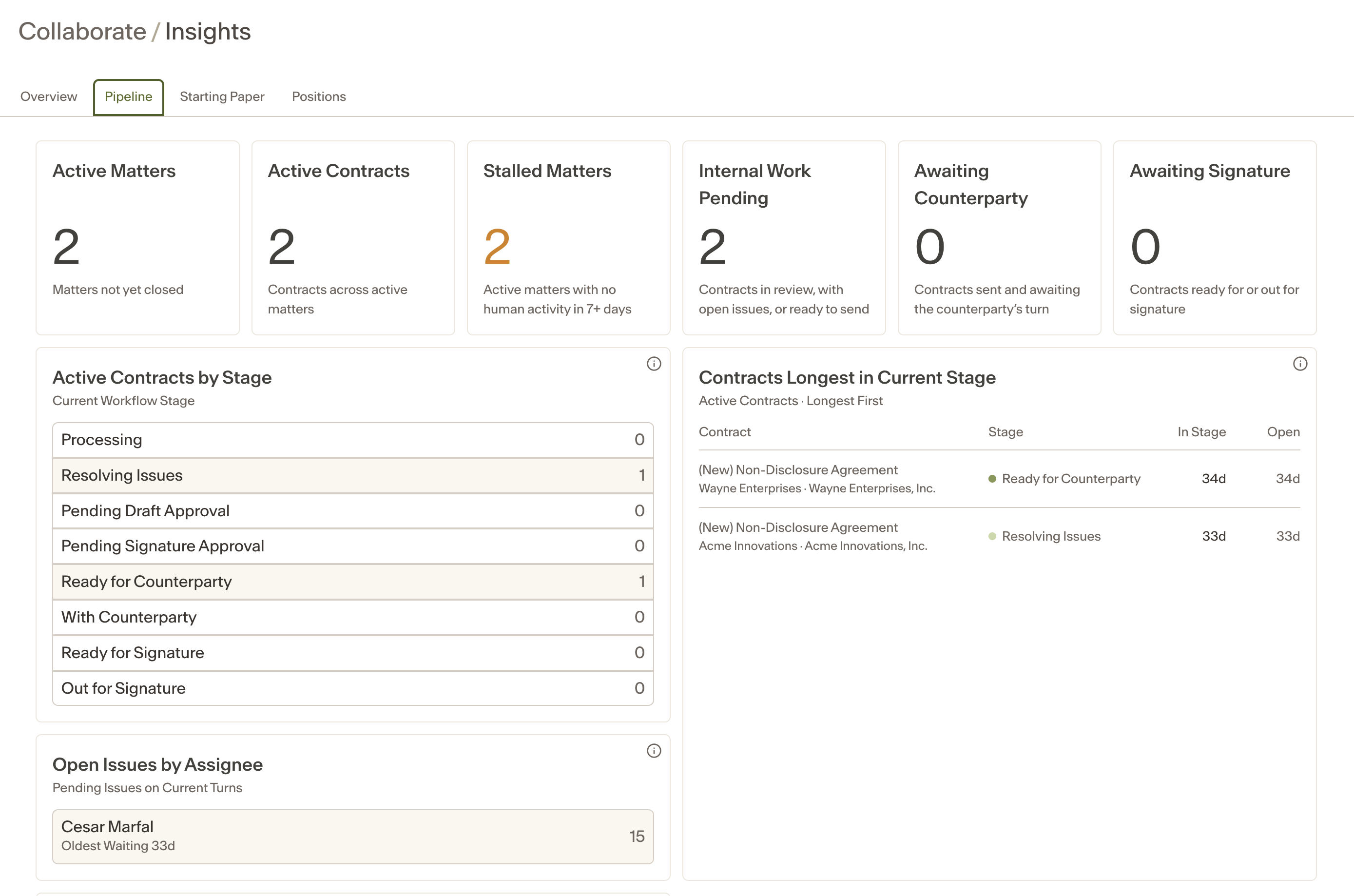
Pipeline — a view of deal volume and status over time.
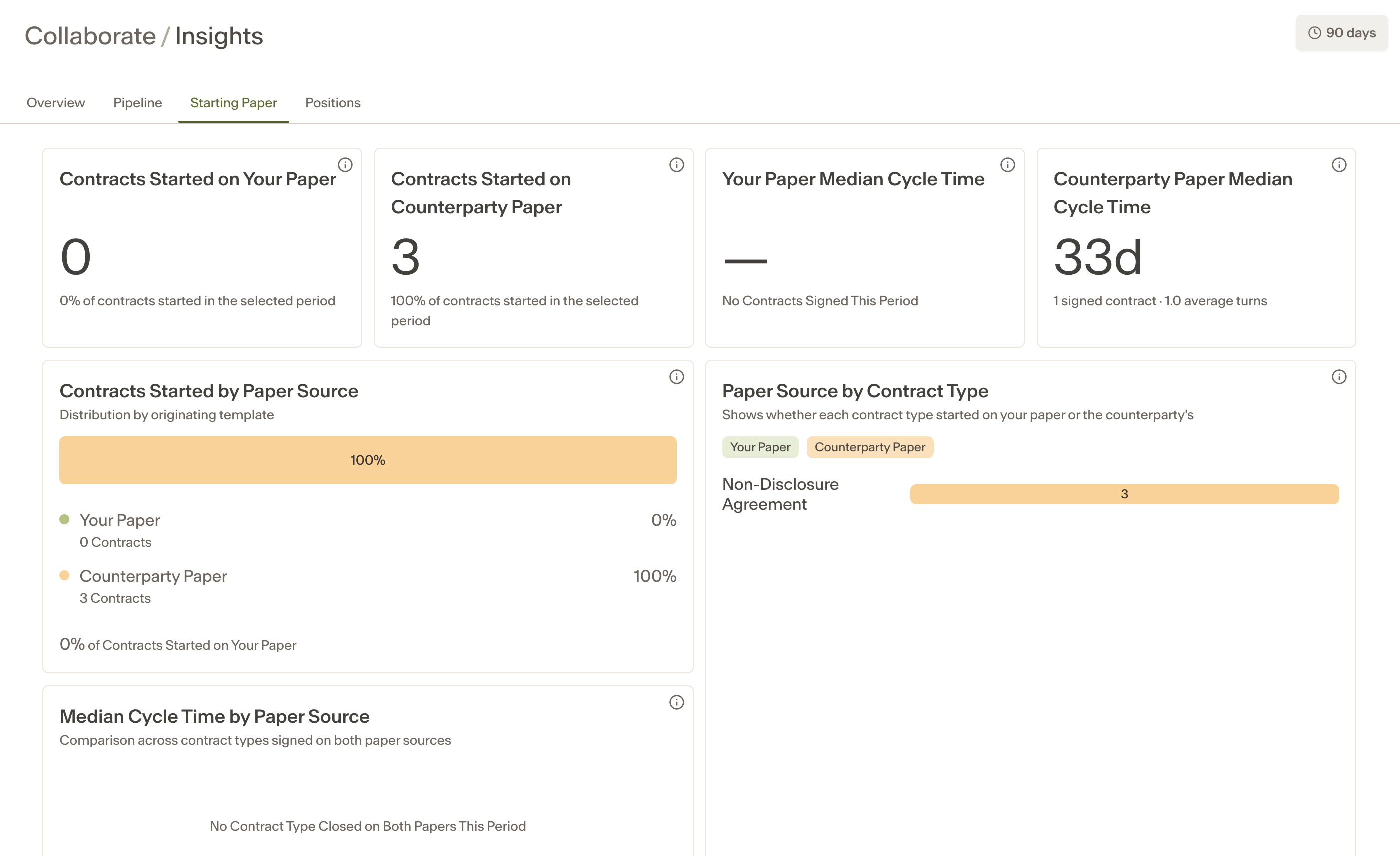
Starting Paper — a breakdown of whether deals started from first-party or third-party paper.
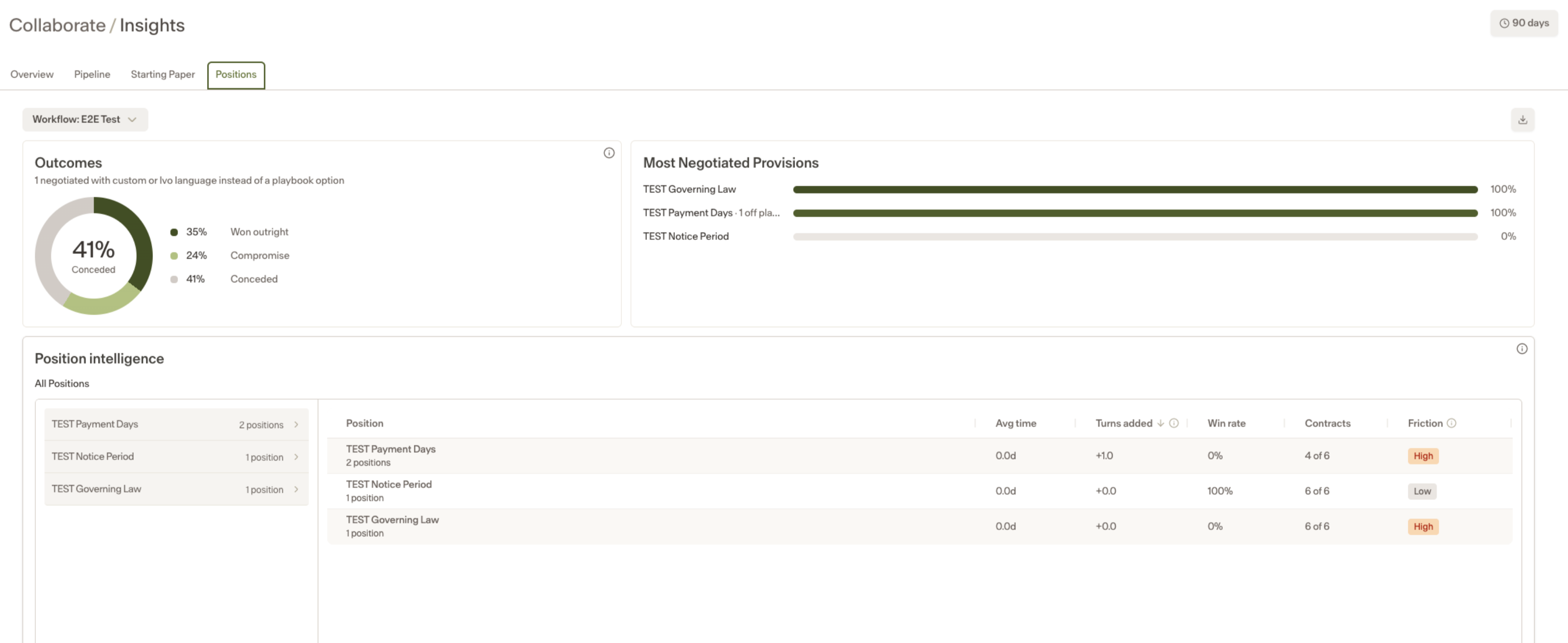
Positions — a detailed look at how each playbook position is performing.
Position Performance
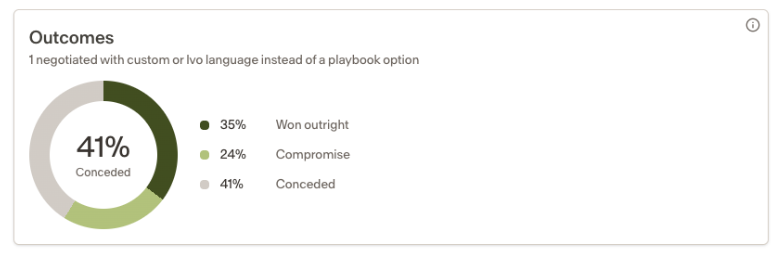
Each playbook position is tracked and categorized based on how it resolved across your signed contracts:
Outcomes | What it means |
|---|---|
Won Outright | The standard position held, or a fallback position was accepted by the counterparty. |
Compromise | The position was discussed and resolved through negotiated language. |
Conceded | The position was dropped entirely. |
Drilling into a position
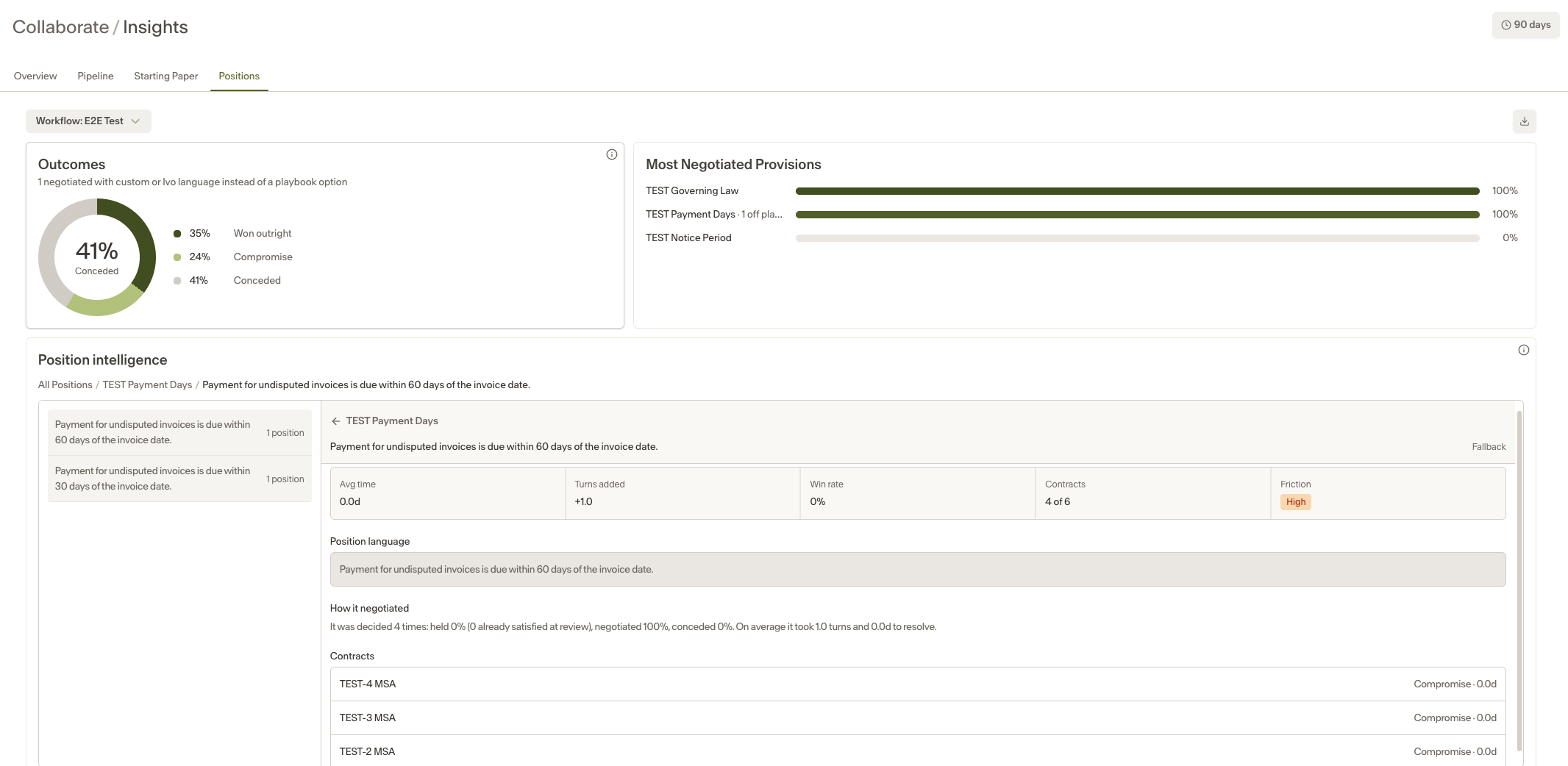
Click on any position to see:
Final language — the language that was ultimately agreed on across contracts.
Average Time — how long the position stayed contested, from when it first emerged to when it was resolved.
Turns Added — how many additional negotiation rounds that position was responsible for on average.
Win Rate — the percentage of contracts where the position was signed with its original language.
Friction — an indicator of how contested the position is on average.
Notes
The positions table is only populated when a contract is signed in Collaborate. Contracts still in progress do not contribute data, which prevents results from changing mid-negotiation.
Suggestions are shared. If two users have access to the same playbook, they will see the same suggestions.