Admin Configuration
Last updated: September 30, 2026
Group Admins configure the structure and rules that govern how Collaborate works for their team. This includes setting up Groups, building Workflows, configuring review inputs, assigning reviewers, and creating document generation templates.
Groups
A Group is a business or approval unit such as Legal, Finance, or Security. Groups contain members and workflows.
To create a Group:
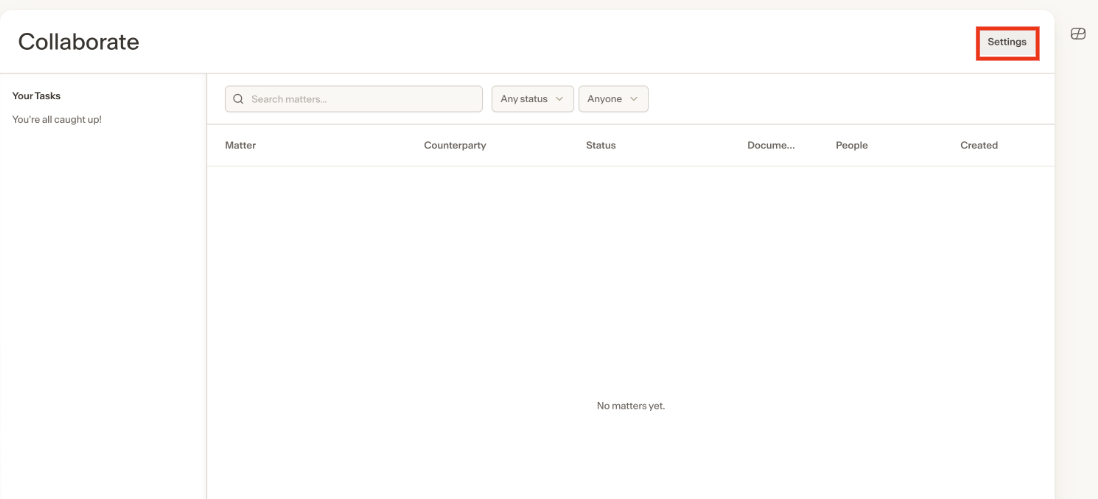
Navigate to the Collaborate admin settings.
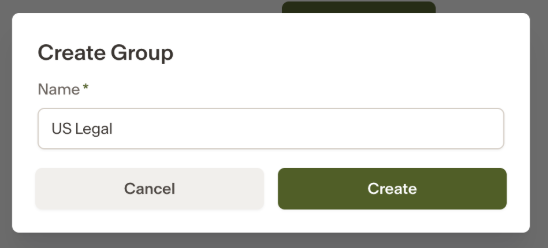
Create a new Group and give it a name.
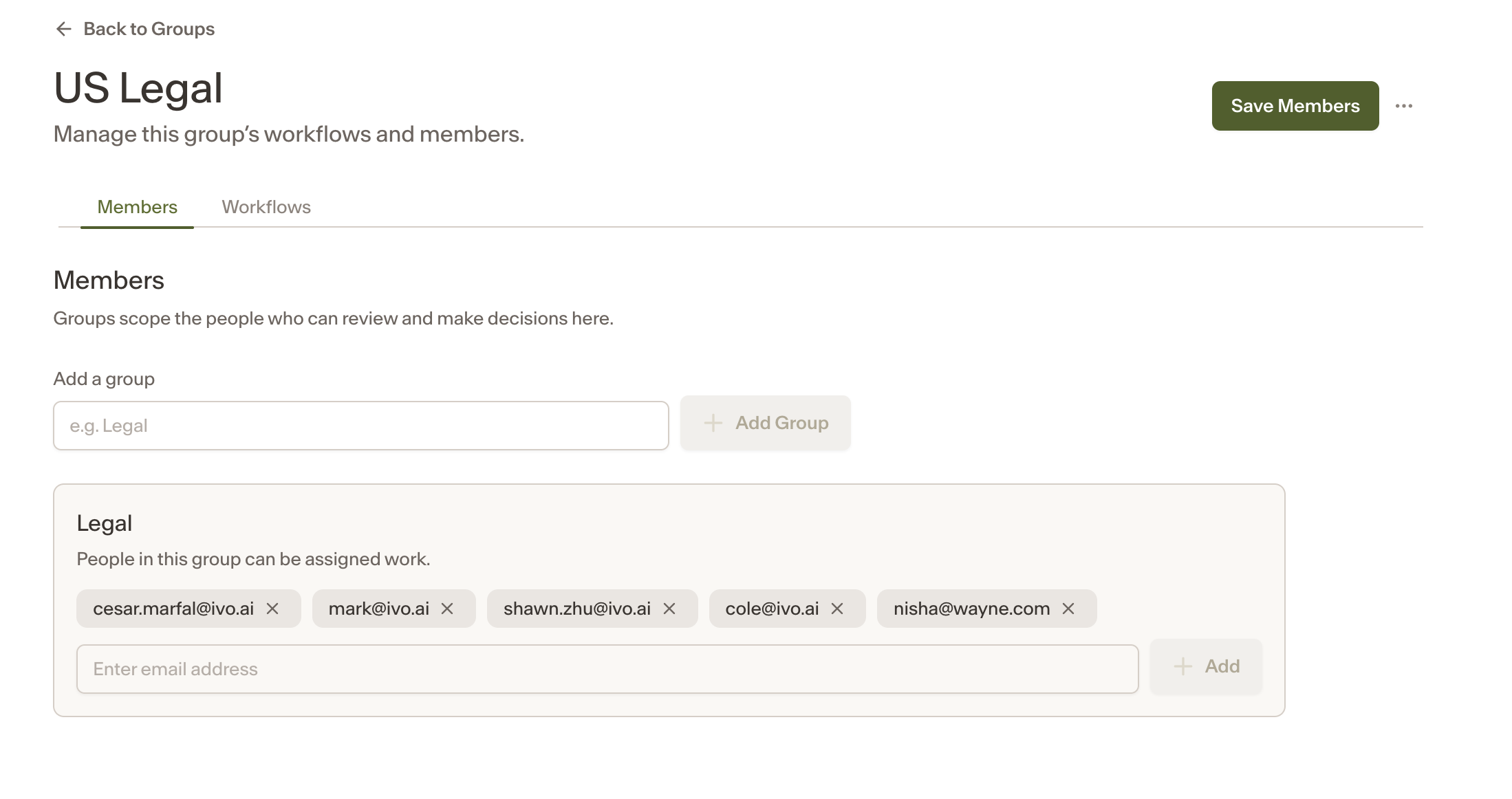
Add members directly. Members can be Ivo users or external guests represented by an email address.
Workflows
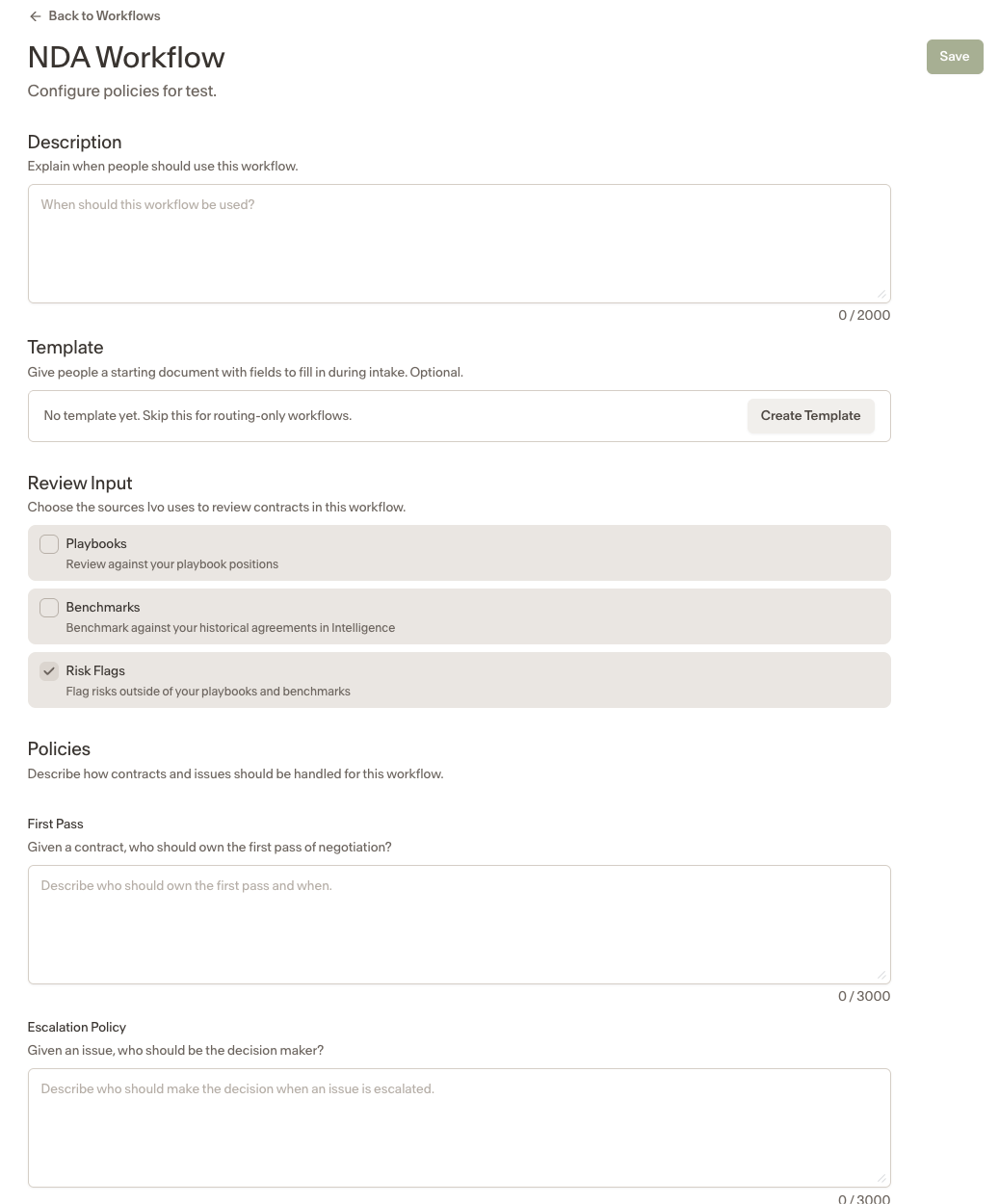
Each Group contains one or more Workflows. A Workflow defines how a specific type of agreement is handled, including its review inputs, reviewer assignment, escalation policy, and optional document generation template.
To create a Workflow:
Open the Group you want to add a Workflow to.
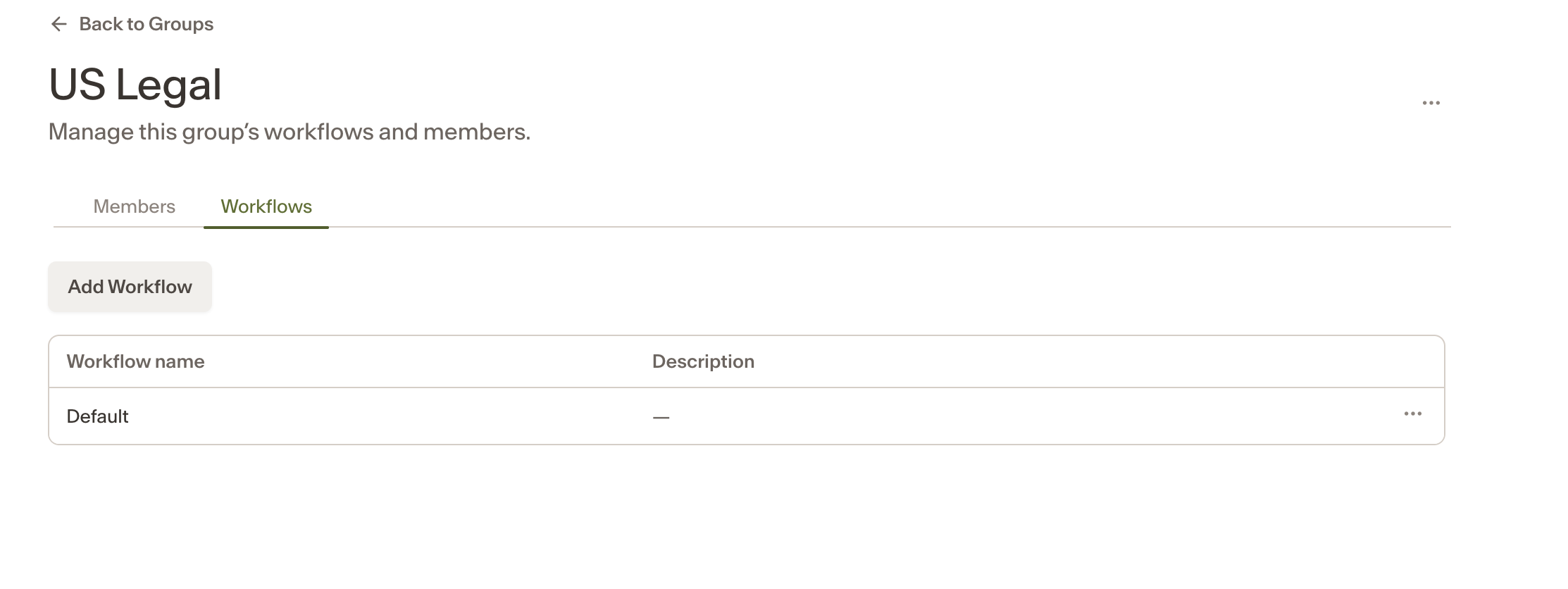
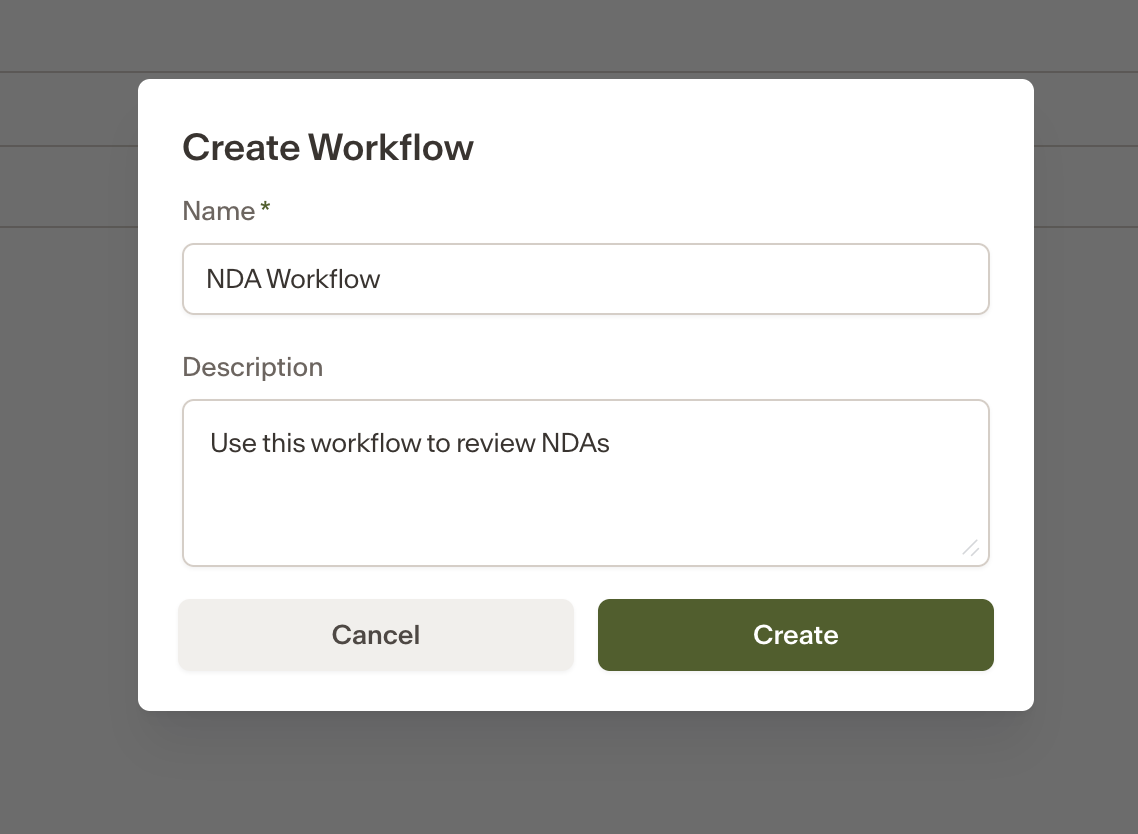
Create a new Workflow and give it a name and description.
Configure the settings below.
Review inputs
Admins enable playbook review, benchmark review, and risk flags within the Workflow. All three can run together. For each:
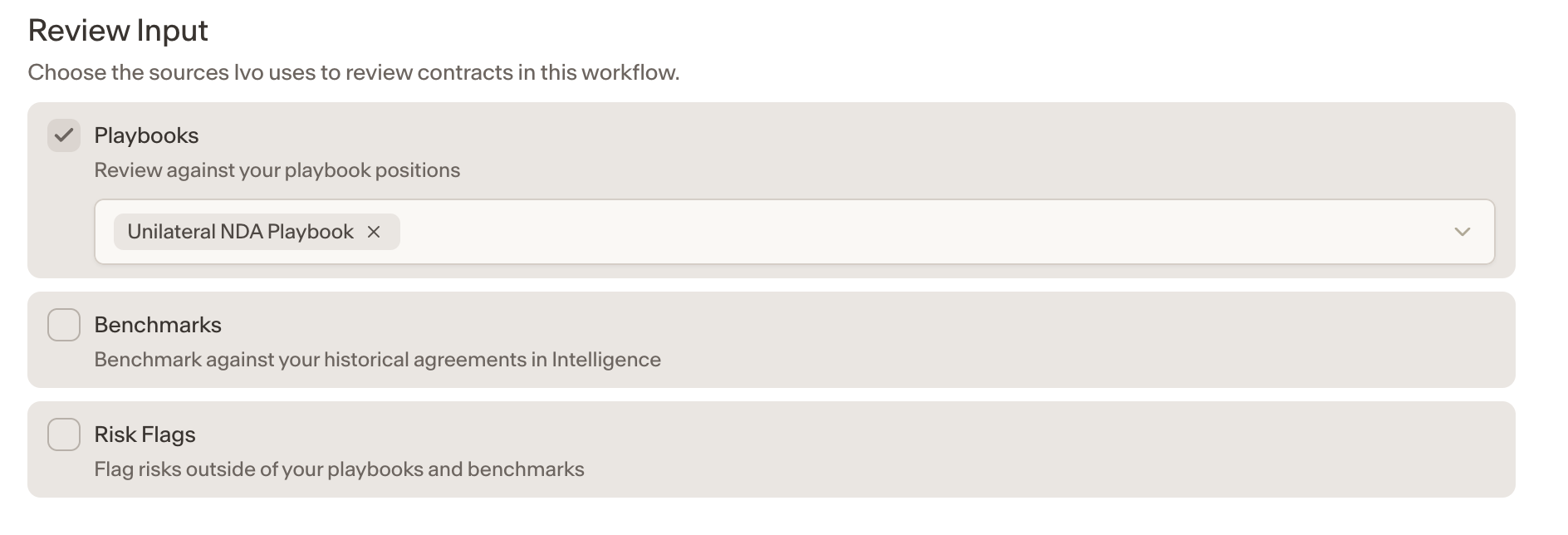
Playbook review — select which playbooks should be applied when reviewing documents in this Workflow.
Benchmark review — configure benchmark sources, including the relevant Intelligence room.
Risk flags — enable risk flag detection as part of the review.
Intake users cannot override these review selections.
Reviewer assignment
Admins configure the initial reviewer for the Workflow based on agreement context. Reviewer assignment supports the name of a Group, such as Legal, or a specific user name.
The Workflow's escalation policy governs what happens when no reviewer can be automatically assigned.
Policies
Policies describe how contracts and issues should be handled for this Workflow. Collaborate uses them to decide who gets the work.
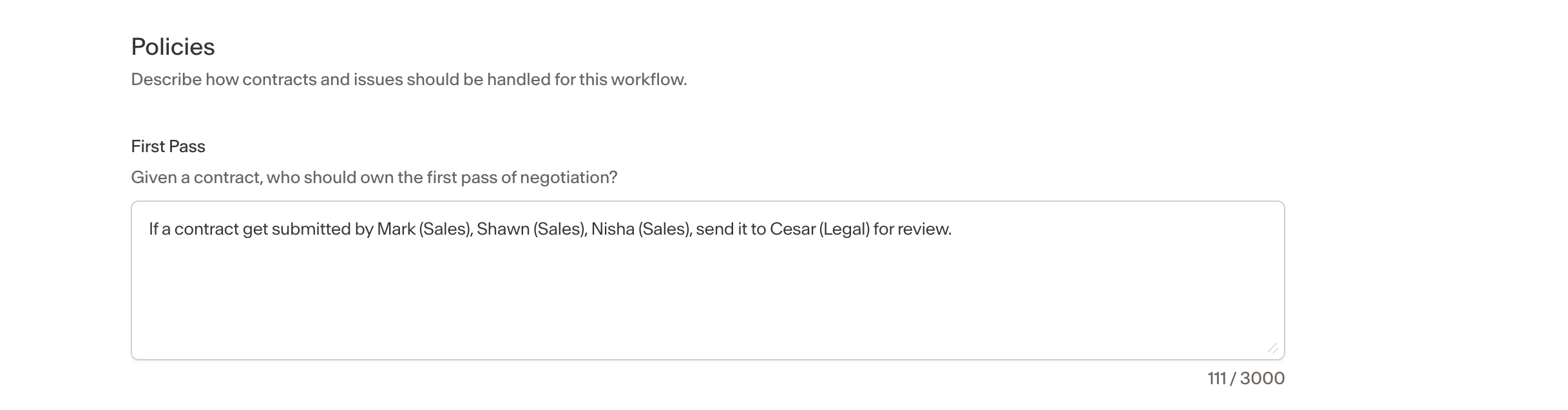
First Pass — Describe who should own the first pass and when. This determines the initial reviewer assigned when a document enters the Workflow. You can refer to a Group, such as Legal, or a specific person, and you can make it conditional on agreement context.
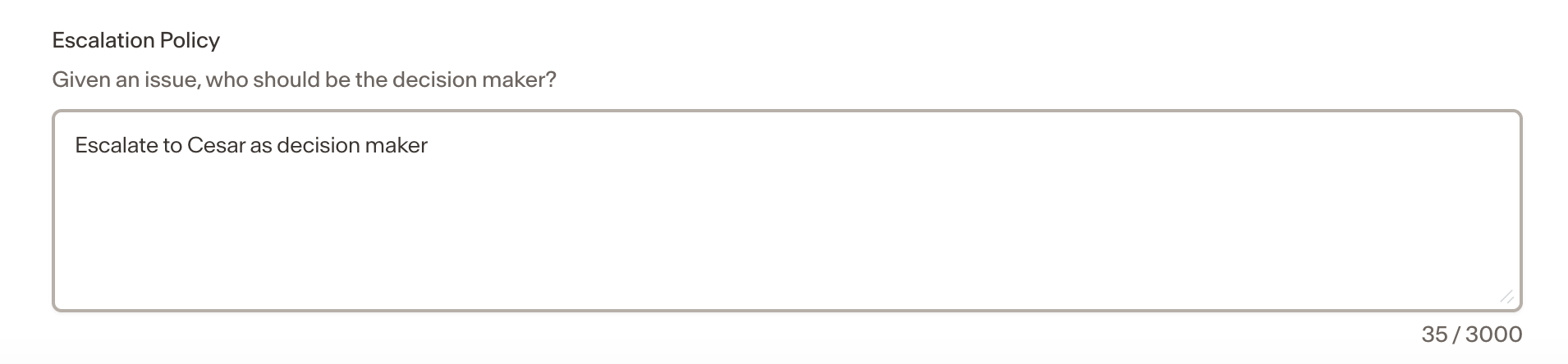
Escalation Policy — Describe who should make the decision when an issue is escalated. This also governs what happens when no reviewer can be automatically assigned.
Auto-approval
When a document passes the Workflow's configured AI Review with no issues found, it is automatically approved and the user is notified that the contract is ready for signature. No manual reviewer is required for auto-approved documents.
Document generation templates
Admins can publish optional templates within a Workflow to support document generation during intake. Templates define the variable fields users fill in when generating a document, such as entity name, address, and governing law.
To build a template:
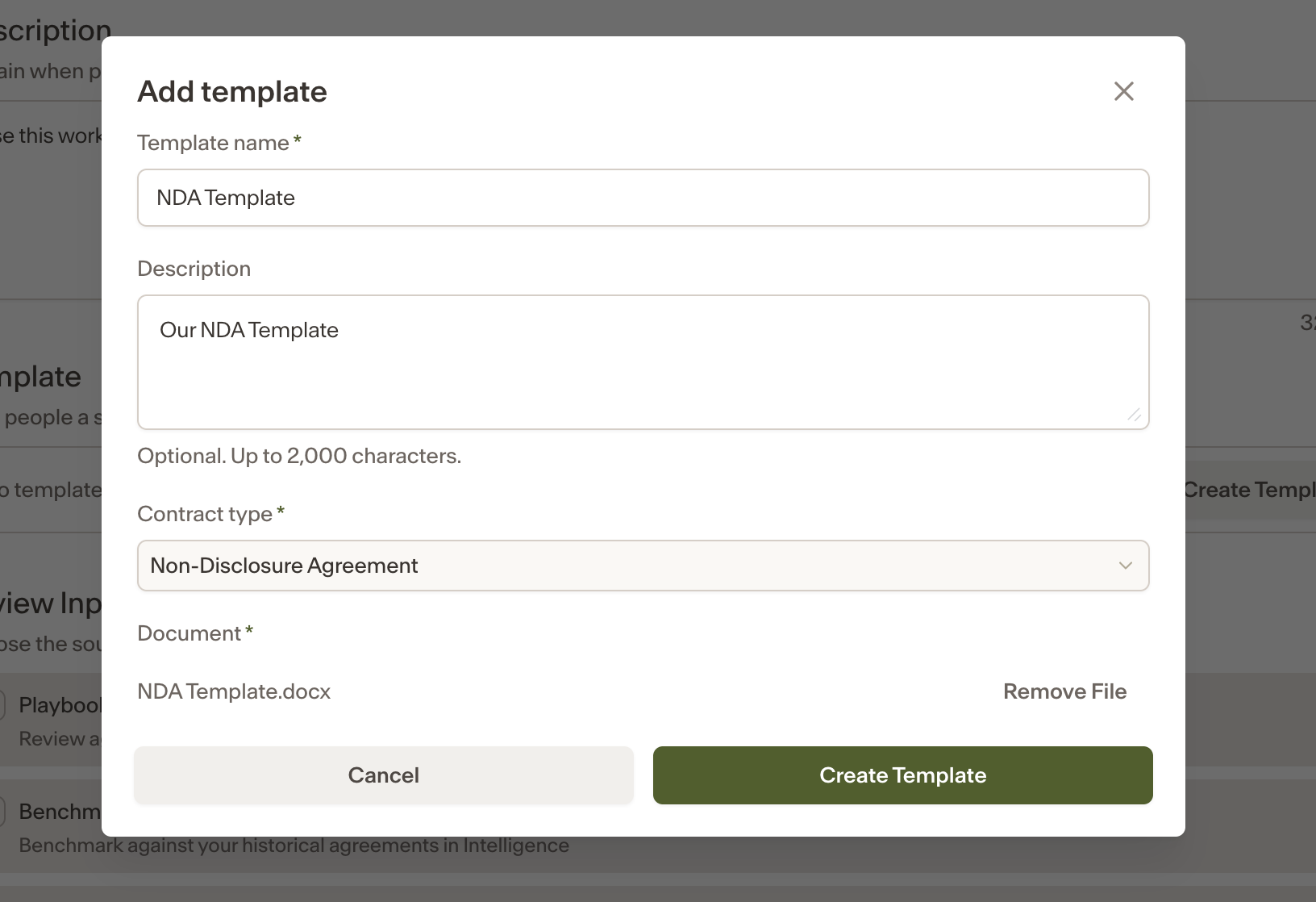
Open the Workflow and navigate to the template section.
Select text in the document to create a field. Supported field types include text, number, date, and select.
To populate multiple locations in the document from one answer, highlight another occurrence of the same text and link it to the existing field.
Add standalone questions if needed, such as a yes/no question that controls which clauses are included.
Template rules can swap alternative clauses based on a user's answers. For example, a yes answer to an auto-renewal question could include an auto-renewal clause, while a no answer could replace it with an expiry clause. Rules are not limited to including or omitting text.
Notes
Members added to a Group may be Ivo users or guests. Guests are represented by an email address and may appear as email-only in the interface.
Matter-specific access can also be granted without Group membership, but this does not give the person access to the Group's workflows.
Generated documents go directly to the counterparty-send stage without an internal review step. If the counterparty returns redlines, the Matter Owner uploads the returned version to begin the negotiation flow.